
This scrutiny should extend to the physical devices associated with an account. Google’s device activity dashboard provides a transparent look at every smartphone, tablet, and computer currently signed in. In an age of frequent device upgrades, it is easy to leave an account active on an old phone that has been sold or a public computer that was used once. Removing these stale connections ensures that the account remains accessible only from hardware currently under the user’s direct control.
Operating System and Browser-Level Integrity
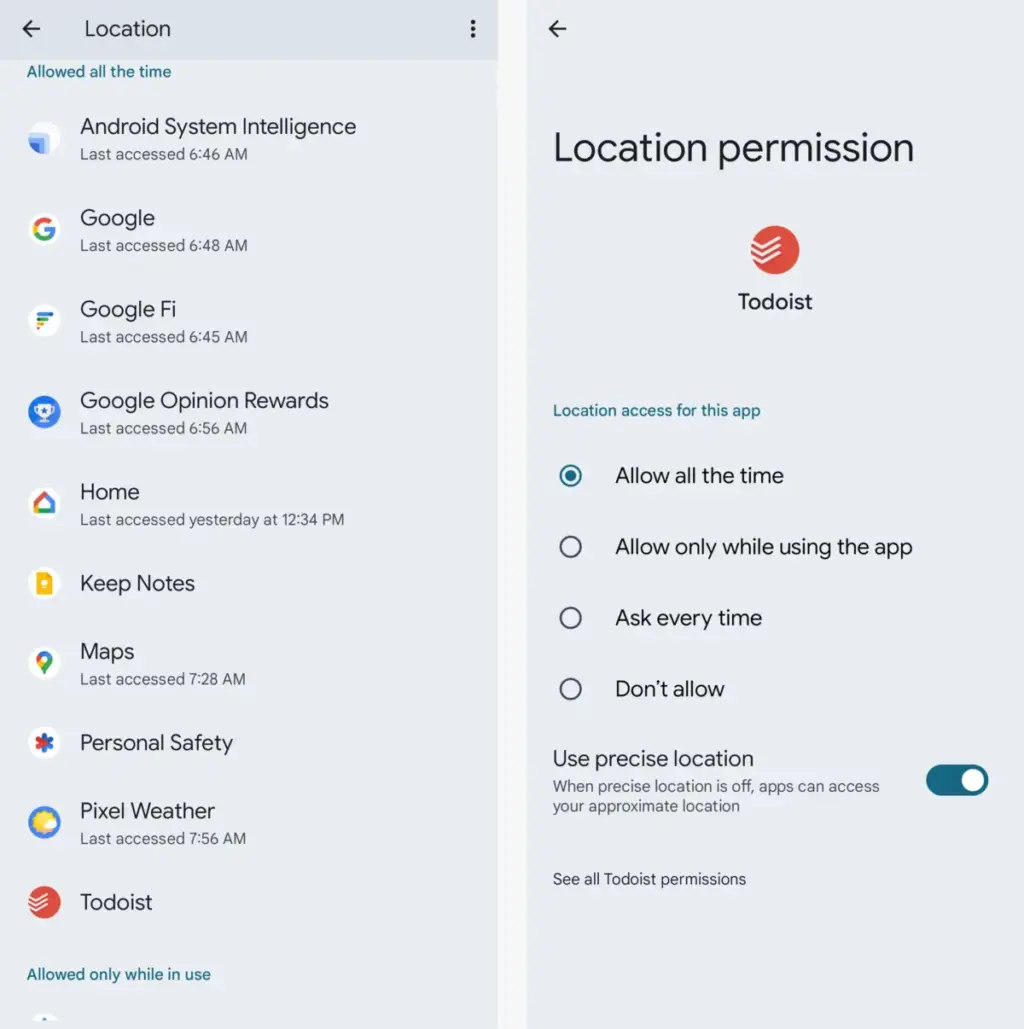
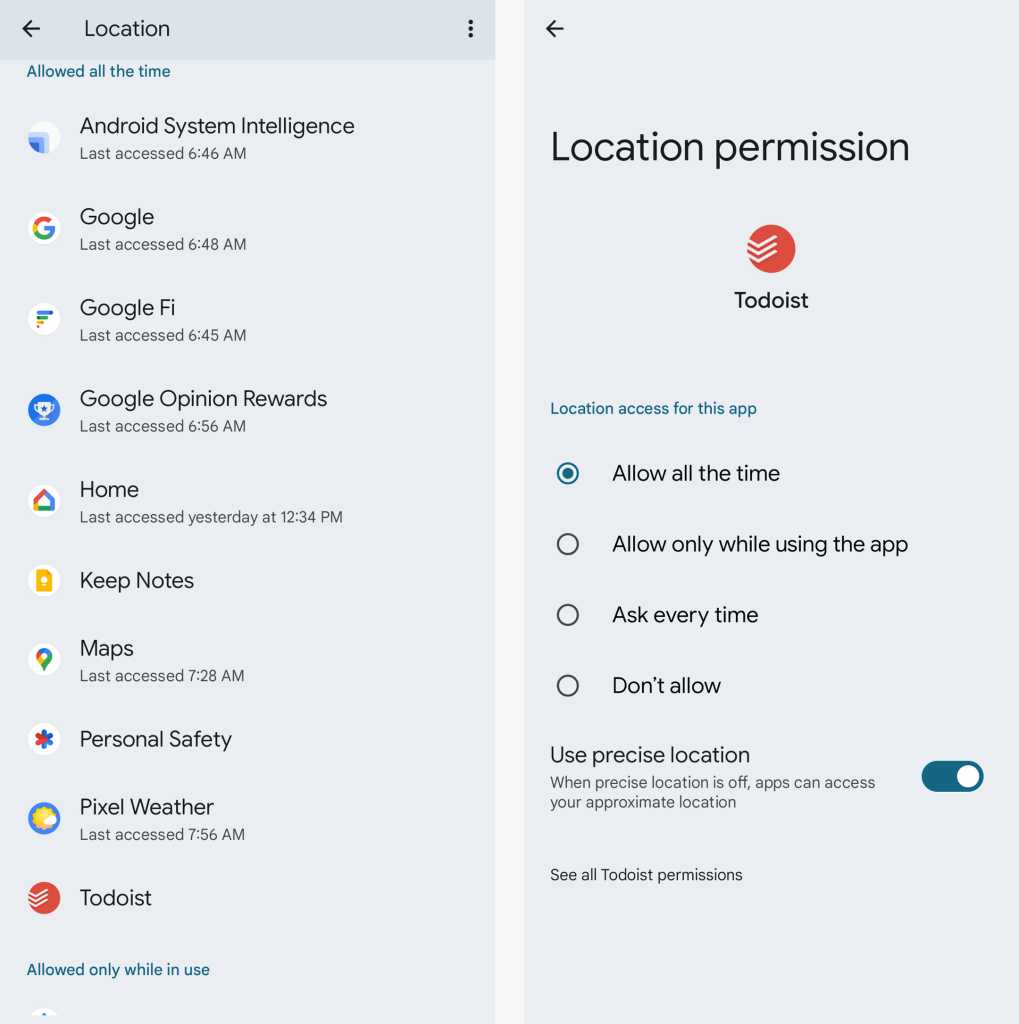
For those within the Android and Chrome ecosystems, account security is deeply intertwined with device-level permissions. On Android, system-level access to contacts, location, and calendars can effectively bridge the gap between local data and cloud-stored Google info. The Permission Manager within Android’s settings allows for a granular review of which apps can see what. Periodically tightening these permissions ensures that a simple utility app isn’t overreaching into sensitive account data.
Similarly, browser extensions on platforms like Chrome, Microsoft Edge, and Vivaldi represent a unique vector of risk. While extensions can enhance functionality, they often require broad permissions to read and change data on the websites a user visits. This can include sensitive portals like Gmail or Google Docs. Users are encouraged to limit extension access to specific sites rather than allowing them to run on "all sites" by default. By restricting an extension’s visibility, users can enjoy the benefits of the software without granting it a "god-mode" view of their entire web browsing experience.
Planning for the Long Term: Digital Legacy and Advanced Protection
Security also involves planning for scenarios that are difficult to contemplate, such as the management of one’s digital estate. Google’s Inactive Account Manager acts as a virtual will, allowing users to decide what happens to their data if the account remains unused for a set period. This tool allows for the automated notification of trusted contacts and the potential sharing of specific data subsets, such as photos or documents, with heirs. Without this setup, loved ones may find it nearly impossible to retrieve meaningful digital assets after a user’s passing, as Google’s privacy policies are strictly enforced even for the deceased.
Finally, for users who face an elevated risk of targeted cyberattacks—such as journalists, activists, or high-level executives—Google provides the Advanced Protection Program. This is the most stringent level of security offered by the company, requiring the use of physical security keys for every new sign-in and strictly limiting third-party app access. While it introduces a higher degree of friction into the user experience, it provides a level of defense that is virtually impenetrable to standard remote hacking techniques.
Maintaining a secure Google account is not a "one-and-done" task but an ongoing process of refinement. As threats evolve and new features are introduced, taking the time to audit permissions, update recovery methods, and embrace new authentication technologies like passkeys ensures that one’s most important digital assets remain under their exclusive control. By following these comprehensive steps, users can transition from a state of vulnerability to one of informed, proactive security.
 Small Business IT & Cloud Computing
Micron Warns of Persistent Memory Shortage Through 2028 as Industry Braces for Protracted Price Hikes
The global semiconductor landscape is facing a prolonged period of volatility as...
 Small Business IT & Cloud Computing
Seagate and Toshiba Locked in Bidding War for TDK Magnetic Head Business as AI Demand Surges
The global hard disk drive industry, once a crowded field of dozens...
 Small Business IT & Cloud Computing
Google Positions Gemini as the Central Hub for Enterprise AI Orchestration with New Autonomous Agent Capabilities
At its high-profile Gemini at Work 2026 event this week, Google Cloud...







