
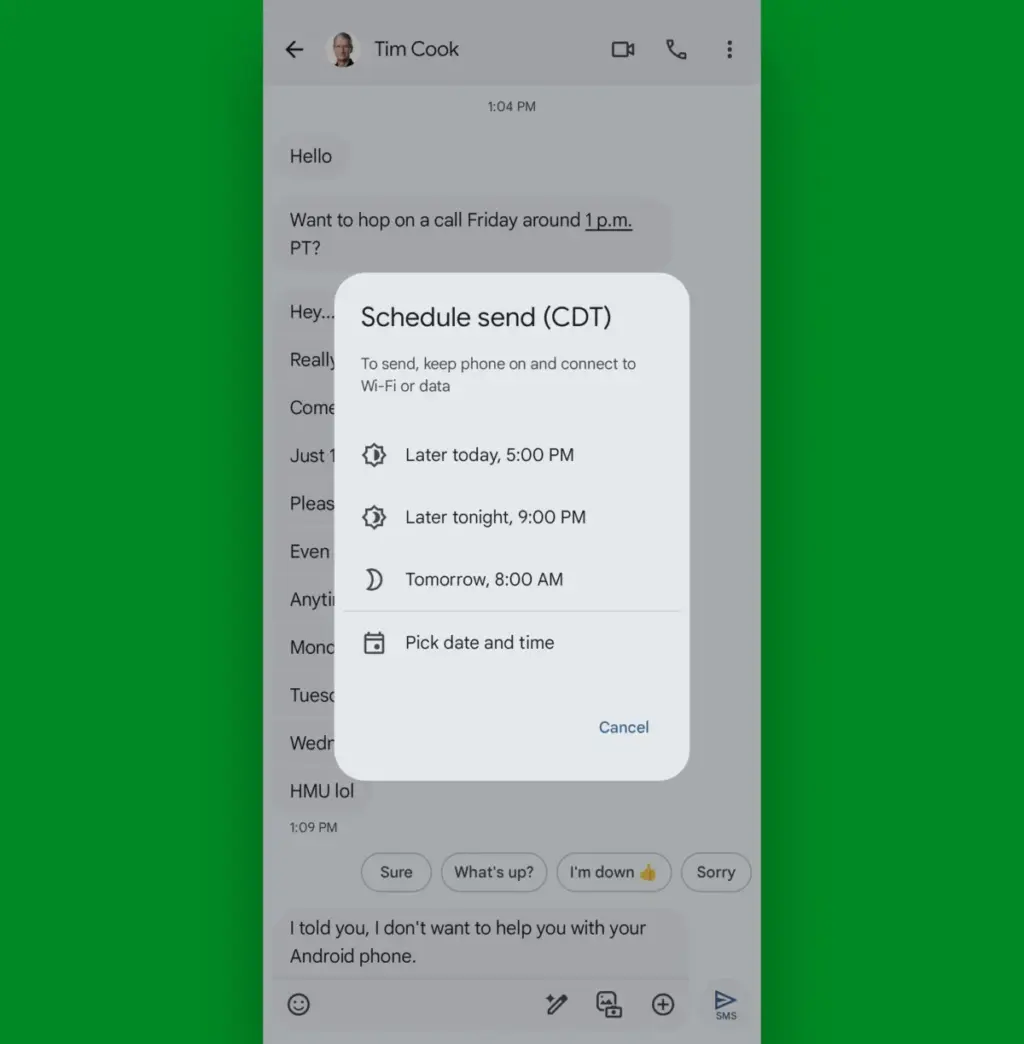
In the modern mobile landscape, the smartphone has transitioned from a simple communication device into a central hub for professional and personal management. For the vast majority of Android users, a significant portion of daily screen time is dedicated to a single activity: messaging. Whether coordinating with remote teams, responding to client inquiries, or managing personal social circles, the influx of digital correspondence is relentless. As the volume of communication increases, the demand for efficiency has never been higher, leading many to seek out tools that can streamline these interactions.
At the heart of this ecosystem is Google Messages, an application that has undergone a radical transformation over the last several years. Once a utilitarian SMS client, it has evolved into a sophisticated platform powered by Rich Communication Services (RCS) and integrated with Google’s broader suite of productivity tools. However, many users only interact with the application’s surface-level features, unaware of the deeper, "step-saving" functionalities designed to reduce friction and reclaim time. By mastering these overlooked settings and gestures, users can transform their messaging experience from a source of clutter into a well-oiled engine of efficiency.
Enhancing Efficiency Through Smarter Shortcuts
The primary hurdle to messaging efficiency is the sheer number of physical interactions required to manage a busy inbox. Google has addressed this by embedding a series of customizable gestures and shortcuts within the Messages framework. These tools are designed to mirror the organizational workflows found in professional email clients, allowing for rapid triage of incoming information.

One of the most impactful features is the implementation of "Swipe actions." Accessible through the application’s settings menu, this feature allows users to define specific outcomes for swiping left or right on any conversation in the main list. By default, these actions are often underutilized, but they can be configured to instantly archive a thread, delete a message, or toggle a conversation between read and unread status. For a professional managing dozens of threads, the ability to archive a completed task with a single flick of the finger—rather than opening the message and searching for a menu option—represents a significant cumulative time saving over a standard work week.
Furthermore, the application supports a double-tap gesture within individual threads to issue a quick "thumbs-up" reaction. This serves as a vital communication shorthand, allowing users to acknowledge receipt or agreement without the need to type a formal response or navigate a long-press menu. These small, tactile optimizations are part of a broader design philosophy aimed at reducing the cognitive load associated with mobile communication.
Streamlining Access and Prioritizing High-Value Conversations
Beyond internal gestures, the Android ecosystem allows for deeper integration between the messaging app and the device’s home screen. For users who communicate frequently with a core group of stakeholders, the traditional process of opening the Messages app and scrolling through a chronological list is inherently inefficient.
 Small Business IT & Cloud Computing
Google Positions Gemini as the Central Hub for Enterprise AI Orchestration with New Autonomous Agent Capabilities
At its high-profile Gemini at Work 2026 event this week, Google Cloud...
 Small Business IT & Cloud Computing
Tech Manufacturing Faces Triple Threat of Surging Component Costs, Logistics Strain, and Global Sovereignty Shifts
The consumer electronics landscape is currently navigating a period of unprecedented volatility,...
 Small Business IT & Cloud Computing
Seagate and Toshiba Locked in Bidding War for TDK Magnetic Head Business as AI Demand Surges
The global hard disk drive industry, once a crowded field of dozens...







