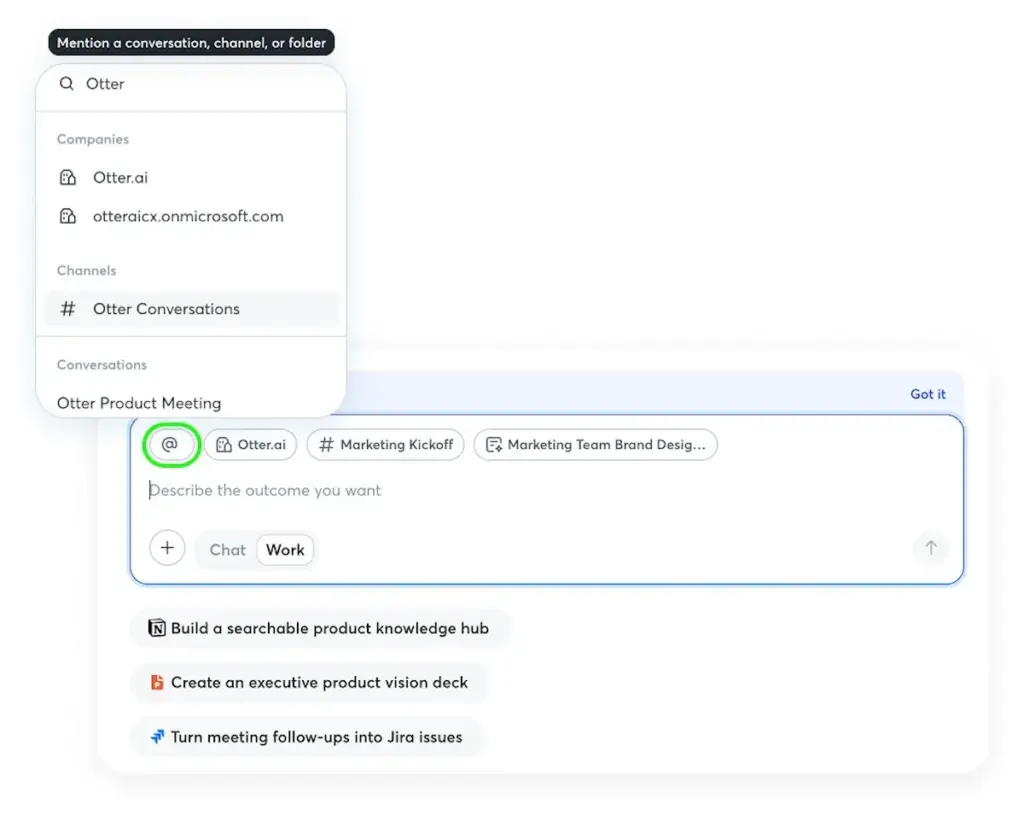
The capabilities of the Work mode become even more pronounced once the meeting concludes. The transition from a live discussion to actionable outcomes is often where productivity falters. To bridge this gap, the AI assistant can now draft follow-up emails, generate formal Word documents or Notion pages, and export data into PDFs. Perhaps most significantly for enterprise users, the AI can directly update Salesforce records, ensuring that the customer relationship management (CRM) system remains accurate without requiring manual data entry from the sales team.
Despite the autonomous nature of these tasks, Otter has maintained a focus on reliability and oversight. A company spokesperson emphasized that the AI assistant requires explicit human approval before completing these tasks. This "human-in-the-loop" approach is a critical safeguard, particularly when the AI is interacting with external clients via email or modifying sensitive internal databases like Salesforce. It allows users to review the AI’s work, make necessary adjustments, and then authorize the final action, combining the speed of automation with the nuance of human judgment.
Accessibility, Pricing, and the Competitive Landscape
In a move to encourage widespread adoption, Otter has made the Work mode available immediately to all paid users. Unlike the standard Chat mode, which often operates under monthly query limits based on a customer’s specific subscription tier, the Work mode currently has no usage limits. This decision suggests that Otter is eager to integrate its agentic features into the daily habits of its power users, gathering data on how professionals utilize AI agents to manage their broader digital ecosystems.
The timing of this release is validated by current market research. Irwin Lazar, a principal analyst at Metrigy, noted that the industry is moving rapidly from simple data capture to sophisticated workflow automation. According to Lazar, the value proposition for meeting tools is no longer just about what was said, but about making those notes actionable within the context of other platforms. This shift is reflected in a global study conducted by Metrigy titled “Workplace Collaboration & Employee Experience: 2027,” which surveyed 403 organizations. The study found that a staggering 91% of business users want their meeting note-takers to not only record the conversation but also to access and act on context from outside the meeting.
Otter is not alone in this pursuit. The "agentic" space is becoming increasingly crowded as legacy tech giants integrate similar features into their established ecosystems. Lazar pointed to Microsoft’s "facilitator" role within Teams and Cisco’s Webex meeting agent as direct competitors. These tools are also designed to nudge meetings along, track action items, and integrate with broader productivity suites. However, Otter’s independence and its focus on a wide array of third-party integrations—rather than being locked into a single ecosystem like Microsoft 365—may serve as a key differentiator for organizations that use a diverse stack of tools like Slack, Salesforce, and Google Workspace.
Enhancing Real-Time Engagement with Live Assist
In addition to the launch of Work mode, Otter is expanding the reach of its "Live Assist" feature. Previously available in a more limited capacity, Live Assist is now being rolled out to all enterprise customers, with plans to expand access to all paid Otter accounts in the coming weeks. Originally announced in April, Live Assist serves as a private, real-time coach for users during a call.
 Small Business IT & Cloud Computing
Microsoft Unveils Copilot Workspaces as Strategy Shifts Toward Collaborative, Agent-Led Productivity
At its annual Ignite conference this week, Microsoft signaled a significant evolution...
 Small Business IT & Cloud Computing
Alibaba Unveils Qwen4-Max with Claims of Massive Cost Reductions and Enhanced Cyber Defenses Amid Analyst Skepticism
Alibaba has officially pulled back the curtain on its latest flagship artificial...
 Small Business IT & Cloud Computing
Precision Over Volume: Specialized AI Expertise Commands Premium Salaries in a Cautious IT Job Market
The information technology sector is currently navigating a complex paradox. While job...