

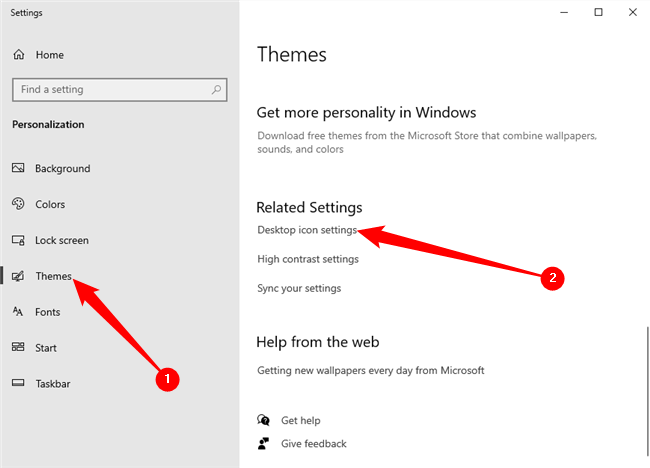
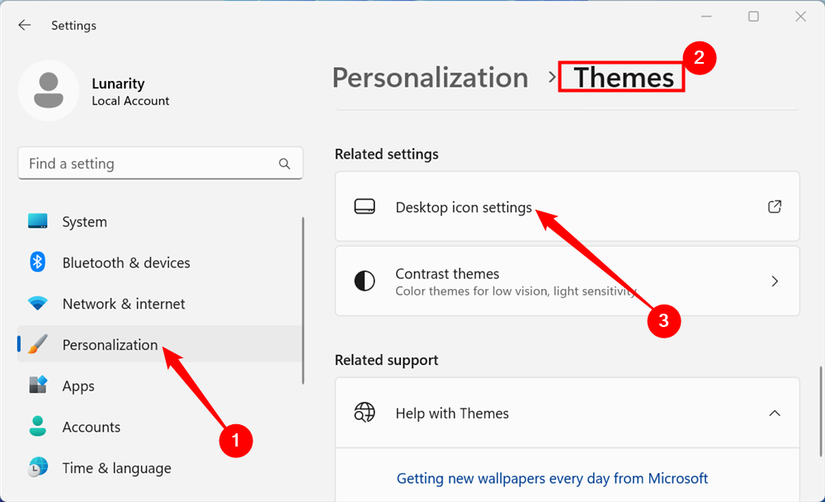
This menu is also the gateway for restoring other critical tools that Microsoft has tucked away. Users can choose to display the "User’s Files" folder, the "Network" hub, and the legacy "Control Panel." While Microsoft has been gradually migrating Control Panel features into the modern Settings app, the legacy interface remains essential for deep system tweaks and managing older hardware, making its desktop shortcut a valuable asset for power users.
Troubleshooting Missing Icons and System Anomalies
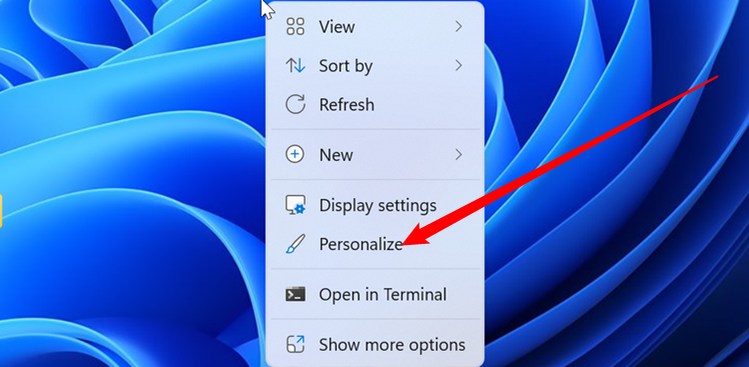
In some instances, a user may follow the correct settings path only to find that their desktop remains empty. This is often not a sign of a system failure, but rather a simple visibility toggle that has been inadvertently switched. By right-clicking the desktop, hovering over the "View" option, and ensuring that "Show Desktop Icons" is checked, users can resolve the most common cause of "disappearing" shortcuts. If this option is disabled, Windows hides the entire desktop layer, including system icons and personal files, to provide a clean, unobstructed view of the wallpaper.
However, more complex issues can arise, particularly in an era where cloud integration is baked into the operating system. Two common culprits—OneDrive synchronization and icon cache corruption—frequently cause confusion by making icons vanish or appear as generic white squares.
The Impact of OneDrive Folder Redirection
Microsoft’s cloud storage service, OneDrive, includes a feature known as "Known Folder Move," which automatically backs up a user’s Desktop, Documents, and Pictures folders to the cloud. While this provides a safety net for data recovery, it can occasionally lead to a scenario where icons appear to go missing because the physical path of the Desktop folder has been redirected.
If icons are absent but the files still exist within the user’s account, it is necessary to verify the folder’s location. By opening File Explorer, right-clicking the "Desktop" entry in the navigation pane, and selecting "Properties," users can inspect the "Location" tab. If the path points to a subfolder within the OneDrive directory, the system is treating the cloud as the primary storage point. Users who prefer a local-first configuration can select "Restore Default" to point the directory back to the standard local user profile path.
Addressing Icon Cache Corruption
Another common visual glitch involves desktop icons transforming into blank white squares. This phenomenon occurs when the Windows icon cache—a database the OS uses to quickly load images without extracting them from executable files every time—becomes corrupted. When this database fails, Windows "forgets" the visual identity of the shortcut, though the underlying link remains functional.
 Tech Tutorials & How-To Guides
The Ghost in the Machine: Investigating the Root Causes of Unexpected Windows Wake Events
For many Windows users, the experience is unnervingly familiar: a desktop or...
 Tech Tutorials & How-To Guides
Charting the Linux Landscape: Analyzing the Top Breakthrough Distributions of 2026
The Linux ecosystem has long been defined by its sheer variety, a...
 Tech Tutorials & How-To Guides
The Quest for the Perfect Pocket eReader: Modding the Onyx Boox Picco for MagSafe Compatibility
In the rapidly evolving landscape of E Ink technology, Onyx Boox has...







