

The nature of professional productivity is undergoing a fundamental shift, moving away from the traditional cadence of isolated tasks and toward a more fluid, continuous rhythm of work. For years, the promise of artificial intelligence in the workplace has been centered on the "prompt-and-response" model—a system where a user asks a question and the machine provides an answer. However, Microsoft is now signaling a move beyond these single exchanges, aiming to bridge the gap between information retrieval and actual execution. The company argues that the next major breakthrough in AI utility lies in the "follow-through," where systems do not merely provide information but actively hold a user’s priorities and execute tasks autonomously under human supervision.
This evolution is being spearheaded by the introduction of a sophisticated new framework designed to keep work in motion even when a user’s attention is directed elsewhere. By moving from reactive assistants to proactive partners, Microsoft is attempting to solve one of the most persistent challenges in the modern digital office: the overwhelming burden of coordination and the "work about work" that consumes a significant portion of the business day.
A new category of agents
At the heart of this transition is the introduction of a new category of technology that Microsoft calls "Autopilots." Unlike standard AI assistants that remain dormant until summoned, Autopilots are designed to be "always-on" agents. These entities operate with their own distinct digital identities, allowing them to work autonomously and act on behalf of a user or an organization within a predefined set of parameters.
The core philosophy behind Autopilots is the realization that work does not stop when a user closes a laptop or moves to a different meeting. By staying active in the background, these agents develop a comprehensive understanding of how work flows across various applications and systems. They are designed to observe patterns, recognize dependencies, and take action without requiring a manual prompt for every individual step. This creates a more durable operational model, ensuring that projects continue to progress through various stages of a workflow regardless of a human’s immediate availability.
Importantly, these agents do not operate in a vacuum or as anonymous background processes. Because they are assigned their own identities, they function within the specific permissions, security protocols, and organizational policies already established by an enterprise. This ensures that while the agent is autonomous, it remains fully governed and accountable, adhering to the same rules that apply to any human employee within the corporate directory.
Introducing Microsoft Scout
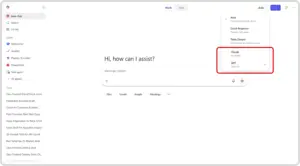
To lead this new category, the company has unveiled Microsoft Scout, the first official Autopilot agent. Scout is not a standalone application but rather a deeply integrated layer that sits across the entire Microsoft 365 ecosystem. By embedding Scout directly into the tools professionals use every day—including Teams, Outlook, OneDrive, and SharePoint—Microsoft ensures the agent is grounded in the actual flow of a user’s work rather than being an external destination.
Microsoft Scout is designed to operate seamlessly across the cloud, desktop environments, and the web. Its reach extends to the primary data sources that power a modern workday: chat histories, email threads, calendar schedules, and contact lists. While users primarily interact with Scout through the familiar interface of Microsoft Teams, its capabilities extend through a desktop application to the browser and local system resources. Furthermore, it utilizes Model Context Protocol (MCP) servers to expand its reach, allowing it to pull in relevant information from a variety of sources to provide a more holistic service.
Underpinning Scout’s technical architecture is a commitment to community-driven innovation. The agent is powered by OpenClaw, an open-source technology. Microsoft’s decision to build Scout on an open-source foundation reflects a strategic effort to combine the rapid innovation of the developer community with the rigorous requirements of enterprise-grade security and control. By utilizing OpenClaw, Microsoft aims to provide a platform that is both flexible enough for custom needs and robust enough to be trusted by large-scale organizations from the moment of deployment.
The primary value proposition of Microsoft Scout is its ability to drastically reduce the "coordination tax" that accumulates throughout the day. The agent is capable of proactively managing complex scheduling tasks, such as coordinating meeting times across multiple time zones while accounting for the preferences and availability of various participants. Beyond mere scheduling, Scout can identify high-priority meetings and automatically generate the briefing materials, summaries, and documents a user needs to prepare, keeping them informed without requiring them to dig through archives.
Furthermore, Scout acts as a vigilant project manager. It can identify upcoming deliverables by scanning communications and then automatically block time on a user’s calendar to ensure those tasks are completed on time. Perhaps most importantly for organizational efficiency, Scout is designed to spot risks—such as stalled decisions or unanswered queries that are holding up a project—allowing users to address these blockers before they escalate into larger issues.
As the agent matures, it builds a deep layer of context powered by what Microsoft calls "Work IQ." This system allows Scout to learn the nuances of how an individual works, what their specific priorities are, and what the logical next steps for a given project should be. Over time, Work IQ enables the agent to become increasingly relevant and aligned with the specific goals of the user, turning it into a specialized partner that understands the "why" behind the work, not just the "what."
In a move to support the broader ecosystem, Microsoft has also announced that it is contributing policy conformance tools directly back to the OpenClaw project. This means that any organization running OpenClaw—not just those using Microsoft’s specific implementation—will be able to validate their environments against security and compliance requirements. This provides a verifiable, audit-ready framework that ensures autonomous agents are operating safely within the bounds of corporate and regulatory standards.
Making Microsoft Scout ready for enterprises
For autonomous agents to be viable in a corporate setting, they must meet the highest standards of security, transparency, and accountability. Microsoft Scout addresses these needs by integrating directly with the established identity and access controls of Microsoft 365. The hallmark of this approach is the use of Microsoft Entra (formerly Azure AD) to manage agent identities. Every Scout agent operates under its own governed Entra identity rather than a shared service account. This ensures that every action taken by the agent is fully attributable to a known, identifiable actor within the organization’s directory.
Security is further reinforced through end-to-end credential protection. The credentials used by Scout are strictly scoped to the specific task at hand and are redacted from logs or diagnostic data to prevent accidental exposure. This level of rigor is designed to match the standards of Microsoft’s first-party services, ensuring that when Scout acts on a user’s behalf, it does so with the appropriate authority and without risking the leakage of sensitive information.
Access control serves as the second pillar of Scout’s enterprise readiness. Agents are restricted to only the resources and destinations that have been explicitly approved by the organization. To prevent unauthorized or high-risk actions, the system allows for "human-in-the-loop" requirements, where sensitive tasks must be signed off by a person before the agent can proceed.
Integration with Microsoft Purview adds another layer of protection. Data protection policies, including sensitivity labels and data loss prevention (DLP) rules, are enforced in real-time. Before Scout writes a file or sends a message, it checks against these policies to ensure compliance. Scout does not bypass existing security configurations; instead, it is designed to operate strictly within the protections that an organization has already established, providing a seamless extension of the company’s existing security posture.
Getting started with Microsoft Scout
The development of Microsoft Scout has been informed by extensive internal testing. Microsoft employees have been utilizing an early version of the Scout desktop experience to understand how "always-on" agents function in high-pressure, real-world environments. According to the company, these internal trials have demonstrated the agent’s ability to take over complex coordination tasks, surface organizational risks earlier than traditional methods, and maintain project momentum without constant manual intervention.
Following this internal phase, Microsoft is now extending the Scout experience to a broader but still limited audience. The agent is currently available in a private preview for a select group of customers and through "Frontier," an experimental release program. This allows organizations to explore how autonomous agents fit into their specific workflows and provide feedback that will shape the future of the technology.
Access to this experimental release is governed by several requirements to ensure a controlled and secure rollout. Organizations must be enrolled in the Frontier program, and administrators must configure specific Intune policies and complete an opt-in attestation. For individual users within these organizations, a GitHub Copilot license is required to download and install the experience. Microsoft has provided comprehensive setup instructions and documentation to guide early adopters through the process of integrating Scout into their environments.
As Microsoft continues to iterate on these technologies, the innovations showcased at events like Microsoft Build are increasingly finding their way into the Microsoft 365 Copilot ecosystem. The introduction of Autopilots and Scout represents a significant milestone in this journey, moving the industry closer to a future where AI is not just a tool for conversation, but a persistent and reliable engine for organizational productivity.
 Productivity Software & Office Suites
Microsoft Announces Microsoft 365 G7 and Agent 365 to Accelerate AI Adoption and Governance Across U.S. Government Agencies
In an era where the public sector faces the dual challenge of...
 Productivity Software & Office Suites
Microsoft Announces New AI-Integrated Office Suites to Streamline Small Business Operations
In the demanding ecosystem of small business management, success is often measured...
 Productivity Software & Office Suites
Microsoft Unveils Specialized AI Capabilities for Finance Professionals in Excel to Address Sector-Specific Complexity
The trajectory of transformative technology has followed a consistent, predictable rhythm for...







