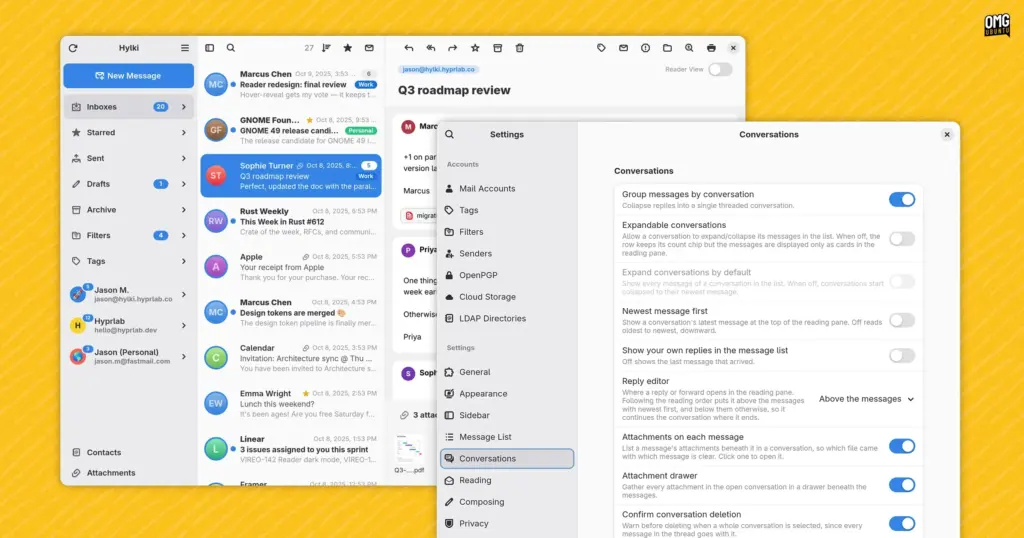
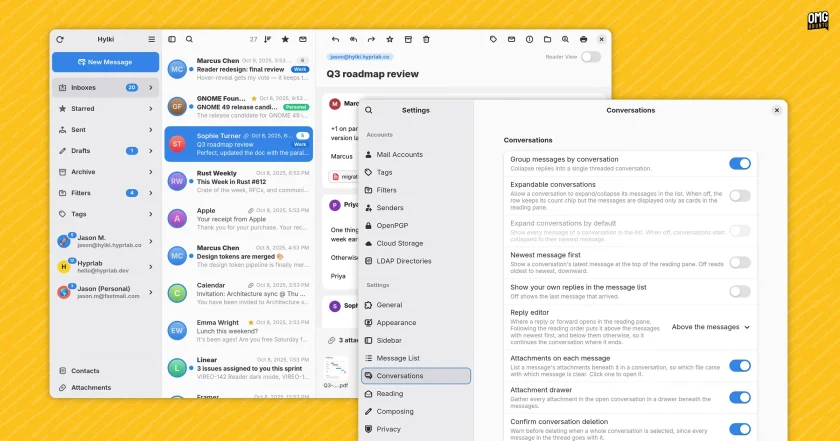
The presence of heavy machine assistance in desktop Linux development inevitably raises broader questions regarding code provenance, maintainability, and architectural cohesion. Within the free and open-source software community, opinions on AI-assisted programming remain deeply polarized. While some view generative models as powerful force multipliers that allow individual developers to rapidly build complex, modern software that would otherwise require an entire engineering team, others harbor deep reservations regarding code bloat, subtle logic flaws, and licensing ethics.
In everyday practice, Hylki functions reliably and presents a clean visual layout, though users familiar with GTK4 development may observe subtle design idiosyncrasies. Much like other software projects assembled through iterative LLM prompts, there is an occasional tension in the interface—a faint juxtaposition where certain obscure corners of the application exhibit extraordinary attention to granular detail, while other standard interaction paradigms feel slightly uneven. Whether this is an objective technical artifact of machine-assisted scaffolding or simply a psychological byproduct of knowing how the code was generated is difficult to measure, but the software as a whole remains stable and responsive.
Install Hylki
Hylki is distributed primarily as a Flatpak, ensuring consistent dependency isolation across various Linux distributions. The package can be retrieved directly from the project’s GitHub repository, downloaded through its official website, or installed via the command line.
Because standard Ubuntu installations do not include Flatpak support out of the box, users on that platform will need to ensure the packaging framework is present on their system first by installing the core package:
sudo apt install flatpakHylki targets modern GNOME desktop components and specifically requires the GNOME 50 runtime environment, which is hosted upstream on the Flathub repository. If the Flathub remote has not already been configured on the local system, it can be registered with a single terminal command:
flatpak remote-add --if-not-exists flathub https://flathub.org/repo/flathub.flatpakrepoOnce the Flathub repository is properly initialized, users can download and install Hylki using its remote Flatpak reference file:
flatpak install --from https://hylki.hyprlab.co/flatpak/co.hyprlab.Hylki.flatpakrefFollowing the installation, Hylki can be launched directly from the system’s application overview or application grid. During the initial onboarding process, users can proceed through the configuration steps to adjust layout variables and link their accounts. To maximize security and minimize credential exposure, users operating within GNOME are encouraged to establish their accounts through the system’s central settings panel by navigating to Settings, selecting Online Accounts, and linking their respective providers directly before importing them into Hylki.
The broader question of whether Hylki represents a superior alternative to contemporary peers like Postcard, Convey, or earlier iterations of Geary ultimately rests on individual workflow preferences and how much value a user places on granular interface customization. Notably, long-time followers of Linux desktop experiments may have encountered an earlier incarnation of this exact project under a different moniker; the application was originally introduced under the name Vireo, before an intellectual property conflict with a pre-existing macOS software project prompted the developer to adopt its current Icelandic identity. With a stable release pipeline and an expanding suite of privacy-conscious features, Hylki provides an intriguing look at how modern language engines and contemporary desktop toolkits can intersect to expand the open-source software catalog.
 Linux & Open Source Solutions
Ex-Microsoft dev builds a new task manager for Linux
For millions of personal computer users over the past three decades, Plummer’s...
 Linux & Open Source Solutions
Canonical Unveils Official Ubuntu Desktop Images for RISC-V Ahead of Ubuntu 26.10
Installing a complete graphical Ubuntu desktop on 64-bit RISC-V hardware is poised...
 Linux & Open Source Solutions
Ubuntu 26.10 Beta Rescheduled to October 1 Following Unforeseen Infrastructure Issues
Canonical has officially postponed the public beta release of its upcoming operating...