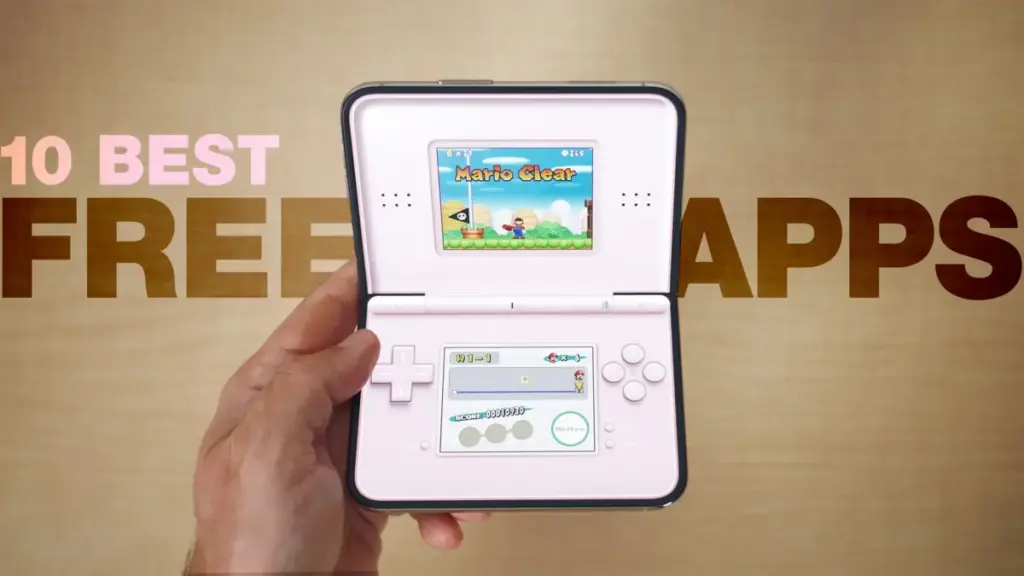
As Apple’s new dual-screen smartphone, the iPhone Duo, continues to settle into the hands of early adopters following its market debut, attention is increasingly turning toward the software ecosystem designed to take advantage of the novel hardware form factor. On Tuesday, November 10, 2026, MacRumors published its third dedicated application roundup for the dual-display device, focusing on top-tier software titles that users can access at no initial cost.
Written by MacRumors editor Juli Clover and accompanied by a hands-on video demonstration hosted by videographer Dan Barbera, the latest showcase provides prospective and current device owners with an overview of free and freemium applications optimized for the dual-screen interface. This newest software highlight comes as part of an ongoing multi-installment series intended to guide users through the expanding library of compatible software, following an initial selection of fun applications released alongside the hardware’s launch on Friday, October 23, and a second expanded title list published on Friday, November 6.
The focus on accessible software options arrives at a pivotal time in the early life cycle of the iPhone Duo. With physical device stock remaining tightly controlled following strict launch-period pre-order requirements, and as early buyers report mixed experiences ranging from dual-screen productivity enhancements to structural hinge concerns, third-party software adaptation remains a central focus for the platform.
Exploring the Free Application Ecosystem for iPhone Duo
In the video demonstration accompanying the latest report, Dan Barbera offers a detailed overview of several standout applications that showcase how developers are approaching the dual-screen layout. Among the primary titles featured in the video showcase are Delta Game Emulator, Bear, Fantastical, and MD Vinyl, along with several additional dual-screen optimized titles.
Each highlighted app demonstrates a unique approach to utilizing the dual-panel display area. Emulation software like Delta Game Emulator takes advantage of the distinct screen real estate by separating touch controls from the main visual display, creating a retro gaming experience across the twin screens without cluttering the primary viewing area. Meanwhile, note-taking and productivity applications such as Bear and calendar app Fantastical utilize extended landscape views and split-panel layouts, allowing users to reference secondary detail panes, lists, or schedules on one side while actively composing notes or organizing events on the other. Music-focused utilities like MD Vinyl adapt their interfaces to show media playback controls and visual album artwork side-by-side.
A central element of the November 10 digest is its emphasis on software accessibility. As detailed in the report, all featured applications are either completely free to download or include a functional free tier, enabling users to explore dual-screen capabilities without upfront purchases. While some of the highlighted apps offer optional paid upgrades, subscriptions, or premium feature unlocks, the core features presented in the showcase remain accessible without payment.
 macOS & Apple IT Support
Apple Employee Charged With Murder Following Fatal High-Speed Crash Near Apple Park Visitor Center
An Apple employee is facing severe criminal charges, including murder and assault...
 macOS & Apple IT Support
Banks and Credit Unions to Team Up Against Apple Pay Fees
In a major procedural setback for Apple Inc., a U.S. federal judge...
 macOS & Apple IT Support
Apple Mandates Developer Disclosures for Location Sharing and Dating Features to Update App Store Age Ratings
Apple has announced a new set of developer requirements designed to refine...