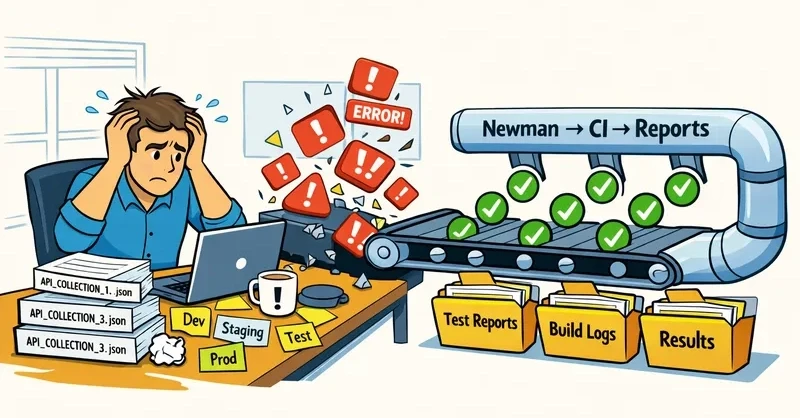
The technical execution of these tests through the Newman CLI allows for highly customizable runs. By using specific flags, developers can point to staging environments, inject external data files, and trigger multiple reporters simultaneously. For instance, a single Newman command can generate a real-time CLI summary for the developer, a JUnit XML file for the CI server to parse, and a rich HTML report for human review.
A critical component of this design is "variable hygiene." Industry best practices now dictate that secrets and sensitive credentials should never be committed to environment files within a repository. Instead, developers are encouraged to commit placeholders and inject real values via CI secrets or the Postman API at runtime. This approach not only secures the pipeline but also ensures that the testing suite remains portable across different environments without manual intervention.
Running Newman in CI: Patterns That Scale
As organizations scale, they are adopting three practical patterns for running collections within CI pipelines. The first involves installing Newman directly into the CI job, which is often the simplest path for smaller projects. The second, and increasingly popular, method is the use of the official Docker image. By mounting workspace files into a containerized Newman environment, teams can ensure consistent test execution regardless of the underlying CI runner’s configuration. The third pattern involves the Postman CLI integration, which offers tighter integration with Postman’s enterprise features and internal governance tools.
In a typical GitHub Actions workflow, for example, the process is streamlined by utilizing the Docker-based approach. The workflow is triggered by a code push, which then checks out the repository and runs the Newman container. The container executes the regression suite against a specified environment, utilizing data-driven testing parameters where necessary. Once the run is complete, the generated reports—both the machine-readable JUnit files and the human-readable HTML summaries—are uploaded as artifacts. This ensures that every build has a corresponding record of API health that is easily accessible to the entire team.
For teams utilizing Jenkins, the integration often focuses on the visibility of test trends. By publishing the generated JUnit XML via the Jenkins JUnit plugin, teams can see detailed failure breakdowns and historical performance trends directly within the Jenkins UI. This visibility is crucial for identifying "leaky" APIs that may be degrading slowly over time rather than failing outright.
Versioning, Reporting, and Maintenance Practices That Stick
The transition from ephemeral testing to institutional regression suites is finalized through robust versioning and reporting. Without these, testing remains a localized activity rather than a corporate asset. Reporting tools play a vital role here, with different reporters serving different stakeholders.
 Software Development & Scripting for IT
Understanding the Architecture of Cross-Origin Resource Sharing in Modern Full-Stack Development
In the contemporary landscape of web development, the integration of a React...
 Software Development & Scripting for IT
Critical "php2shell" Vulnerabilities Trigger Emergency PHP Security Updates to Prevent Remote Execution
The global PHP security team has issued an emergency set of updates...
 Software Development & Scripting for IT
Rails 8 Redefines Web Security with New Built-in Authentication Framework
The evolution of the Ruby on Rails framework has reached a significant...