
The very mechanism designed to keep millions of websites secure has emerged as a potential gateway for cyberattacks. A newly identified vulnerability in the WordPress core update process, tracked as CVE-2026-119977, has revealed a paradoxical risk: sites may be most vulnerable at the exact moment they are installing a security fix. This flaw, which affects a vast range of WordPress versions, has already been added to the U.S. Cybersecurity and Infrastructure Security Agency’s (CISA) list of known exploited vulnerabilities, signaling an urgent need for administrators to review their update procedures.
The vulnerability was discovered and reported by Umut Bayram, a security researcher at Picus Security. His findings highlight a critical "race condition" style flaw within the WordPress updater. According to Bayram, the danger lies in how the platform handles the unpacking of new core files. When a site initiates an update to patch existing security holes, it relies on its current, unpatched code to manage the transition. This creates a narrow but dangerous window where an attacker can execute malicious code on the server before the update process completes and deletes the temporary setup files.
The Mechanics of the Update Vulnerability
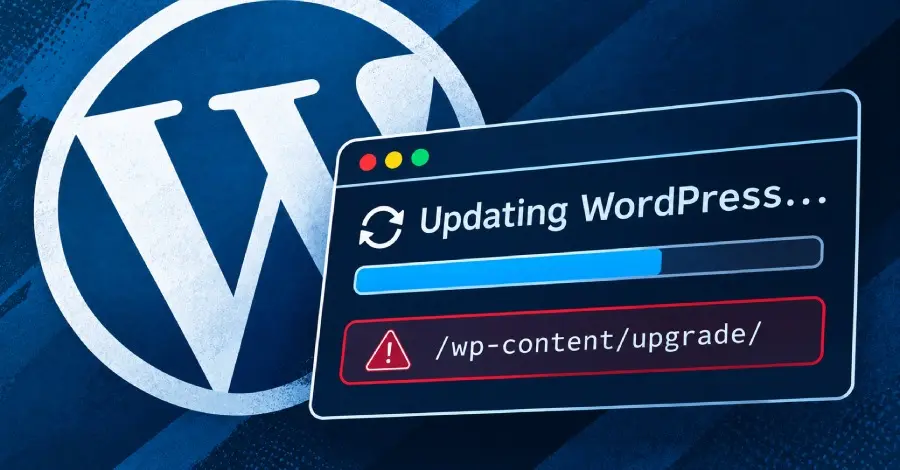
To understand the severity of CVE-2026-119977, one must look at the internal architecture of the WordPress core update system. When a site administrator triggers an update—or when an automatic background update begins—the system downloads a package containing the new version of the software. For major updates or situations where a "complete package" is required, WordPress unpacks these files into a temporary directory located within the wp-content/upgrade folder.
This temporary directory contains a full, functional copy of the WordPress installer. Because this folder is typically located within the public web root, it is often reachable by a web server and, by extension, the public internet. The flaw stems from the fact that the "old" updater code—the version currently running on the site—is responsible for creating this folder and managing the files within it.
In versions 5.9 through 7.1.3, the updater code uses a predictable naming convention for this temporary folder, often naming it after the downloaded zip file. This predictability is the linchpin of the exploit. An attacker who can predict the folder name and access the installer files during the brief window before they are moved or deleted can effectively hijack the installation process. By accessing the setup scripts within the temporary directory, an unauthenticated attacker can link the temporary WordPress instance to a database under their control, log in as an administrator, and execute arbitrary PHP code with the permissions of the web server.
Who Is Exposed During the Update
The scope of the vulnerability is extensive, covering WordPress versions 4.7 through 7.1.3. However, the level of risk varies depending on the specific version and the type of update package being deployed. Bayram’s research indicates that not every update cycle exposes the dangerous installer files.

WordPress utilizes two primary types of update packages: complete and partial. A complete package contains every file required to run the CMS, including the setup and installation scripts that are central to this vulnerability. A partial package, often used for minor "point" releases (such as moving from version 7.1.3 to 7.1.4), only contains the specific files that have changed between versions. If a partial package does not include the installer files, the temporary directory cannot be used to launch a rogue installation, significantly reducing the risk.
However, the delivery of a partial package is not guaranteed. WordPress often reverts to a complete package if it detects that core files have been modified or if the file checksums do not match the official repository. Furthermore, updates that move a site between major branches—for instance, upgrading from the 7.0 branch to the 7.1 branch—almost always utilize a complete package, thereby exposing the site to the flaw.
The predictability of the temporary folder name is another major factor in the risk profile. For sites running versions 4.4 through 5.8, the updater code appended a string of random characters to the temporary folder name. While this does not fix the underlying logic flaw, it provides a layer of "security through obscurity," making it much harder for an attacker to find the directory unless the name is leaked through server error messages or other information disclosure vulnerabilities. In contrast, versions 5.9 and later removed this randomness for certain update types, making the folders trivial to locate for motivated attackers.
Attacks and What to Check
The threat posed by CVE-2026-119977 is not merely theoretical. Earlier this week, CISA confirmed that the flaw is being actively exploited in the wild. While the agency did not provide specific details regarding the nature of the attackers or the targets, security firms have provided a glimpse into the speed at which these threats materialize.
Wordfence, a prominent WordPress security provider, reported that attack attempts began just nine minutes after they released a firewall rule to protect their customers. Their analysis showed that attackers were not necessarily targeting specific sites with known vulnerabilities but were instead scanning broad swaths of the internet. The goal of these scanners appears to be identifying sites in the middle of an update. Wordfence observed consistent scanning activity from specific sources for nearly 15 hours, a behavior consistent with botnets waiting for the precise moment a target site begins its update process.
Despite the high potential impact—represented by a CVSS score of 8.1—the "attack window" is incredibly small. In controlled lab environments, the window of opportunity for an attacker to access the installer and execute code lasted only a few seconds. This narrow timing requirement is likely why WordPress’s own security advisory originally rated the flaw as a low-severity risk. However, the automation of modern cyberattacks means that even a window of a few seconds is sufficient for a scripted exploit to succeed.
For administrators concerned that their sites may have been compromised during a previous update, security experts recommend auditing the server for any unusual files in the wp-content/upgrade or wp-admin directories. Signs of a successful exploit might include the presence of unauthorized wp-config.php files in temporary folders or unexpected entries in the web server’s access logs targeting the upgrade directory.

What to Do Before Updating
With the release of WordPress 7.1.4, a permanent fix is now available. The updated code ensures that the temporary folder name is randomized and, more importantly, it changes the way files are moved to prevent attackers from overwriting the live wp-config.php file. However, because the current unpatched code must be used to install this fix, the very act of updating to 7.1.4 carries a final moment of risk.
To mitigate this, Umut Bayram and other security professionals have proposed several defensive strategies. The most effective immediate measure is to block all web access to the wp-content/upgrade directory via the web server configuration (such as .htaccess for Apache or a location block for Nginx). Because the WordPress updater works directly with the files on the server’s disk, it does not need the web server to serve those files to the public internet to complete the update. Blocking public access closes the door on the attacker without interfering with the patching process.
Another recommended path is the manual update. By performing an update outside of the web root—the folder served by the web server—administrators can ensure that no installer files are ever reachable via a URL. This involves backing up the site, unpacking the new WordPress release in a secure directory, and manually copying the core files into the live environment. While more labor-intensive, this method bypasses the automated updater entirely.
Crucially, Bayram warned that using the WP-CLI (WordPress Command Line Interface) for updates does not provide a workaround. The wp core update command triggers the same internal PHP classes and methods as the web-based updater, meaning it creates the same temporary folders in the same locations.
The Long-Term Outlook for Legacy Systems
This vulnerability also serves as a stark reminder of the dangers of running end-of-life (EOL) software. WordPress versions 4.6 and earlier no longer receive security updates and will not be patched for CVE-2026-119977. Bayram noted that the underlying flaw appears to date back as far as WordPress 2.7, which was released in 2008. For sites still running these ancient versions, the only path to security is a full migration to a supported release.
As the WordPress ecosystem continues to evolve, the complexity of its update mechanism remains a point of scrutiny. The discovery of CVE-2026-119977 underscores a fundamental challenge in software security: the "trusted" processes used to maintain a system are often the most attractive targets for exploitation. By understanding the nuances of how these updates occur—such as the difference between partial and complete packages—site administrators can better prepare their defenses against an increasingly automated threat landscape.
The final word from the research community is one of cautious diligence. While the fix in version 7.1.4 resolves the issue for future updates, the transition to that version represents a critical hurdle. Whether through blocking directory access or opting for manual file replacement, administrators are urged to take proactive steps before clicking the "Update Now" button.
 Cybersecurity Basics & Security News
Critical Vulnerability in Elementor Plugin Leaves Two Million WordPress Sites Open to Full Takeover
A high-severity security flaw has been identified in Elementor, the most widely...
 Cybersecurity Basics & Security News
Investigative Report Reveals Widening Use of Mercenary Spyware Against Serbian Academics and Legal Officials Ahead of Elections
The digital landscape in Serbia has become a front line for political...
 Cybersecurity Basics & Security News
Critical Memory Corruption Vulnerability in Google’s Brotli Decoder Impacts Node.js, Bun, and Enterprise Infrastructure
A pervasive memory-corruption vulnerability has been identified within Google’s Brotli compression library,...







