

Adjustments have been implemented for Calibre’s AI-assisted narrative tool, which allows users to generate interactive "create your own adventure" text fiction. The updated version incorporates subtle tweaks to the utility’s character selection mechanisms to ensure smoother character configuration prior to story generation. Additionally, when generating e-book catalogs to index local collections, Calibre now automatically defines "calibre" as the metadata creator and registers the precise generation date as the work’s publication date, bringing cleaner consistency to catalog headers.
The release resolves a collection of software defects across both the primary desktop application and the Calibre Content Server. The Content Server serves as a standalone web gateway embedded within the suite, enabling users to host their personal libraries over a local network and stream or download titles directly to smartphones, tablets, or dedicated web browsers without needing physical cable links. Version 9.17 introduces targeted stability remedies to ensure uninterrupted browsing and retrieval through this local web interface.
Rounding out the technical maintenance is Calibre’s periodic upkeep of its news-fetching recipes. The software features an automated subscription component that scrapes RSS feeds and public web pages from global journalistic outlets, assembling them into clean, ad-free daily e-books. Calibre 9.17 updates the scraping logic for prominent publications, including The Economist, the Associated Press, and Scientific American, restoring structural parsing for readers who consume daily journalism through their e-readers.
How to get the latest Calibre release
Calibre 9.17 is distributed as free, open-source software under the GNU General Public License, with dedicated installation packages available for Windows, macOS, and Linux platforms via the official Calibre website. The complete source tree remains accessible on GitHub for auditing, compilation, and independent distribution packaging.
For Linux users, the project recommends installation via an official command-line deployment script provided on the software’s download portal. This installer fetches the pre-compiled binary package directly from upstream, extracts the binaries into an isolated directory structure, registers the requisite shared libraries, and automatically generates a standard .desktop launcher shortcut within the user’s desktop application menu.
Calibre is also packaged in containerized and sandboxed environments via Flathub as a Flatpak and Snapcraft as a Snap package. While these package formats provide alternative avenues for installation across modern distributions, users should note that they are community-maintained, unverified builds. Because sandboxed containers isolate filesystem calls and local device access, running Calibre through Flatpak or Snap can occasionally introduce permission hurdles or platform-specific quirks, particularly when interacting with plugged-in e-reader devices or complex custom library paths. Consequently, upstream maintainers continue to recommend the official binary release for optimal stability and full hardware integration.
 Linux & Open Source Solutions
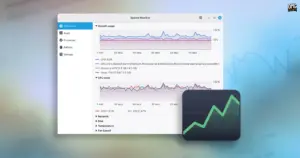
Linux Mint 27 to Introduce ‘Superlight’, a Modernized In-House System Monitor Built for the XApp Ecosystem
The upcoming release of Linux Mint 27, scheduled to make its public...
 Linux & Open Source Solutions
Combating Counterfeit Storage: How the Open-Source Tool F3 Exposes Fake Flash Drives on Linux
Surging hardware prices across the consumer electronics sector have created fertile ground...
 Linux & Open Source Solutions
Canonical Releases Official Ubuntu Desktop Images for RISC-V Hardware Ahead of Ubuntu 26.10
Installing Ubuntu on RISC-V hardware is poised to become significantly more straightforward...







