
Apple officially launched watchOS 27 on September 14, introducing a sweeping array of software enhancements that redefine how users interact with their Apple Watch devices. Unveiled alongside the new Apple Watch Series 12 and Apple Watch Ultra 4 during Apple’s "Surprise and Shine" event on September 9, the latest operating system update is far from an exclusive upgrade for buyers of the newest hardware. While certain hardware-dependent functions rely on the new S11 processor inside Apple’s flagship wearables, watchOS 27 brings substantial user experience changes, health updates, and artificial intelligence features to a wide range of supported earlier Apple Watch models.
Users looking to upgrade can install watchOS 27 by launching the Watch app on a paired iPhone, navigating to the General menu, selecting Software Update, and following the on-screen prompts while keeping the Apple Watch attached to its magnetic charger. Once installed, users will encounter a reimagined watchOS ecosystem featuring 12 key updates that overhaul everything from daily navigation and Siri interactions to fitness tracking accuracy and personal health insights.
Dedicated Siri Integration and the Dynamic Interface Overhaul
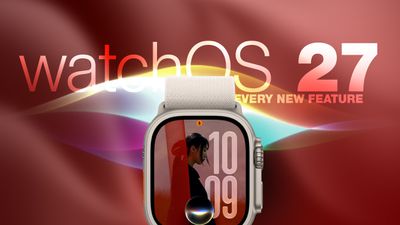
Artificial intelligence takes center stage in watchOS 27, headlined by a thorough upgrade to Siri. Apple’s voice assistant has evolved beyond its traditional role as a transient overlay and now features contextual awareness alongside a dedicated watchOS app. This standalone Siri app aggregates all user conversations into a single, cohesive interface that syncs privately across devices via iCloud.
Through this sync capability, users can initiate a complex query on an iPhone and seamlessly resume the conversation thread directly on their Apple Watch. The app allows users to manage saved dialogues, pin important context for quick reference, or start entirely new interactions straight from their wrist.
Complementing this dedicated app is the new Siri Modular watch face. Designed to maximize information density, the watch face features a prominent rectangular complication that automatically pulls in whichever item currently sits at the peak of the user’s Smart Stack. The display dynamically updates throughout the day, adapting in real time based on factors such as time, location, scheduled calendar events, and ongoing user activity.
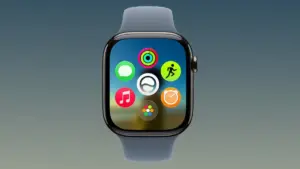
Alongside Siri’s transformation, watchOS 27 introduces a major redesign to the operating system’s primary launcher. For years, pressing the Digital Crown brought users directly to the familiar "honeycomb" grid of circular app icons. In watchOS 27, that default behavior has been replaced by a dynamic app grid.
This updated view automatically prioritizes and displays a curated selection of suggested apps, frequently used applications, and recently opened items. The new Siri app sits prominently at the center of this dynamic grid. Users who still prefer browsing through an exhaustive index of installed applications can turn the Digital Crown to scroll through the full alphabetical app list.
Navigation Changes, New Gestures, and the Sunset of Walkie-Talkie
Apple has expanded its hand-gesture control capabilities in watchOS 27 by adding a third quick gesture alongside Double Tap and Wrist Flick. Simply designated as "Tap," the new gesture recognizes a single tap between the user’s index finger and thumb. Performing this action instantly opens whichever highlighted widget is currently active within the Smart Stack. The existing gesture suite remains intact: Double Tap continues to navigate through stacked widgets, while Wrist Flick remains dedicated to quickly dismissing incoming notifications.
 macOS & Apple IT Support
Apple Expands watchOS 27.0.1 Update to All Compatible Apple Watch Models Following Targeted Initial Patch
Apple has officially broadened the distribution of watchOS 27.0.1, making the software...
 macOS & Apple IT Support
Apple Shell Company Filings Point to ‘HomeView’ and ‘homeOS’ Ahead of October ‘Welcome Home’ Launch
As Apple prepares for an upcoming hardware launch event, recent trademark discoveries...
 macOS & Apple IT Support
Apple TV and HomePod Mini Face Extended Shipping Delays as Code Leaks and Software Betas Signal Incoming 2026 Models
Customers looking to purchase an Apple TV or a HomePod mini through...







