
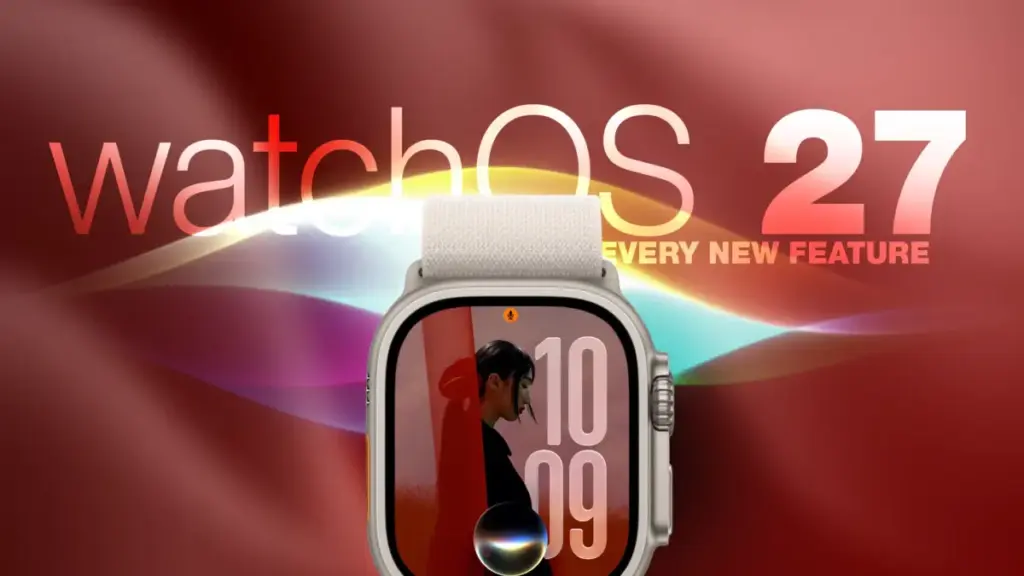
Apple officially launched watchOS 27 on September 14, introducing a sweeping array of software enhancements that redefine how users interact with their Apple Watch devices. Unveiled alongside the new Apple Watch Series 12 and Apple Watch Ultra 4 during Apple’s "Surprise and Shine" event on September 9, the latest operating system update is far from an exclusive upgrade for buyers of the newest hardware. While certain hardware-dependent functions rely on the new S11 processor inside Apple’s flagship wearables, watchOS 27 brings substantial user experience changes, health updates, and artificial intelligence features to a wide range of supported earlier Apple Watch models.
Users looking to upgrade can install watchOS 27 by launching the Watch app on a paired iPhone, navigating to the General menu, selecting Software Update, and following the on-screen prompts while keeping the Apple Watch attached to its magnetic charger. Once installed, users will encounter a reimagined watchOS ecosystem featuring 12 key updates that overhaul everything from daily navigation and Siri interactions to fitness tracking accuracy and personal health insights.
Dedicated Siri Integration and the Dynamic Interface Overhaul
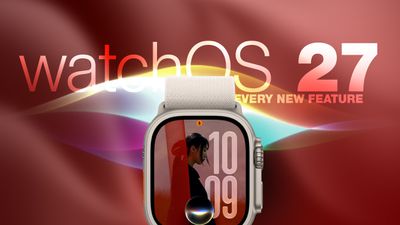
Artificial intelligence takes center stage in watchOS 27, headlined by a thorough upgrade to Siri. Apple’s voice assistant has evolved beyond its traditional role as a transient overlay and now features contextual awareness alongside a dedicated watchOS app. This standalone Siri app aggregates all user conversations into a single, cohesive interface that syncs privately across devices via iCloud.
Through this sync capability, users can initiate a complex query on an iPhone and seamlessly resume the conversation thread directly on their Apple Watch. The app allows users to manage saved dialogues, pin important context for quick reference, or start entirely new interactions straight from their wrist.
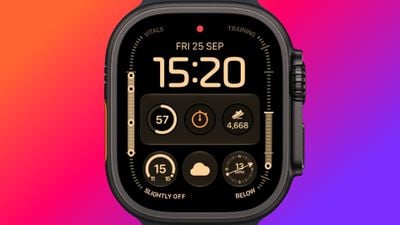
Complementing this dedicated app is the new Siri Modular watch face. Designed to maximize information density, the watch face features a prominent rectangular complication that automatically pulls in whichever item currently sits at the peak of the user’s Smart Stack. The display dynamically updates throughout the day, adapting in real time based on factors such as time, location, scheduled calendar events, and ongoing user activity.
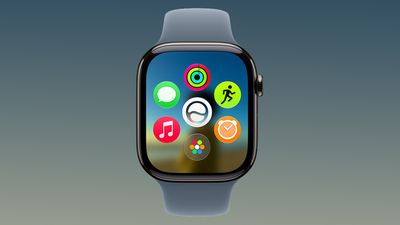
Alongside Siri’s transformation, watchOS 27 introduces a major redesign to the operating system’s primary launcher. For years, pressing the Digital Crown brought users directly to the familiar "honeycomb" grid of circular app icons. In watchOS 27, that default behavior has been replaced by a dynamic app grid.
This updated view automatically prioritizes and displays a curated selection of suggested apps, frequently used applications, and recently opened items. The new Siri app sits prominently at the center of this dynamic grid. Users who still prefer browsing through an exhaustive index of installed applications can turn the Digital Crown to scroll through the full alphabetical app list.
Navigation Changes, New Gestures, and the Sunset of Walkie-Talkie
Apple has expanded its hand-gesture control capabilities in watchOS 27 by adding a third quick gesture alongside Double Tap and Wrist Flick. Simply designated as "Tap," the new gesture recognizes a single tap between the user’s index finger and thumb. Performing this action instantly opens whichever highlighted widget is currently active within the Smart Stack. The existing gesture suite remains intact: Double Tap continues to navigate through stacked widgets, while Wrist Flick remains dedicated to quickly dismissing incoming notifications.
However, navigation changes extend beyond single-hand gestures, altering long-standing hardware button controls. In watchOS 26 and earlier software versions, double-pressing the Digital Crown opened the system App Switcher, allowing users to jump back to previously active applications, browse running apps, or swipe upward to force-quit misbehaving software. In watchOS 27, double-pressing the Digital Crown instead invokes the new dynamic app grid.
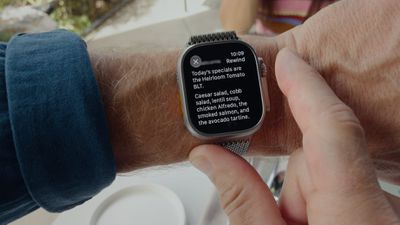
This button reassignment lays the ground for an upcoming flagship feature called Live Rewind. Exclusive to the Apple Watch Series 12 and Apple Watch Ultra 4, Live Rewind is designed to generate an instant text transcript of the last fifteen seconds of ambient speech captured in the user’s environment. Because Live Rewind will claim the double-press gesture on supported hardware, Apple is moving the traditional App Switcher to a new location.
In the upcoming watchOS 27.2 update scheduled for release later this year, users will access the App Switcher using a long-press gesture at the bottom of the active app screen—a functionality currently being tested in developer and public betas.
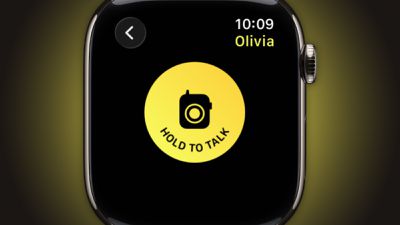
While watchOS 27 introduces several new controls, it also completely removes a legacy watchOS feature: the Walkie-Talkie app. The push-to-talk voice communication tool has been deleted from the operating system entirely and can no longer be downloaded or reinstalled from the App Store. While users who choose to stay on watchOS 26 will retain the app on their devices, they will no longer be able to establish Walkie-Talkie connections with contacts whose watches have been updated to watchOS 27.

Streamlined System Apps, Health Tools, and Standalone Workouts
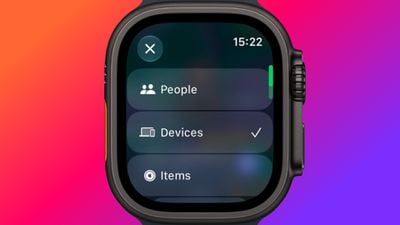
System utility consolidation plays a prominent role in watchOS 27. Apple has merged its previously fragmented tracking tools—Find Devices, Find Items, and Find People—into a single, streamlined Find My application. Built around a map-centric user interface, the unified app provides consolidated access to location tracking for family members, personal devices, and AirTag-equipped items, while integrating quick shortcuts for navigation directions and immediate proximity alerts.
Fitness capabilities have also received substantial architectural improvements, particularly regarding the Workout Buddy feature introduced in watchOS 26. Previously, Workout Buddy required a connected iPhone to remain within Bluetooth range to operate. Under watchOS 27, the feature operates independently directly on the watch whenever a Wi-Fi or cellular connection is active.
The updated Workout Buddy software leverages broader historical training data to provide detailed feedback on gradual performance trends, such as improvements in running pace, total distance covered, and workout duration over time. To broaden its global reach, Workout Buddy now includes full support for Spanish in addition to English.
Health monitoring capabilities in watchOS 27 have expanded with new inclusions inside the Cycle Tracking app. Women aged 40 and older can now receive automated notifications if their historical cycle data shows structural shifts consistent with perimenopause.
This feature operates by analyzing logged cycle duration variations and accompanying symptom inputs provided by the user over extended periods. Apple emphasizes that the perimenopause tracking tool, which includes built-in educational resources, is designed purely for personal awareness and is not intended to function as a form of birth control or a formal medical diagnosis.
Enhanced Fitness Metrics, Intelligent Widgets, and Hardware Precision
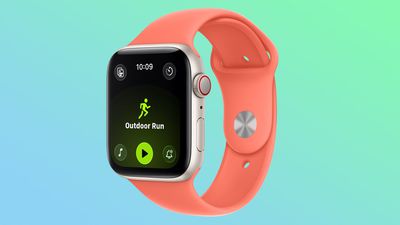
Accuracy improvements for indoor sports form another key pillar of watchOS 27. The software incorporates updated machine learning motion algorithms specifically tuned to measure distance on treadmills and during indoor walks with far greater precision. Unlike previous iterations that required several minutes of activity to calibrate stride lengths, Apple indicates that the new algorithms deliver precise tracking starting from an athlete’s very first step.
Outdoor activities benefit from refined fitness route mapping calculations, and Apple has addressed a persistent software desynchronization issue, ensuring step count totals remain identical between the companion Health and Fitness apps.
The Smart Stack contextual system has similarly seen its automated intelligence expanded. Widgets now automatically surface based on real-time situational triggers. Examples of new contextual cards included in watchOS 27 include:
- Automated location cards displaying where a user’s parked car is located.
- Calendar prompts highlighting contacts’ upcoming birthdays.
- Real-time notification updates regarding changes in public transit card balances.
- Instant shortcuts to the Noise app following a high-decibel environmental alert.
- System status warnings indicating that Theater Mode remains active.
- Contextual widgets for pinned Messages conversations, personal achievements, and saved digital identity cards.
Finally, watchOS 27 introduces hardware-tailored capabilities designed to leverage the internal architecture of Apple’s newest wearables. On the Apple Watch Series 12 and Apple Watch Ultra 4—which were unveiled alongside the foldable iPhone Duo and iPhone 18 Pro series—the software links directly with a redesigned physical pedometer mechanism and the new S11 silicon chip.
This combination enables highly granular real-time step tracking. To highlight this precision, watchOS 27 introduces a dedicated Steps watch face complication exclusive to the Series 12 and Ultra 4 models, allowing users to view live step count updates directly on their primary watch face without relying on third-party software applications.
 macOS & Apple IT Support
Apple Reverts to Soldered Storage on M6 and M5 Pro Mac Mini Models, Halving Base SSD Speeds via Single NAND Setup
Apple’s latest update to the Mac mini line brings a significant architectural...
 macOS & Apple IT Support
Apple Shell Company Filings Point to ‘HomeView’ and ‘homeOS’ Ahead of October ‘Welcome Home’ Launch
As Apple prepares for an upcoming hardware launch event, recent trademark discoveries...
 macOS & Apple IT Support
IFixit Teardown Highlights Variable Aperture, Vapor Chamber Cooling, and New Repairability Challenges in iPhone 18 Pro
In-depth device teardowns offer an unfiltered window into the intricate engineering hidden...







