
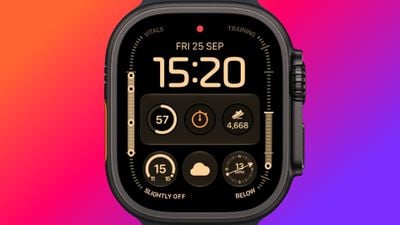
However, navigation changes extend beyond single-hand gestures, altering long-standing hardware button controls. In watchOS 26 and earlier software versions, double-pressing the Digital Crown opened the system App Switcher, allowing users to jump back to previously active applications, browse running apps, or swipe upward to force-quit misbehaving software. In watchOS 27, double-pressing the Digital Crown instead invokes the new dynamic app grid.
This button reassignment lays the ground for an upcoming flagship feature called Live Rewind. Exclusive to the Apple Watch Series 12 and Apple Watch Ultra 4, Live Rewind is designed to generate an instant text transcript of the last fifteen seconds of ambient speech captured in the user’s environment. Because Live Rewind will claim the double-press gesture on supported hardware, Apple is moving the traditional App Switcher to a new location.
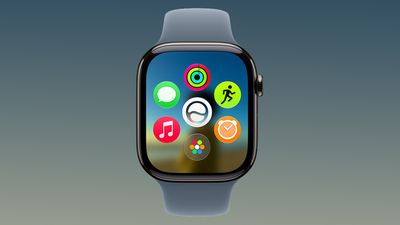
In the upcoming watchOS 27.2 update scheduled for release later this year, users will access the App Switcher using a long-press gesture at the bottom of the active app screen—a functionality currently being tested in developer and public betas.
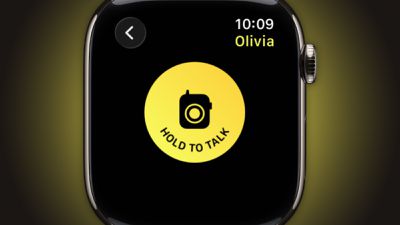
While watchOS 27 introduces several new controls, it also completely removes a legacy watchOS feature: the Walkie-Talkie app. The push-to-talk voice communication tool has been deleted from the operating system entirely and can no longer be downloaded or reinstalled from the App Store. While users who choose to stay on watchOS 26 will retain the app on their devices, they will no longer be able to establish Walkie-Talkie connections with contacts whose watches have been updated to watchOS 27.

Streamlined System Apps, Health Tools, and Standalone Workouts
System utility consolidation plays a prominent role in watchOS 27. Apple has merged its previously fragmented tracking tools—Find Devices, Find Items, and Find People—into a single, streamlined Find My application. Built around a map-centric user interface, the unified app provides consolidated access to location tracking for family members, personal devices, and AirTag-equipped items, while integrating quick shortcuts for navigation directions and immediate proximity alerts.
Fitness capabilities have also received substantial architectural improvements, particularly regarding the Workout Buddy feature introduced in watchOS 26. Previously, Workout Buddy required a connected iPhone to remain within Bluetooth range to operate. Under watchOS 27, the feature operates independently directly on the watch whenever a Wi-Fi or cellular connection is active.
The updated Workout Buddy software leverages broader historical training data to provide detailed feedback on gradual performance trends, such as improvements in running pace, total distance covered, and workout duration over time. To broaden its global reach, Workout Buddy now includes full support for Spanish in addition to English.
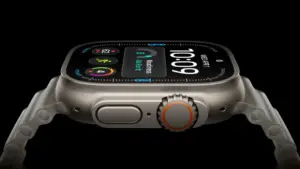 macOS & Apple IT Support
Amazon Launches First Discounts on Apple Watch Ultra 4 and Series 12 Following Official Release
Following the official market arrival of Apple’s newest wearable lineup, retail channels...
 macOS & Apple IT Support
Amazon Launches Early Prime Day Sales Across Apple’s Latest Lineup, Cutting Prices on MacBooks, iPads, AirPods, and Apple Watches
Amazon has officially kicked off an extensive wave of early discounts ahead...
 macOS & Apple IT Support
Apple Launches Major Hardware and Software Suite as iOS 27, macOS Golden Gate, and iPhone 18 Series Hit the Market
Following last week’s high-profile "Surprise and Shine" keynote event—the first major product...







