
Verifying Audio Fidelity and the Downmixing Dilemma
One of the most persistent frustrations in modern home cinema is the "silent" degradation of audio quality. A streaming service may advertise a title in Dolby Atmos, but due to settings conflicts, hardware limitations, or software bugs, the actual audio delivered to the speakers may be downmixed to standard 5.1 or even 2.0 stereo. Without diagnostic tools, the user is often left guessing why their expensive soundbar or AV receiver feels underwhelming.

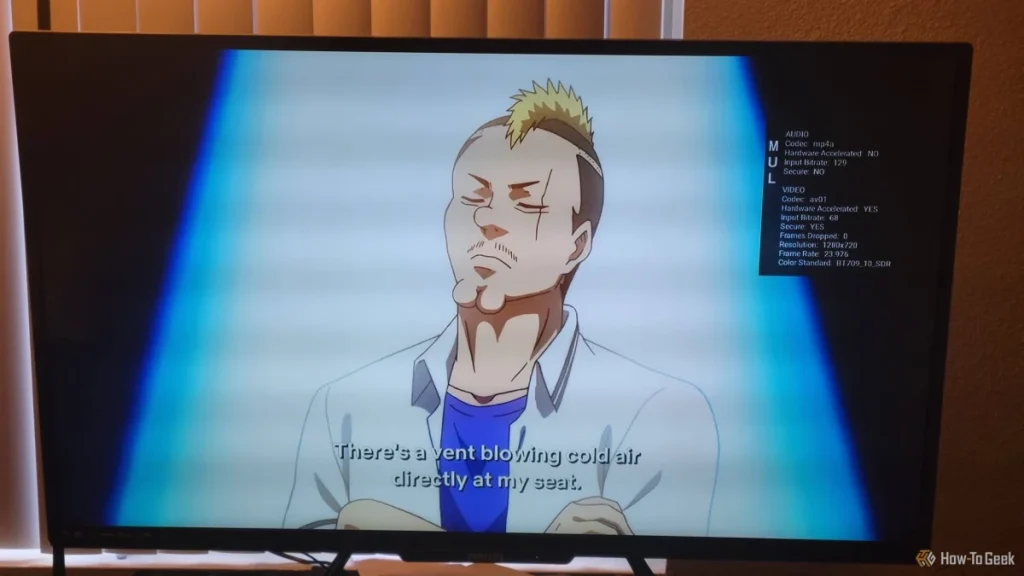
The "Advanced Options" toggle within the Developer Tools Menu addresses this by enabling a Multimedia diagnostic overlay. This tool is specifically designed to monitor hardware-accelerated decoding in real-time. When a video begins playing, the overlay appears on the right side of the screen, providing a technical breakdown of the audio stream’s DNA.
The most critical data point here is the audio codec identifier. For example, a true Dolby Atmos stream delivered via streaming services will typically show up as "eac3-joc." This stands for Enhanced AC-3 with Joint Object Coding, the technical backbone of "lossy" Atmos. If the overlay instead displays "ac3" or "pcm," it is an immediate signal that the system is downmixing the audio.
Furthermore, the overlay monitors whether hardware-accelerated Digital Signal Processing (DSP) is active. This is vital because software-based decoding can lead to audio-sync issues or increased CPU load, which in turn causes the video to stutter. By verifying that the stream is running inside a DRM-protected secure environment and checking the input bitrate in kilobits per second, users can ensure that they are receiving the highest possible fidelity their subscription allows.
Solving the Legacy Problem of Screen Overscan
While resolution and audio are often the focus of troubleshooting, the physical framing of the image is a frequently ignored aspect of the viewing experience. Many users unknowingly watch content with the outer 2% to 5% of the image chopped off—a phenomenon known as overscan. This is a relic of the Cathode Ray Tube (CRT) era, where television manufacturers intentionally zoomed in on the picture to hide technical noise and "garbage" data at the edges of analog broadcasts.
While modern digital displays should technically have moved past this, many television sets still enable overscan by default on HDMI inputs to maintain compatibility with older hardware. The "Safezone" overlay in the Fire TV Developer Tools Menu provides a semi-transparent red border and grid that highlights the boundaries of the intended UI.
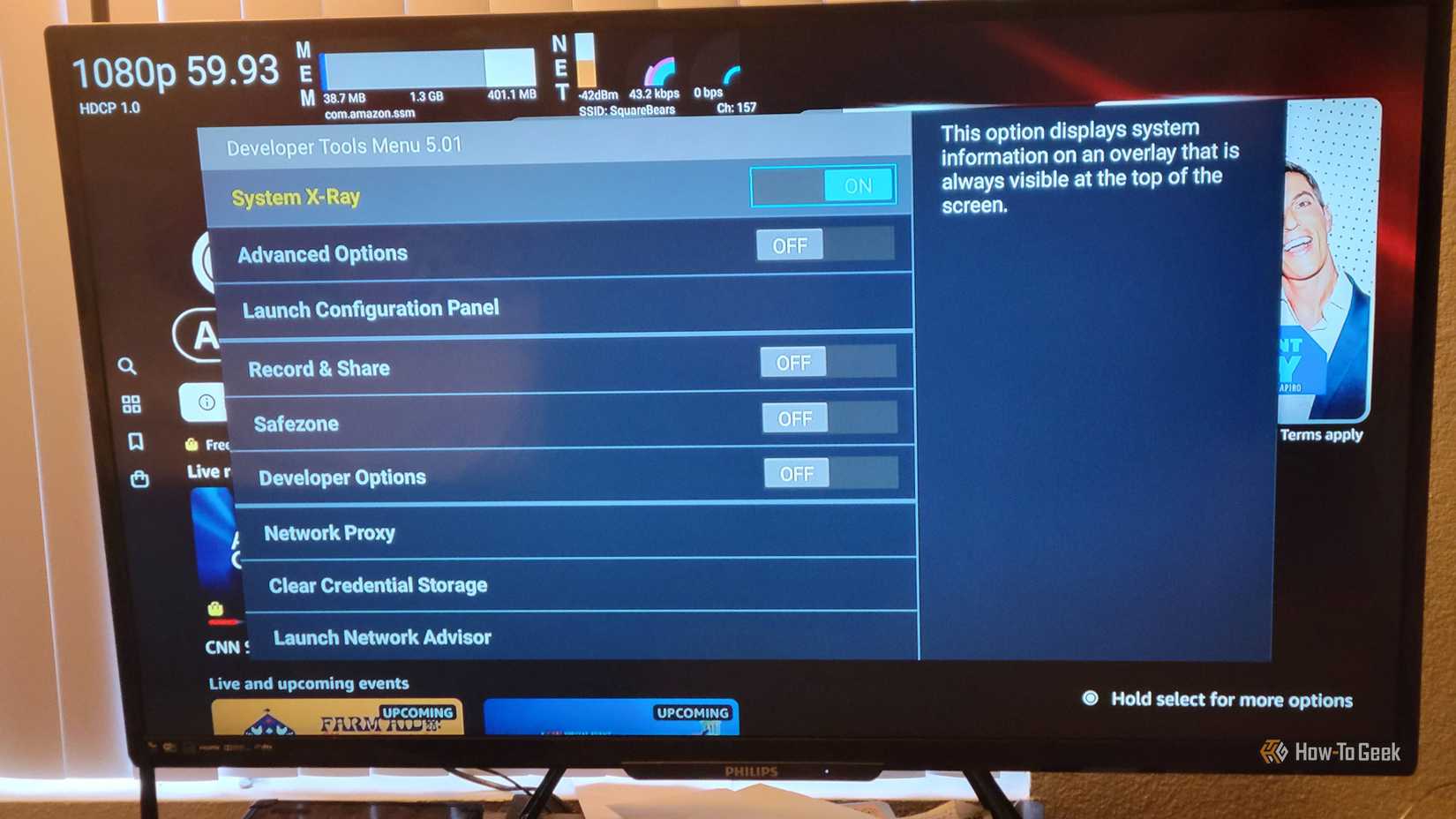
This tool is particularly valuable for users who sideload Android applications. Because many standard Android apps are designed for touchscreens where every pixel is usable, they often place critical navigation buttons or search bars at the very edge of the frame. If a TV is overscanning, these buttons become invisible and inaccessible.
 Tech Tutorials & How-To Guides
Reliability Without the Premium Price: The Evolution of Affordable Multi-Tools for Modern Everyday Carry
The concept of "Everyday Carry," or EDC, has evolved from a niche...
 Tech Tutorials & How-To Guides
The Evolution of Mobile Audio: Why Your Smartphone is a Professional-Grade Microphone in Disguise
In the modern era of digital content creation, the barrier to entry...
 Tech Tutorials & How-To Guides
The Hidden Bottleneck: Why Standard Speed Tests Often Fail to Detect Faulty Network Hardware
In the modern digital household, few things are as frustrating as a...







