
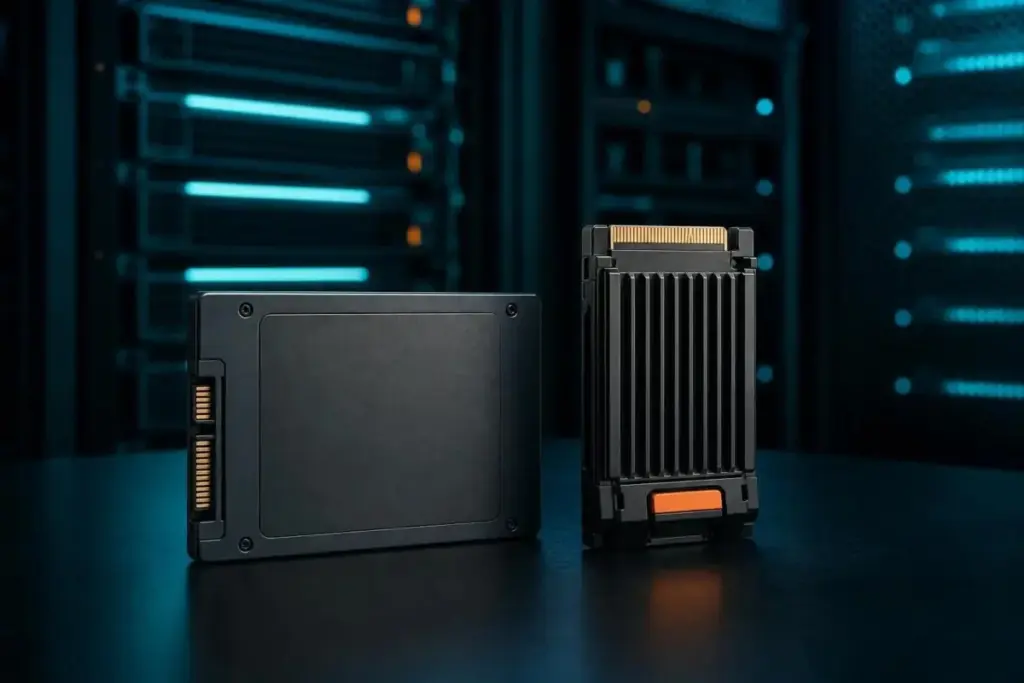
In the rapidly evolving landscape of data storage, the terminology used to describe modern hardware often leads to a fundamental misunderstanding among enterprise buyers and consumer enthusiasts alike. The terms "flash" and "SSD" are frequently used interchangeably in marketing materials and technical discussions, yet they represent two distinct levels of technology. As organizations look to optimize their data centers and individual users seek to upgrade their hardware, understanding that flash and SSDs are not competing options—but rather a component and its finished product—is essential for making informed purchasing decisions.
Flash storage is the foundational memory technology: a collection of electronic chips designed to store data without the need for moving parts. In contrast, a Solid-State Drive (SSD) is a sophisticated, integrated device built around that flash memory. An SSD incorporates several critical layers, including a specialized controller, complex firmware, and a standardized interface, to make raw flash chips usable for a computer system. The real challenge for modern buyers is not choosing between flash and an SSD, but rather navigating the nuances of NAND types, interface protocols, and endurance ratings that define the performance and longevity of the drive.
Flash Is the Chip, SSD Is the Product Built Around It
To understand the difference between these two concepts, it is helpful to look at the definitions provided by industry leaders. According to IBM, flash storage refers specifically to the underlying memory technology itself. These are electronic memory chips that utilize non-volatile silicon-based storage to retain data even when the power is disconnected. This non-volatile nature is achieved by storing data as electrical charges within memory cells. Because flash lacks the mechanical arms and spinning platters of traditional Hard Disk Drives (HDDs), it is significantly more resilient to physical shock and offers much lower latency.
The versatility of flash memory allows it to exist in many forms beyond the standard computer drive. As Pure Storage points out, flash technology is the engine behind USB thumb drives, SD cards used in professional cameras, and the internal storage of smartphones. However, while a USB stick utilizes flash, it is not categorized as an SSD. The distinction lies in the complexity of the internal architecture. What transforms raw flash chips into an SSD is the addition of a controller and firmware that manage data placement, along with a high-speed interface that allows the device to communicate effectively with a server or workstation. This management layer is where the most significant performance differences between various drives are found.
NAND vs. NOR: The Architectural Divide
Flash memory is generally divided into two primary families: NAND and NOR. These names refer to the type of logic gate used in the memory cells, and each serves a very different purpose in the ecosystem of electronics. IBM explains that NAND flash is the dominant force in the storage market because it offers higher storage density, smaller physical cell sizes, and significantly faster write and erase speeds. These characteristics make it ideal for high-capacity storage devices like SSDs.
NOR flash, on the other hand, excels in read speeds and provides random-access capabilities, allowing a system to jump directly to specific bits of data. However, NOR comes at a much higher cost per bit and lacks the density required for mass storage. Consequently, NOR flash is primarily reserved for storing firmware, BIOS code, and embedded applications where small amounts of data must be read quickly and reliably, but rarely changed.
Virtually every modern SSD on the market is built using NAND technology. As detailed in technical explainers from Computer Compatibility, NAND cells function as floating-gate transistors that trap electrons to represent data. Within the realm of NAND, the most critical variable for a buyer is the cell type, which determines how many bits of data are stored in each individual cell. This density directly impacts the drive’s speed, durability, and price.
Single-Level Cell (SLC) NAND stores only one bit per cell. It is the fastest and most durable version of the technology, capable of enduring the highest number of write cycles. However, because it is the least dense, it is also the most expensive. SLC is rarely found in consumer products, appearing instead in enterprise environments or military-grade hardware where mission-critical reliability is paramount.
The mainstream market typically relies on Multi-Level Cell (MLC) or, more commonly, Triple-Level Cell (TLC) NAND, which stores three bits per cell. TLC offers a balanced middle ground, providing sufficient speed and capacity for most professional and personal workloads. For those seeking maximum capacity at the lowest possible cost, Quad-Level Cell (QLC) NAND stores four bits per cell. While QLC enables high-capacity drives of 4TB and above at budget-friendly prices, it does so by sacrificing write speeds and overall endurance.
What an SSD Adds Beyond the NAND Chips
While the NAND chips store the actual data, they are not capable of self-management. This is where the SSD’s internal controller and firmware become indispensable. IBM notes that an SSD organizes NAND into complex structures of blocks and cells. The controller acts as the "brain" of the device, performing essential background tasks such as wear-leveling and garbage collection.
Wear-leveling is a process that ensures writes are spread evenly across all available cells on the drive. Because NAND cells have a finite lifespan and can only be written to a certain number of times before failing, wear-leveling prevents any single group of cells from wearing out prematurely. Garbage collection is equally vital; it identifies and reclaims blocks of memory that contain "stale" or deleted data, preparing them to be written to again. Without these sophisticated management processes, a stack of raw NAND chips would quickly become unreliable and inefficient.
Another critical feature of enterprise-grade SSDs is over-provisioning. This involves reserving a portion of the drive’s total NAND capacity—beyond what is advertised to the user—to assist with wear-leveling and garbage collection. According to a selection guide from SK Hynix, standard over-provisioning typically ranges from 7% to 28% of the drive’s total capacity. This extra space acts as a buffer, allowing the controller to maintain steady write performance even as the drive fills up. Because these specifications vary by manufacturer and drive tier, experts recommend that buyers carefully match the specific SKU and firmware revision to the intended workload.
To further enhance performance, many drives utilize a pseudo-SLC write cache. This technique involves treating a portion of the TLC or QLC NAND as if it were SLC, storing only one bit per cell temporarily to accelerate initial write operations. As Computer Compatibility notes, this results in blistering speeds for short bursts of data. However, once this cache is exhausted during a long transfer, the drive must revert to its native, slower write speed. This "performance cliff" is a key consideration for users who frequently move very large files.
The overall fill level of a drive also plays a significant role in its health. SK Hynix observations suggest that sustained write performance can drop significantly once an SSD reaches approximately 80% of its capacity. At this threshold, the controller has fewer empty blocks available for background maintenance, leading to increased latency. To avoid this, it is generally recommended to keep at least 10% to 20% of a drive’s capacity free.
Interface, Form Factor, and the Shift to NVMe
The performance of an SSD is not only determined by its internal chips but also by the "pipe" it uses to send data to the rest of the computer. Older SSDs often use the SATA interface, which was originally designed for mechanical hard drives. SATA SSDs are physically capped at speeds near 550 MB/s due to the limitations of the 6 Gb/s SATA bus.
To overcome this bottleneck, the industry developed NVMe (Non-Volatile Memory Express). NVMe allows the SSD to communicate directly with the CPU over PCIe lanes, bypassing the legacy protocols that slow down SATA drives. Computer Compatibility reports that modern NVMe Gen 4 drives can reach speeds between 4,500 and 7,000 MB/s, representing a massive leap in sequential throughput. While every NVMe device is an SSD, IBM points out that not every SSD is an NVMe device, as many budget-friendly options still utilize the older SATA standard.
There is also frequent confusion regarding the M.2 form factor. It is important to remember that M.2 refers to the physical shape and connector of the drive, not the communication protocol. An M.2 drive can be either SATA or NVMe, depending on its design. Meanwhile, the traditional 2.5-inch "brick" form factor remains a common choice for legacy systems and high-capacity enterprise arrays that require SATA compatibility.
Endurance Ratings and the Importance of Block Size
For enterprise users, the most critical metric on a datasheet is often endurance, usually expressed as Total Bytes Written (TBW). This figure represents the total amount of data that can be written to the drive over its lifetime before the NAND cells are expected to fail. However, TBW is not a static number; it is heavily influenced by the nature of the data being written.
Micron’s documentation for the 6550 ION SSD Series illustrates this variability. Under a 128KB random-write test, the drive may be rated for up to 112,000TB of endurance. However, if the workload shifts to a 4KB random-write pattern, that endurance figure can plummet to 28,000TB on the same drive. This discrepancy occurs because smaller block sizes create more "write amplification," putting more strain on the controller and the NAND cells. SK Hynix suggests that buyers should look beyond headline numbers and verify the warranty period and workload assumptions provided by the vendor to ensure the drive fits their specific use case.
SSD vs. HDD: Choosing the Right Tool for the Job
While SSDs have become the standard for most computing tasks, the traditional Hard Disk Drive (HDD) still has a place in the modern data center. The choice between the two usually comes down to a trade-off between performance and cost. Pure Storage notes that SSDs can be up to 14 times faster than HDDs in certain scenarios, thanks to their circuit-based design. They are also smaller, generate less heat, and are more durable.
However, HDDs still hold the advantage when it comes to raw capacity at a lower price point. For large-scale archival storage or "cold" data that is rarely accessed, the cost-per-gigabyte of an HDD is often more attractive than an SSD. In some cases, organizations deploy hybrid storage solutions that combine the speed of SSDs for active data with the high capacity of HDDs for background storage, balancing performance with budget constraints.
Final Considerations for Storage Procurement
The debate of "Flash vs. SSD" is ultimately a misnomer. Flash is the ingredient, and the SSD is the finished product. When evaluating storage solutions, the conversation should instead focus on the specific variables that impact real-world performance: NAND type (SLC, TLC, or QLC), the interface (SATA or NVMe), the physical form factor, and the endurance rating.
Enterprise-grade drives generally offer higher over-provisioning and better endurance headroom than client drives, making them better suited for the constant write loads of a server environment. Before finalizing a purchase, it is vital to read manufacturer datasheets with a critical eye. Headline speeds often reflect best-case burst performance rather than sustained workloads.
The most reliable way to predict how a drive will perform in a specific environment is to test it against the organization’s unique read/write mix. By understanding the underlying technology of the NAND and the management capabilities of the controller, buyers can move past marketing buzzwords and select the storage hardware that best meets their operational needs.
 Enterprise Tech & Infrastructure
Navigating the Shift to Software-Defined Storage: Essential Strategies for Modern Enterprise Data Management
The landscape of enterprise data management is undergoing a fundamental transformation as...
 Enterprise Tech & Infrastructure
Navigating the Financial Realities of Enterprise Cloud Storage: A Comprehensive Analysis of Amazon S3 Cost Management
In the rapidly evolving landscape of enterprise cloud infrastructure, the management of...
 Enterprise Tech & Infrastructure
Navigating the Hidden Financial Mechanics of Amazon S3: Strategies for Enterprise Cost Optimization
In the landscape of modern enterprise cloud architecture, Amazon S3 has long...







