
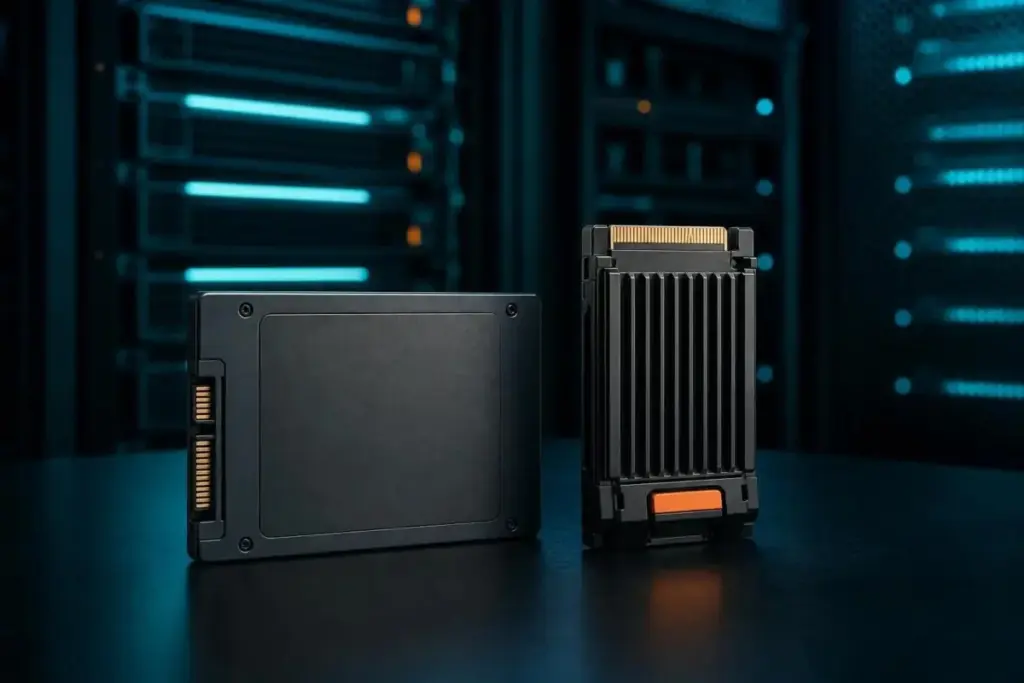
There is also frequent confusion regarding the M.2 form factor. It is important to remember that M.2 refers to the physical shape and connector of the drive, not the communication protocol. An M.2 drive can be either SATA or NVMe, depending on its design. Meanwhile, the traditional 2.5-inch "brick" form factor remains a common choice for legacy systems and high-capacity enterprise arrays that require SATA compatibility.
Endurance Ratings and the Importance of Block Size
For enterprise users, the most critical metric on a datasheet is often endurance, usually expressed as Total Bytes Written (TBW). This figure represents the total amount of data that can be written to the drive over its lifetime before the NAND cells are expected to fail. However, TBW is not a static number; it is heavily influenced by the nature of the data being written.
Micron’s documentation for the 6550 ION SSD Series illustrates this variability. Under a 128KB random-write test, the drive may be rated for up to 112,000TB of endurance. However, if the workload shifts to a 4KB random-write pattern, that endurance figure can plummet to 28,000TB on the same drive. This discrepancy occurs because smaller block sizes create more "write amplification," putting more strain on the controller and the NAND cells. SK Hynix suggests that buyers should look beyond headline numbers and verify the warranty period and workload assumptions provided by the vendor to ensure the drive fits their specific use case.
SSD vs. HDD: Choosing the Right Tool for the Job
While SSDs have become the standard for most computing tasks, the traditional Hard Disk Drive (HDD) still has a place in the modern data center. The choice between the two usually comes down to a trade-off between performance and cost. Pure Storage notes that SSDs can be up to 14 times faster than HDDs in certain scenarios, thanks to their circuit-based design. They are also smaller, generate less heat, and are more durable.
However, HDDs still hold the advantage when it comes to raw capacity at a lower price point. For large-scale archival storage or "cold" data that is rarely accessed, the cost-per-gigabyte of an HDD is often more attractive than an SSD. In some cases, organizations deploy hybrid storage solutions that combine the speed of SSDs for active data with the high capacity of HDDs for background storage, balancing performance with budget constraints.
Final Considerations for Storage Procurement
The debate of "Flash vs. SSD" is ultimately a misnomer. Flash is the ingredient, and the SSD is the finished product. When evaluating storage solutions, the conversation should instead focus on the specific variables that impact real-world performance: NAND type (SLC, TLC, or QLC), the interface (SATA or NVMe), the physical form factor, and the endurance rating.
Enterprise-grade drives generally offer higher over-provisioning and better endurance headroom than client drives, making them better suited for the constant write loads of a server environment. Before finalizing a purchase, it is vital to read manufacturer datasheets with a critical eye. Headline speeds often reflect best-case burst performance rather than sustained workloads.
The most reliable way to predict how a drive will perform in a specific environment is to test it against the organization’s unique read/write mix. By understanding the underlying technology of the NAND and the management capabilities of the controller, buyers can move past marketing buzzwords and select the storage hardware that best meets their operational needs.
 Enterprise Tech & Infrastructure
Upscale AI Unveils SkyHammer Fabric to Challenge Nvidia’s Dominance in Scale-Up AI Networking
The history of high-performance computing has long been defined by a tension...
 Enterprise Tech & Infrastructure
Decoding the True Cost of Amazon S3: Why Storage Class Rates Are Only Half the Story
For enterprise IT leaders and cloud architects, the promise of Amazon S3...
 Enterprise Tech & Infrastructure
Quantum Elements Bridges the Hardware-Software Gap in Quest for Fault-Tolerant Computing
The journey toward a practical, large-scale quantum computer has long been defined...







