
The mainstream market typically relies on Multi-Level Cell (MLC) or, more commonly, Triple-Level Cell (TLC) NAND, which stores three bits per cell. TLC offers a balanced middle ground, providing sufficient speed and capacity for most professional and personal workloads. For those seeking maximum capacity at the lowest possible cost, Quad-Level Cell (QLC) NAND stores four bits per cell. While QLC enables high-capacity drives of 4TB and above at budget-friendly prices, it does so by sacrificing write speeds and overall endurance.
What an SSD Adds Beyond the NAND Chips
While the NAND chips store the actual data, they are not capable of self-management. This is where the SSD’s internal controller and firmware become indispensable. IBM notes that an SSD organizes NAND into complex structures of blocks and cells. The controller acts as the "brain" of the device, performing essential background tasks such as wear-leveling and garbage collection.
Wear-leveling is a process that ensures writes are spread evenly across all available cells on the drive. Because NAND cells have a finite lifespan and can only be written to a certain number of times before failing, wear-leveling prevents any single group of cells from wearing out prematurely. Garbage collection is equally vital; it identifies and reclaims blocks of memory that contain "stale" or deleted data, preparing them to be written to again. Without these sophisticated management processes, a stack of raw NAND chips would quickly become unreliable and inefficient.
Another critical feature of enterprise-grade SSDs is over-provisioning. This involves reserving a portion of the drive’s total NAND capacity—beyond what is advertised to the user—to assist with wear-leveling and garbage collection. According to a selection guide from SK Hynix, standard over-provisioning typically ranges from 7% to 28% of the drive’s total capacity. This extra space acts as a buffer, allowing the controller to maintain steady write performance even as the drive fills up. Because these specifications vary by manufacturer and drive tier, experts recommend that buyers carefully match the specific SKU and firmware revision to the intended workload.
To further enhance performance, many drives utilize a pseudo-SLC write cache. This technique involves treating a portion of the TLC or QLC NAND as if it were SLC, storing only one bit per cell temporarily to accelerate initial write operations. As Computer Compatibility notes, this results in blistering speeds for short bursts of data. However, once this cache is exhausted during a long transfer, the drive must revert to its native, slower write speed. This "performance cliff" is a key consideration for users who frequently move very large files.
The overall fill level of a drive also plays a significant role in its health. SK Hynix observations suggest that sustained write performance can drop significantly once an SSD reaches approximately 80% of its capacity. At this threshold, the controller has fewer empty blocks available for background maintenance, leading to increased latency. To avoid this, it is generally recommended to keep at least 10% to 20% of a drive’s capacity free.
Interface, Form Factor, and the Shift to NVMe
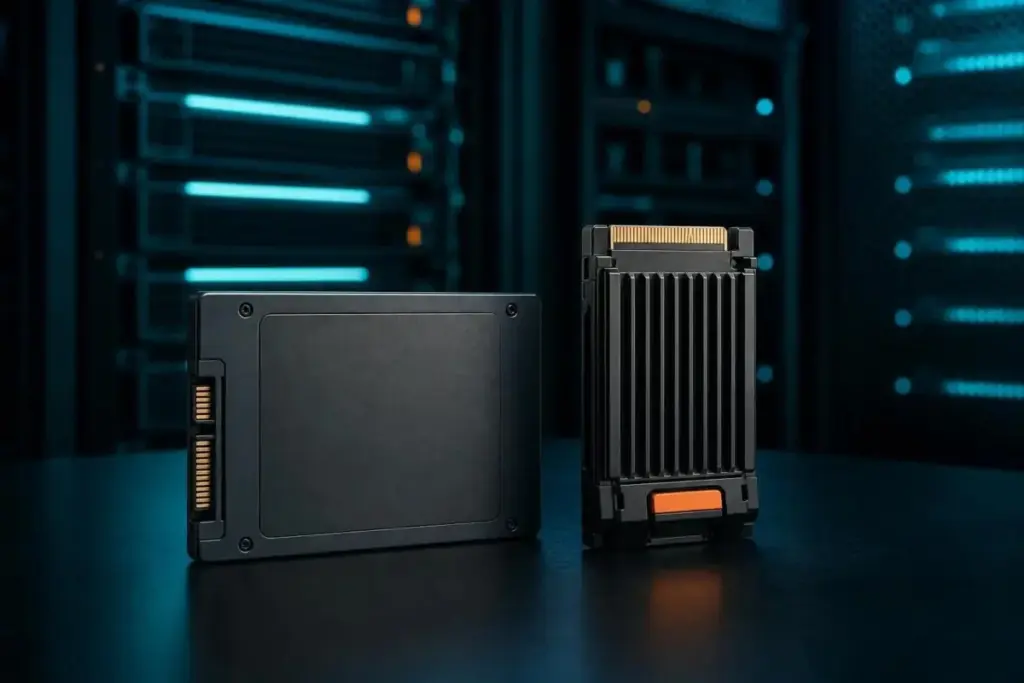
The performance of an SSD is not only determined by its internal chips but also by the "pipe" it uses to send data to the rest of the computer. Older SSDs often use the SATA interface, which was originally designed for mechanical hard drives. SATA SSDs are physically capped at speeds near 550 MB/s due to the limitations of the 6 Gb/s SATA bus.
To overcome this bottleneck, the industry developed NVMe (Non-Volatile Memory Express). NVMe allows the SSD to communicate directly with the CPU over PCIe lanes, bypassing the legacy protocols that slow down SATA drives. Computer Compatibility reports that modern NVMe Gen 4 drives can reach speeds between 4,500 and 7,000 MB/s, representing a massive leap in sequential throughput. While every NVMe device is an SSD, IBM points out that not every SSD is an NVMe device, as many budget-friendly options still utilize the older SATA standard.
 Enterprise Tech & Infrastructure
Navigating the Hidden Complexities of Amazon S3 Cost Management for Enterprise Storage
In the modern enterprise landscape, cloud storage has transitioned from a simple...
 Enterprise Tech & Infrastructure
Navigating the Hidden Financial Mechanics of Amazon S3: Strategies for Enterprise Cost Optimization
In the landscape of modern enterprise cloud architecture, Amazon S3 has long...
 Enterprise Tech & Infrastructure
Quantum Elements Bridges the Hardware-Software Gap in Quest for Fault-Tolerant Computing
The journey toward a practical, large-scale quantum computer has long been defined...







