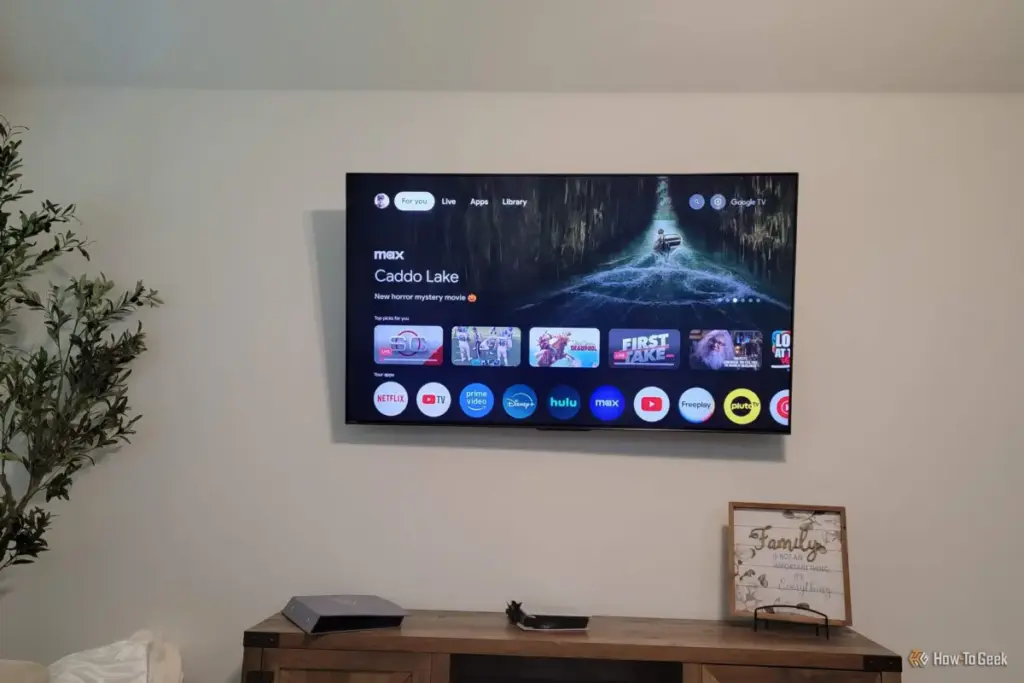
By opting for this setup, users can effectively sever the link between their viewing habits and Google’s data servers. Basic Mode eliminates the personalized recommendations, the Google Assistant, and the ability to download apps directly onto the TV. For many, this sounds like a downgrade, but for the privacy-conscious enthusiast, it is a liberation. It transforms the TV into a neutral piece of hardware that does not care what is being watched or who is watching it.
The transition to a "dumb" TV setup is particularly appealing to those who have already invested in external hardware. If a user primarily relies on a dedicated gaming console, a high-end streaming box like an Apple TV, or a physical media player for 4K Blu-rays, the built-in Google TV architecture becomes redundant. In these scenarios, the smart features are not just invasive—they are bloatware that occupies system resources and complicates the user experience.
Navigating the Transition to a Privacy-First Display
For those who have already set up their Google TV in the standard "smart" configuration, the path to reclaiming privacy requires a fresh start. Because data collection begins the moment a device is linked to an account and connected to a network, a factory reset is the only way to ensure a clean break from previous tracking. This process wipes the device’s internal storage and returns the software to its out-of-the-box state, providing the opportunity to choose a different path during the initial configuration.
During the re-setup process, manufacturers typically present two distinct options: "Set up Google TV" or "Set up Basic TV." By selecting the latter, the user enters a simplified environment. To maintain maximum privacy, it is also essential to skip the step requesting a Wi-Fi or Ethernet connection. A TV that is never connected to the internet is a TV that cannot transmit data to external servers. This offline approach is the most robust defense against the "sneaky" background processes that define modern smart devices.
Once the setup is complete, the user is greeted with a drastically different home screen. Gone are the rows of suggested content from Disney+, Netflix, and YouTube. Instead, the interface focuses on the essentials: live TV (if an antenna is connected) and the various HDMI inputs. While some vestigial app icons may remain on the screen, they are rendered non-functional by the lack of an internet connection, serving as a reminder of the software layer that has been successfully bypassed.
The Performance Benefits of a Minimalist Interface
 Tech Tutorials & How-To Guides
The Fragile Alliance: Why Windows Continues to Disrupt Dual-Boot Linux Environments
For many technology enthusiasts and professionals, the ideal computing environment involves a...
 Tech Tutorials & How-To Guides
Unfiltered Cinema: Why R-Rated Hits Are Finding a Second Life on Major Streaming Platforms
In the modern landscape of digital entertainment, the motion picture rating system...
 Tech Tutorials & How-To Guides
The Hidden Bottleneck: Why Standard Speed Tests Often Fail to Detect Faulty Network Hardware
In the modern digital household, few things are as frustrating as a...