
For many technology enthusiasts and professionals, the ideal computing environment involves a dual-boot configuration. This setup offers the best of both worlds: the broad software compatibility and gaming prowess of Windows, alongside the privacy, development tools, and customization of Linux. However, as many users have discovered, this arrangement is often an uneasy truce rather than a stable partnership. While Linux distributions have become increasingly adept at coexisting with other operating systems, Windows remains a notoriously difficult neighbor.
The challenges of maintaining a dual-boot system have evolved alongside modern hardware standards. From the transition to UEFI (Unified Extensible Firmware Interface) to the implementation of aggressive security protocols like Secure Boot and BitLocker, the hurdles for Linux users have grown more complex. Windows, designed with the assumption that it is the sole occupant of a machine’s hardware, frequently implements updates and setting changes that can inadvertently—or systematically—render a Linux installation unbootable.
There are four primary ways Windows disrupts these shared environments, ranging from bootloader interference to filesystem locks and encryption hurdles. Understanding these mechanisms is essential for any user looking to maintain a stable multi-OS workstation.
Overwriting the Bootloader: The Battle for Disk Control
One of the oldest and most persistent issues in the dual-boot world is the tendency for Windows to reclaim control of the boot process. Historically, in the era of BIOS and Master Boot Record (MBR) partitioning, this was a destructive process. A Windows installation or major repair would simply overwrite the MBR with its own code, effectively erasing the pointer to the Linux bootloader, such as GRUB (Grand Unified Bootloader).

In the modern era of UEFI, the conflict has shifted but not disappeared. On UEFI systems, bootloaders reside as files within a dedicated EFI System Partition (ESP). The computer’s firmware decides which operating system to launch based on a boot order stored in the NVRAM (Non-Volatile Random-Access Memory). While this system technically allows multiple bootloaders to coexist peacefully on the same disk, Windows is known for its lack of "disk etiquette."
Major Windows feature updates—which often function more like a partial OS reinstallation—frequently reset the UEFI boot priority. When the system restarts after an update, it may place the Windows Boot Manager back at the top of the list. From the user’s perspective, Linux appears to have vanished. In reality, the Linux files and its bootloader remain intact on the disk; they have simply been demoted in the firmware’s priority list, causing the machine to bypass the GRUB menu and boot directly into the Windows desktop.
The remedy for this issue usually requires external tools. Users often find themselves needing to boot from a Linux "Live USB" to access the installed system and reassert control. By using tools like efibootmgr to reorganize the boot order or reinstalling GRUB entirely, the dual-boot menu can be restored. However, this remains a significant point of friction, particularly for users who may not have a recovery drive readily available when an unexpected Windows update strikes. To mitigate this, many experts recommend installing Linux on a physically separate drive with its own EFI partition, creating a hardware-level barrier that Windows updates are less likely to cross.
Lockouts via Secure Boot
Secure Boot is a security standard designed to ensure that a device boots using only software that is trusted by the Original Equipment Manufacturer (OEM). While intended to prevent "bootkits" and other low-level malware from infecting the startup process, it has created a significant dependency on Microsoft for the Linux community.
Microsoft Controls the Keys That Let Linux Start
Because the vast majority of PC hardware is designed for Windows, motherboard manufacturers ship firmware that includes Microsoft’s digital certificates as the primary "root of trust." For a Linux distribution to boot on a machine with Secure Boot enabled, its bootloader must be signed with a key the firmware recognizes. To facilitate this, most major distributions use a small intermediate program known as "shim." This shim is signed by Microsoft, allowing it to pass the initial Secure Boot check and then hand off the boot process to the Linux-specific GRUB loader.

This arrangement, while functional, leaves Linux users vulnerable to changes in Microsoft’s security infrastructure. A notable shift is currently underway as certificates issued in 2011 reach their expiration dates. The certificate used to sign many Linux shims reached its end-of-life on June 27, 2026, and the certificate for the Windows bootloader itself is set to expire on October 19. While firmware does not always strictly enforce expiration dates on existing installs, the transition to new certificates signed with 2023 keys can cause failures during new installations or after firmware updates that refresh the "Allowed Signature Database" (DB).
The tension between Windows security and Linux accessibility was highlighted in August 2024, when a Windows security update aimed at addressing a vulnerability in the GRUB bootloader caused widespread failures. The update implemented a "Secure Boot Advanced Targeting" (SBAT) policy that blocked certain versions of Linux bootloaders from running. Many dual-boot users found themselves unable to access their Linux partitions, greeted instead by security violation errors. Resolving these issues often requires users to temporarily disable Secure Boot in the BIOS, update their Linux packages to the latest versions, and then re-enable the security feature—a process that can be daunting for less technical users.
Fast Startup: The Risks of a Hibernated Filesystem
Windows 10 and 11 utilize a feature called Fast Startup, designed to reduce the time it takes for a computer to boot after being shut down. While the name suggests a simple optimization, the underlying mechanism is more akin to a partial hibernation.
A Half-Shutdown Leaves Your Windows Drive Unsafe for Linux
When a user selects "Shut Down" on a Windows machine with Fast Startup enabled, the operating system does not fully terminate all processes. Instead, it closes user applications but saves the state of the Windows kernel and loaded drivers to a hibernation file (hiberfil.sys) on the disk. Crucially, Windows leaves its NTFS partitions in a "dirty" or "hibernated" state.
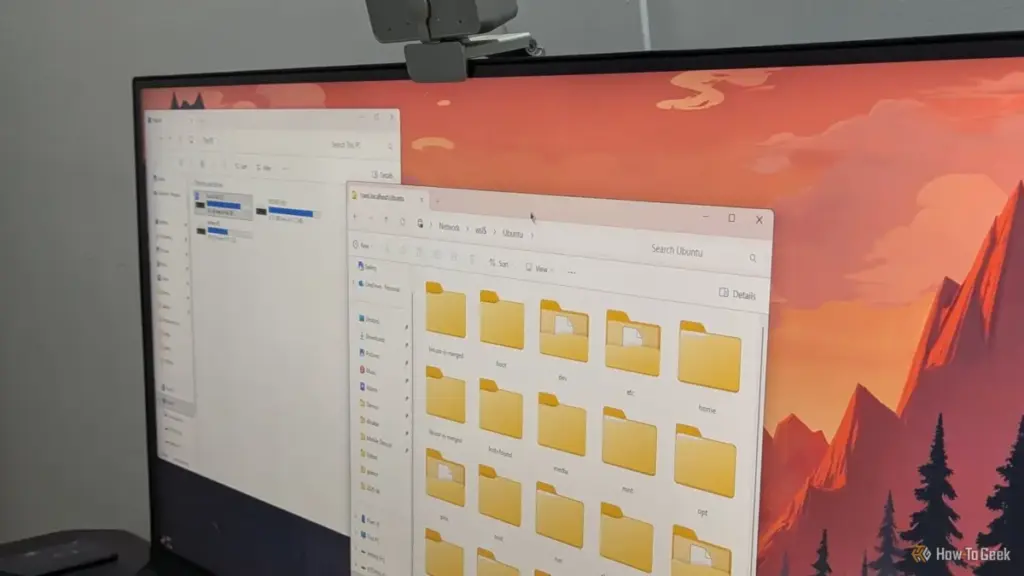
For a dual-boot user, this creates an immediate conflict. When they subsequently boot into Linux and attempt to access their Windows files—perhaps to move a document or access a shared media library—the Linux NTFS driver will detect that the partition was not cleanly unmounted. To prevent data corruption, the driver will typically refuse to mount the drive in read-write mode, or it may mount it as read-only with a stern warning.
The danger lies in bypassing these protections. Forcing a mount of a hibernated NTFS partition can lead to catastrophic data loss. If Linux writes to the disk and changes the filesystem structure, Windows may encounter an inconsistent state when it "wakes up" from its hibernated shutdown, leading to disk errors or blue screens.
The most reliable solution is to disable Fast Startup within the Windows Control Panel. While this slightly increases boot times for Windows, it ensures that the filesystem is cleanly closed every time the machine is powered off, allowing Linux to safely interact with the data. Alternatively, users can perform a "Restart" rather than a "Shut Down," as Windows treats a restart as a full power cycle of the kernel, bypassing the Fast Startup hibernation process.
BitLocker: When Security Becomes an Obstacle
Perhaps the most significant threat to a dual-boot setup is BitLocker, Microsoft’s full-disk encryption technology. On many modern laptops and pre-built desktops, BitLocker (or its consumer-facing "Device Encryption" variant) is enabled by default.
Disk Encryption Can Turn a Linux Install into a Recovery-Key Hunt
BitLocker typically secures its encryption keys within the computer’s Trusted Platform Module (TPM). The TPM "seals" these keys based on a series of measurements of the boot environment. If the TPM detects that the boot path has changed—such as when a new Linux bootloader is added to the sequence or when Secure Boot settings are modified—it will refuse to release the key.
This results in the infamous BitLocker Recovery screen, demanding a 48-digit recovery key to unlock the drive. For users who signed in with a Microsoft account, this key is usually backed up to the cloud, but those using local accounts may find themselves permanently locked out of their data if they did not manually save the key.
The presence of BitLocker also complicates the initial setup of a Linux environment. Installing Linux usually requires shrinking the existing Windows partition to make room for the new OS. However, standard Linux partitioning tools cannot safely resize an encrypted BitLocker volume. Attempting to do so from outside Windows is a high-risk operation that often leads to a broken Windows installation.
To successfully navigate a dual-boot setup with an encrypted drive, users must take a proactive approach. This involves retrieving and backing up the BitLocker recovery key before making any changes, and using Windows’ own "Disk Management" tool to shrink the C: drive while the OS is running. In some cases, users find it more practical to decrypt the drive entirely before installing Linux, re-encrypting it only once the dual-boot configuration is stable.
The Necessity of Proactive Management
While Windows and Linux can coexist, the relationship requires constant vigilance from the user. Windows’ design philosophy prioritizes a seamless, secure experience for the majority of users who never leave its ecosystem. For the dual-booting minority, this translates to an environment where updates and default settings can feel like a series of traps.
Maintaining a successful dual-boot system is not a "set it and forget it" endeavor. It requires a fundamental understanding of how UEFI, Secure Boot, and disk encryption interact. By keeping a Linux recovery USB at the ready, disabling features like Fast Startup that interfere with cross-platform data access, and ensuring that BitLocker recovery keys are securely stored, users can protect their data and their access to both operating systems. Despite the friction caused by Windows’ aggressive updates, the power of a dual-boot system remains worth the effort for those who need the unique capabilities of both platforms.
 Tech Tutorials & How-To Guides
Thrills and Psychological Chills: Netflix Bolsters October Lineup With ‘Unabomber’ and Genre Classics
As the calendar turns to the first full week of October, the...
 Tech Tutorials & How-To Guides
Unfiltered Cinema: Why R-Rated Hits Are Finding a Second Life on Major Streaming Platforms
In the modern landscape of digital entertainment, the motion picture rating system...
 Tech Tutorials & How-To Guides
The Case for the Cathode Ray Tube: Why Your Old Monitor is a Treasure, Not Trash
In an era defined by ultra-thin OLED panels, 4K resolutions, and refresh...







