
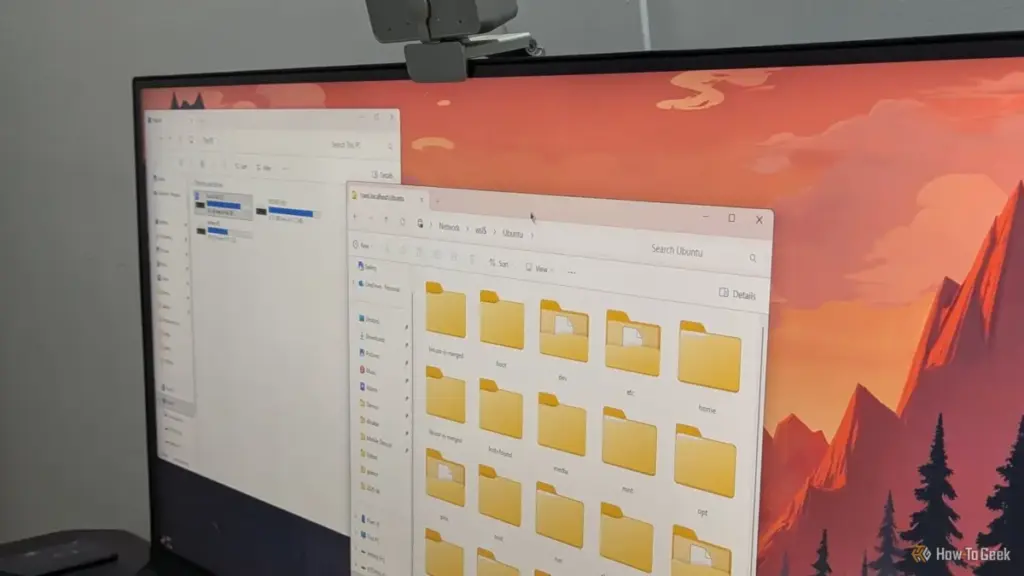
Microsoft Controls the Keys That Let Linux Start
Because the vast majority of PC hardware is designed for Windows, motherboard manufacturers ship firmware that includes Microsoft’s digital certificates as the primary "root of trust." For a Linux distribution to boot on a machine with Secure Boot enabled, its bootloader must be signed with a key the firmware recognizes. To facilitate this, most major distributions use a small intermediate program known as "shim." This shim is signed by Microsoft, allowing it to pass the initial Secure Boot check and then hand off the boot process to the Linux-specific GRUB loader.

This arrangement, while functional, leaves Linux users vulnerable to changes in Microsoft’s security infrastructure. A notable shift is currently underway as certificates issued in 2011 reach their expiration dates. The certificate used to sign many Linux shims reached its end-of-life on June 27, 2026, and the certificate for the Windows bootloader itself is set to expire on October 19. While firmware does not always strictly enforce expiration dates on existing installs, the transition to new certificates signed with 2023 keys can cause failures during new installations or after firmware updates that refresh the "Allowed Signature Database" (DB).
The tension between Windows security and Linux accessibility was highlighted in August 2024, when a Windows security update aimed at addressing a vulnerability in the GRUB bootloader caused widespread failures. The update implemented a "Secure Boot Advanced Targeting" (SBAT) policy that blocked certain versions of Linux bootloaders from running. Many dual-boot users found themselves unable to access their Linux partitions, greeted instead by security violation errors. Resolving these issues often requires users to temporarily disable Secure Boot in the BIOS, update their Linux packages to the latest versions, and then re-enable the security feature—a process that can be daunting for less technical users.
Fast Startup: The Risks of a Hibernated Filesystem
Windows 10 and 11 utilize a feature called Fast Startup, designed to reduce the time it takes for a computer to boot after being shut down. While the name suggests a simple optimization, the underlying mechanism is more akin to a partial hibernation.
A Half-Shutdown Leaves Your Windows Drive Unsafe for Linux
When a user selects "Shut Down" on a Windows machine with Fast Startup enabled, the operating system does not fully terminate all processes. Instead, it closes user applications but saves the state of the Windows kernel and loaded drivers to a hibernation file (hiberfil.sys) on the disk. Crucially, Windows leaves its NTFS partitions in a "dirty" or "hibernated" state.
For a dual-boot user, this creates an immediate conflict. When they subsequently boot into Linux and attempt to access their Windows files—perhaps to move a document or access a shared media library—the Linux NTFS driver will detect that the partition was not cleanly unmounted. To prevent data corruption, the driver will typically refuse to mount the drive in read-write mode, or it may mount it as read-only with a stern warning.
The danger lies in bypassing these protections. Forcing a mount of a hibernated NTFS partition can lead to catastrophic data loss. If Linux writes to the disk and changes the filesystem structure, Windows may encounter an inconsistent state when it "wakes up" from its hibernated shutdown, leading to disk errors or blue screens.
The most reliable solution is to disable Fast Startup within the Windows Control Panel. While this slightly increases boot times for Windows, it ensures that the filesystem is cleanly closed every time the machine is powered off, allowing Linux to safely interact with the data. Alternatively, users can perform a "Restart" rather than a "Shut Down," as Windows treats a restart as a full power cycle of the kernel, bypassing the Fast Startup hibernation process.
 Tech Tutorials & How-To Guides
Amazon Unveils Comprehensive 2026 Kindle Overhaul Featuring First Color Scribe and Thinner Designs
Amazon has officially announced a sweeping transformation of its entire Kindle ecosystem,...
 Tech Tutorials & How-To Guides
Netflix Expands October Streaming Lineup With High-Stakes Sports Dramas and Darkly Humorous Animation
As the autumn chill settles in and the evening air turns crisp,...
 Tech Tutorials & How-To Guides
The Self-Hosted Revolution: Leveraging Raspberry Pi for Professional and Personal Digital Sovereignty
In the rapidly evolving landscape of modern technology, the boundary between consumer-grade...







