
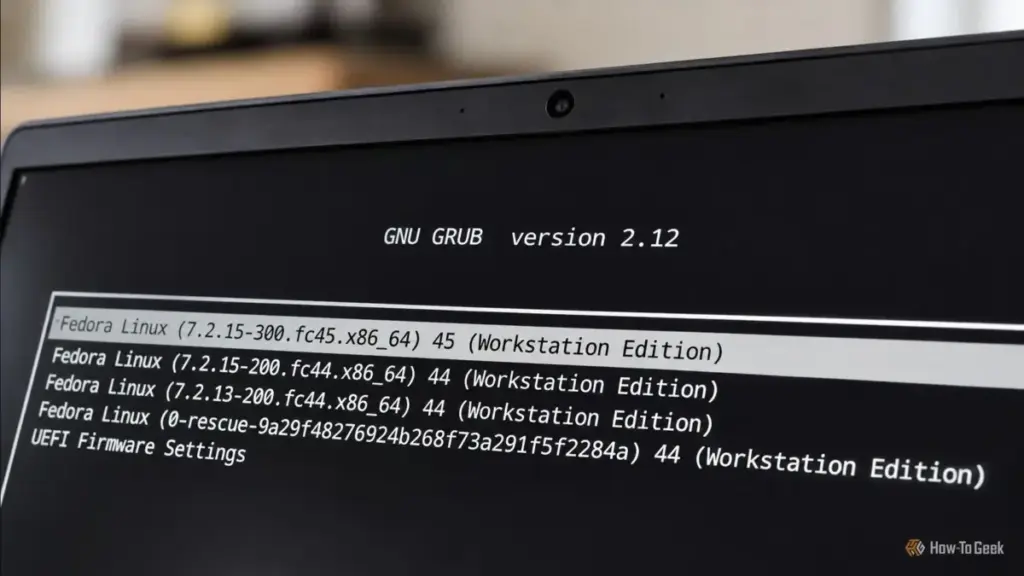
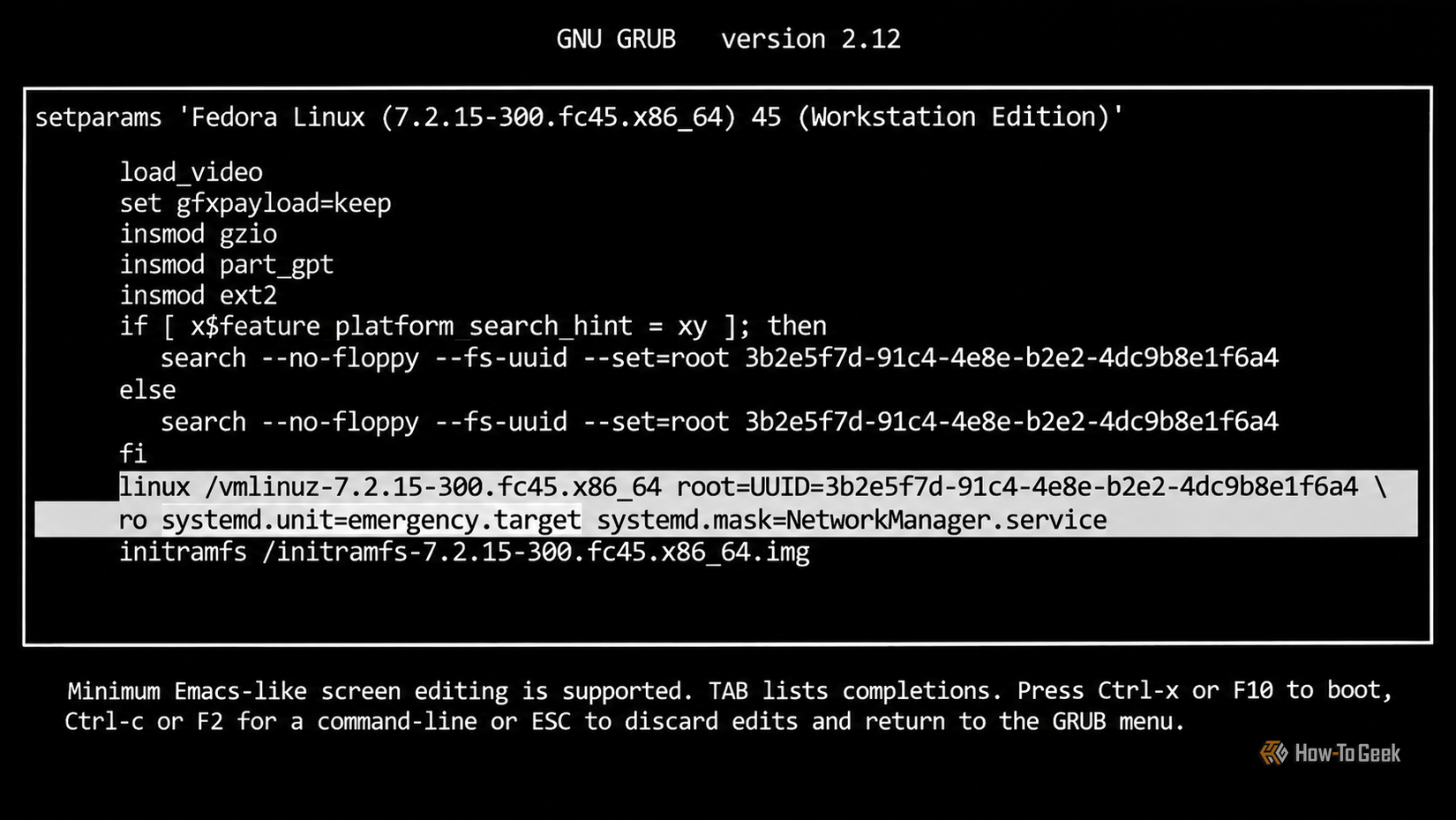
In the most extreme cases, where systemd itself is suspected of causing the failure or is too damaged to function, Linux offers a way to bypass the init system entirely. By appending init=/bin/bash to the kernel parameters, the kernel is instructed to ignore the standard initialization sequence and launch a Bash shell as Process ID 1 (PID 1). This is a raw, unvarnished environment where the user is essentially operating the kernel directly. While many familiar system commands will be unavailable because the background services they rely on haven’t started, it remains a powerful last resort for password resets and deep-level filesystem repairs.
Resolving Graphics and Display Conflicts
One of the most common and frustrating failures in the Linux ecosystem is the "black screen of death." This usually occurs when the kernel attempts to set the display resolution and refresh rate—a process known as Kernel Mode Setting (KMS)—before the appropriate graphics drivers are fully ready or if the drivers themselves are incompatible with the hardware.
The nomodeset parameter is a specialized instruction that tells the kernel to refrain from loading video drivers until the X server or display manager starts. This forces the system to use basic, BIOS-level graphics during the boot sequence. While this results in a lower-resolution display and a lack of hardware acceleration, it is often the only way to reach a login screen on systems with problematic NVIDIA or AMD driver configurations. Once a visual interface is achieved, the user can then install the correct drivers or roll back a faulty update that caused the initial conflict.
The Proactive Approach: Snapshots and System Integrity
While knowing these boot options is essential for crisis management, the modern Linux landscape has shifted toward proactive system integrity. The rise of advanced filesystems like Btrfs and ZFS has introduced the concept of atomic snapshots. Tools such as Timeshift and Snapper allow users to take a "picture" of their entire system state before performing an update or making a significant configuration change.
If a system fails to boot after an update, these snapshots can often be accessed directly from the GRUB menu (if configured correctly) or from a live USB environment. Restoring a snapshot is an instantaneous process that returns every system file to its exact state at the time the snapshot was taken. This technology has significantly reduced the stress associated with maintaining a "rolling release" distribution, where updates are frequent and occasionally volatile.
The transition from a broken system to a recovered one is a journey through the layers of the Linux architecture. By understanding how to communicate with the kernel and the init system during the first few seconds of the boot process, users can demystify the "black box" of system startup. These six options—kernel rollbacks, rescue mode, emergency mode, service masking, direct shell access, and graphics mode suppression—represent a comprehensive toolkit for anyone looking to master the art of Linux system administration. In the world of open source, a broken system is rarely an end; it is usually just the beginning of a deeper understanding of how the machine truly works.
 Tech Tutorials & How-To Guides
From Pixels to Plastic: How Major Game Studios are Embracing the Official 3D Printing Movement
The relationship between video games and 3D printing has long been defined...
 Tech Tutorials & How-To Guides
Fanttik B11 Pro Max Electric Air Duster Sees Significant Price Drop to $59.99 on Amazon
For tech enthusiasts, PC builders, and office workers alike, the battle against...
 Tech Tutorials & How-To Guides
Beyond the Blinking Lights: Navigating the Technical Challenges and Repairability of Ryobi’s Battery Ecosystem
For many homeowners and DIY enthusiasts, the Ryobi brand represents a gateway...







