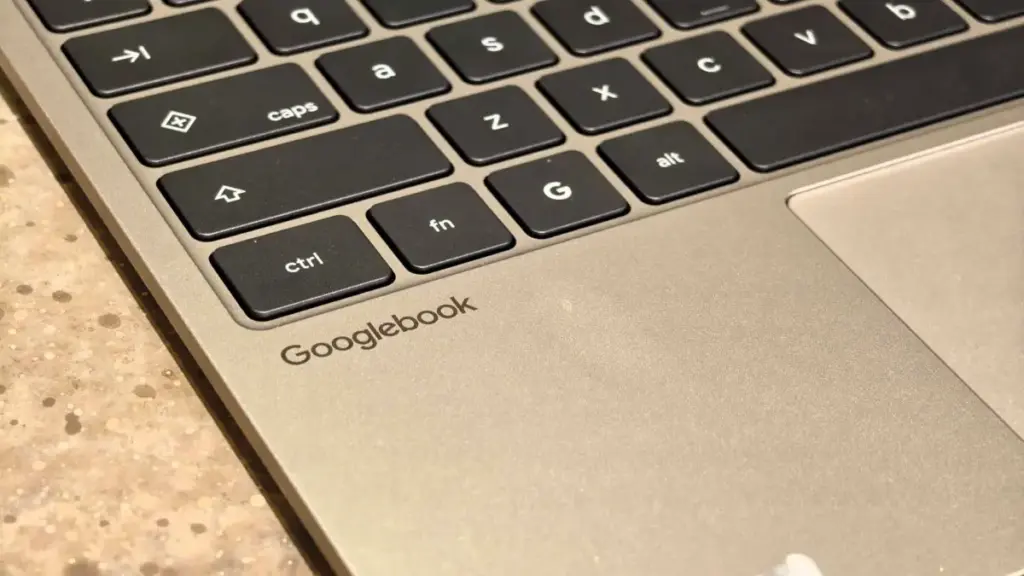
When Google officially pulled the curtain back on the Googlebook, the tech giant promised a new era of synergy between the Android operating system and its flagship computing hardware. The vision was clear: a seamless, frictionless transition between a user’s pocket and their desk. However, for a significant portion of the Android faithful—specifically those within the massive Samsung Galaxy ecosystem—that vision remained frustratingly out of reach at launch. Today, that narrative is beginning to shift as Google finally addresses the integration hurdles that have sidelined Samsung users, rolling out the highly anticipated "Better Together" features to Galaxy smartphones.
The delay in support for Samsung devices was particularly conspicuous given the long-standing and deeply intertwined partnership between Google and Samsung. As the largest manufacturer of Android devices globally, Samsung represents the primary gateway through which millions of users experience the Android ecosystem. To launch a flagship hardware product like the Googlebook without day-one parity for the Galaxy line was seen by many industry observers as a significant oversight. Google, acknowledging the gap shortly after the device’s release, promised that a fix would arrive within weeks. With the latest updates to Google Play services and the underlying Android framework, that promise is finally being realized.
What you need to know
The core of this update lies in the "Better Together" suite, a collection of cross-device functionalities designed to make the Googlebook feel like a natural extension of an Android phone rather than a standalone peripheral. For Samsung users, the absence of these features meant missing out on the Googlebook’s most compelling selling points. The rollout, which was first detailed by noted technical analyst Mishaal Rahman on Reddit, represents more than just a simple patch; it is a fundamental synchronization of software versions that allows the laptop and the phone to communicate with the depth of integration Google originally envisioned.
The primary draw for the Googlebook remains its deep, low-latency integration with mobile hardware. Among the features now becoming available to Galaxy owners is "Cast My Apps," a sophisticated streaming protocol that allows users to project and interact with mobile applications directly on the Googlebook’s larger display. This goes beyond simple screen mirroring, allowing for independent window management and the use of the laptop’s keyboard and trackpad to navigate mobile-only software.
Furthermore, the "Continue On" feature is now being enabled for supported Samsung devices. This handoff capability allows users to start a task—such as browsing a specific webpage or drafting a document—on their phone and pick up exactly where they left off on the Googlebook with a single click. When combined with "Notification Sync" and "Quick Access" to phone files, the update effectively eliminates the need for users to constantly reach for their handsets while working on their laptops.
However, the path to this integration requires specific software prerequisites that highlight the cutting-edge nature of the Googlebook platform. To take full advantage of these features, Samsung Galaxy owners must be running One UI 9.0, which is built upon the Android 17 architecture. This requirement underscores the technical complexity of the "Better Together" framework, as it relies on deep system-level APIs that are only present in the most recent iterations of the Android operating system.
Beyond the headline features, the update also serves as a critical bug fix for the initial setup process. Early adopters of the Googlebook frequently reported a frustrating experience when attempting to pair their devices. One particularly persistent glitch involved a pairing QR code that would remain stuck on the laptop screen even after a successful connection had been established, forcing users to manually reboot or navigate through layers of menus to clear the interface. A separate but simultaneous update to Google Play services is designed to streamline this initial handshake, ensuring that the transition from unboxing to a fully synced ecosystem is as smooth as possible.
Google has indicated that these changes are being deployed automatically. The rollout is managed through background updates to Google Play services and the "Cross-device services" framework, meaning most users will not need to manually download a firmware patch from Samsung. To verify that a device is ready for the new features, users are encouraged to check their software versions. Specifically, Google Play services must be at version 26.37 or newer, while the Cross-device services app needs to be at version 1.0.1346 or higher.
The technical requirements for a stable connection remain stringent, reflecting the high-bandwidth nature of app streaming and file synchronization. Both the Googlebook and the Samsung Galaxy device must be signed into the same Google account to maintain a secure encrypted tunnel between the hardware. Additionally, both Bluetooth and Wi-Fi must be active, as the system uses Bluetooth for proximity detection and low-energy handshakes, while Wi-Fi handles the heavy lifting of data transfer.
Network environment also plays a pivotal role in the success of the "Better Together" experience. Google has issued guidance recommending that users perform the initial setup and regular usage on private home networks. The reason for this lies in the security configurations of public Wi-Fi networks typically found in hotels, offices, and cafes. These networks often utilize "Access Point Isolation," a security feature that prevents devices on the same network from communicating with one another—a direct roadblock for the Googlebook’s cross-device protocols.
Furthermore, the company noted that advanced network configurations, such as active Virtual Private Networks (VPNs) or custom Domain Name System (DNS) blockers, can inadvertently interfere with the discovery process between the laptop and the phone. For users experiencing persistent pairing issues, Google suggests temporarily disabling these services to allow the devices to establish a handshake.
The impact of the rollout is already being felt within the user community. Early reports from owners of the Samsung Galaxy S26 Ultra suggest that the integration is performing as advertised, with app casting and notification mirroring showing significantly improved stability compared to the experimental workarounds users had previously attempted. While some owners of older or mid-range Galaxy devices are still waiting for their respective One UI 9.0 updates to arrive, the confirmation that the flagship hardware is now fully supported provides a clear roadmap for the rest of the lineup.
The necessity of this update, however, highlights a broader critique of the Googlebook’s market entry. While the hardware itself has received praise for its design and performance, the "launch-ready" state of its software ecosystem has been a point of contention. By releasing a product whose "core" features were unavailable to the single largest segment of the Android user base, Google risked alienating the very power users most likely to invest in a high-end integrated laptop.
The successful integration of Samsung devices is a vital step in making the Googlebook a viable competitor to established ecosystems like Apple’s macOS and iOS "Continuity" features or Microsoft’s "Phone Link" for Windows. In the modern computing landscape, hardware specs are often secondary to the fluidity of the software experience. A laptop that cannot talk to its owner’s phone is increasingly seen as a relic of an older era of computing.
As the rollout continues over the coming days, the focus will shift to how well Google can maintain this consistency across a broader range of hardware. Samsung’s device portfolio is vast, and ensuring that "Better Together" works as well on a mid-range A-series phone as it does on a flagship S-series device will be the next major test for the platform. For now, Galaxy S26 Ultra users can finally enjoy the full suite of features they were promised, marking a significant, if delayed, milestone in the evolution of Google’s hardware ecosystem.
The correction of the pairing bugs and the enabling of app streaming represent the fulfillment of the Googlebook’s primary mission: to blur the lines between mobile and desktop computing. While the initial friction may have dampened some of the enthusiasm surrounding the launch, the arrival of these features suggests that Google is committed to the long-term refinement of its cross-device strategy. For Samsung users, the wait for a truly integrated Android laptop experience appears to be coming to an end.
 Mobile Device Management (MDM) & Mobile OS
Google Reportedly Developing Next-Generation TV Streamer with Hands-Free Voice Controls and Presence Sensing
The landscape of home entertainment is shifting once again as reports emerge...
 Mobile Device Management (MDM) & Mobile OS
Nimble SharePower Redefines Portable Charging by Splitting the Difference for Modern Travelers
In the modern era of high-performance smartphones and power-hungry mobile applications, the...
 Mobile Device Management (MDM) & Mobile OS
Google Expands Certified Refurbished Program to Include Pixel 9 Series with Significant Price Cuts
Google has officially expanded its hardware offerings in the United States by...