
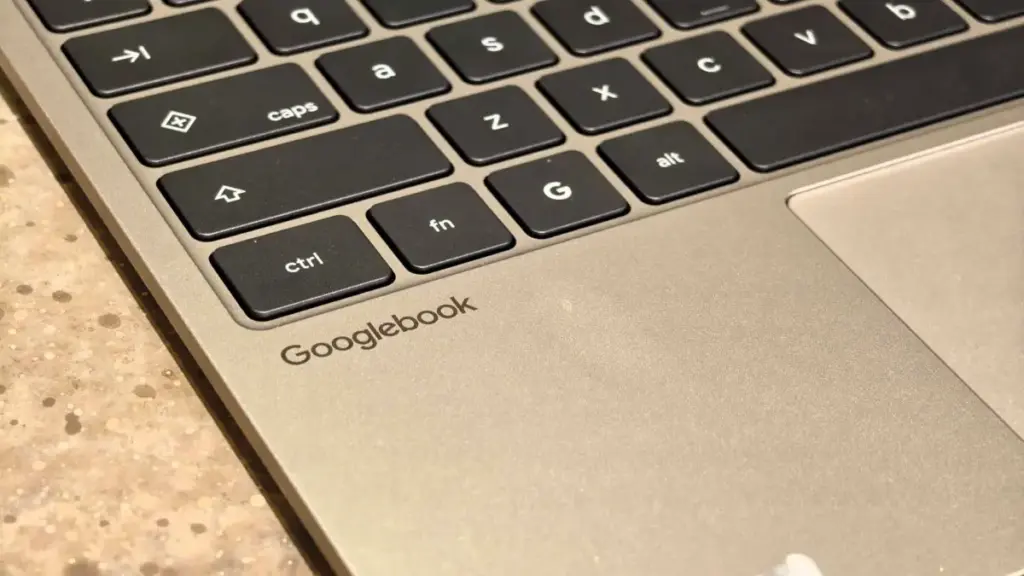
Beyond the headline features, the update also serves as a critical bug fix for the initial setup process. Early adopters of the Googlebook frequently reported a frustrating experience when attempting to pair their devices. One particularly persistent glitch involved a pairing QR code that would remain stuck on the laptop screen even after a successful connection had been established, forcing users to manually reboot or navigate through layers of menus to clear the interface. A separate but simultaneous update to Google Play services is designed to streamline this initial handshake, ensuring that the transition from unboxing to a fully synced ecosystem is as smooth as possible.
Google has indicated that these changes are being deployed automatically. The rollout is managed through background updates to Google Play services and the "Cross-device services" framework, meaning most users will not need to manually download a firmware patch from Samsung. To verify that a device is ready for the new features, users are encouraged to check their software versions. Specifically, Google Play services must be at version 26.37 or newer, while the Cross-device services app needs to be at version 1.0.1346 or higher.
The technical requirements for a stable connection remain stringent, reflecting the high-bandwidth nature of app streaming and file synchronization. Both the Googlebook and the Samsung Galaxy device must be signed into the same Google account to maintain a secure encrypted tunnel between the hardware. Additionally, both Bluetooth and Wi-Fi must be active, as the system uses Bluetooth for proximity detection and low-energy handshakes, while Wi-Fi handles the heavy lifting of data transfer.
Network environment also plays a pivotal role in the success of the "Better Together" experience. Google has issued guidance recommending that users perform the initial setup and regular usage on private home networks. The reason for this lies in the security configurations of public Wi-Fi networks typically found in hotels, offices, and cafes. These networks often utilize "Access Point Isolation," a security feature that prevents devices on the same network from communicating with one another—a direct roadblock for the Googlebook’s cross-device protocols.
Furthermore, the company noted that advanced network configurations, such as active Virtual Private Networks (VPNs) or custom Domain Name System (DNS) blockers, can inadvertently interfere with the discovery process between the laptop and the phone. For users experiencing persistent pairing issues, Google suggests temporarily disabling these services to allow the devices to establish a handshake.
 Mobile Device Management (MDM) & Mobile OS
Power on the Move: Why High-Wattage Wired Charging is Becoming Essential for Modern Travelers
In the rapidly evolving landscape of mobile technology, the way we power...
 Mobile Device Management (MDM) & Mobile OS
Xreal One Pro Receives Significant Price Cut During Prime Big Deal Days as the Market for Wearable Displays Expands
The landscape of personal entertainment and mobile productivity is undergoing a quiet...
 Mobile Device Management (MDM) & Mobile OS
Xiaomi 18 Pro Confirmed to Feature Advanced Smart Privacy Display Technology
As the global smartphone market continues to shift its focus toward specialized...







