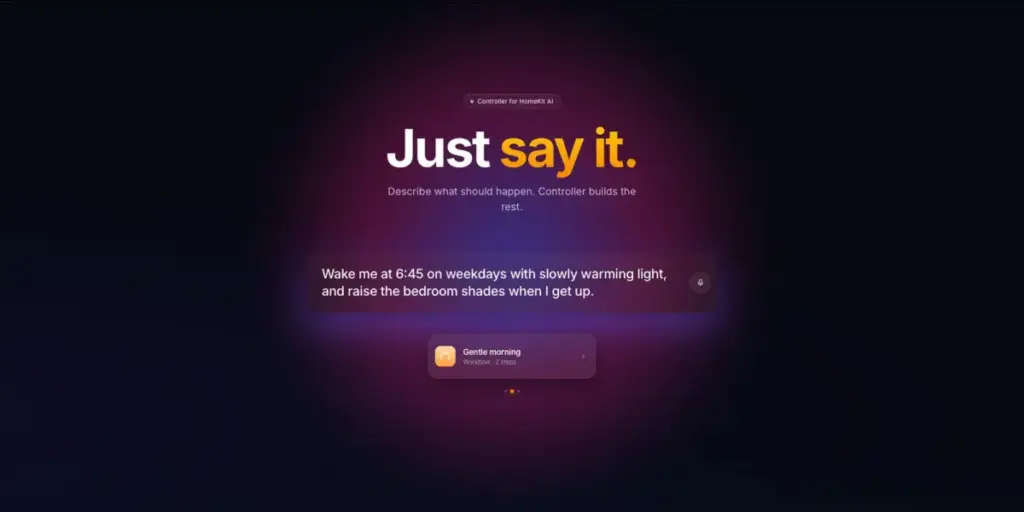
The core premise of the update is to allow users to use natural language to describe their desired outcomes. Rather than navigating through the often-cumbersome menus of Apple’s native Home app or manually stringing together triggers, conditions, and actions within Controller’s own advanced interface, users can now simply type or speak their intentions. The AI then interprets these instructions and automatically constructs the corresponding HomeKit scenes, workflows, and automations. This shift from manual configuration to intent-based design marks a potential turning point for how enthusiasts and casual users alike interact with their connected environments.
The developer’s website emphasizes simplicity, suggesting that the era of technical troubleshooting for basic home logic might be coming to an end. By instructing the user to simply describe what should happen, the app promises to handle the heavy lifting of backend configuration. This is particularly relevant given that HomeKit, while praised for its privacy and local processing, has often been criticized for a user interface that can become overwhelming as the number of connected devices grows.
To illustrate the capabilities of the new AI engine, the developers have provided three distinct examples that showcase the range of logic the system can handle. These examples move beyond simple on-off commands and delve into conditional logic and scheduling, which are traditionally the areas where users struggle most.
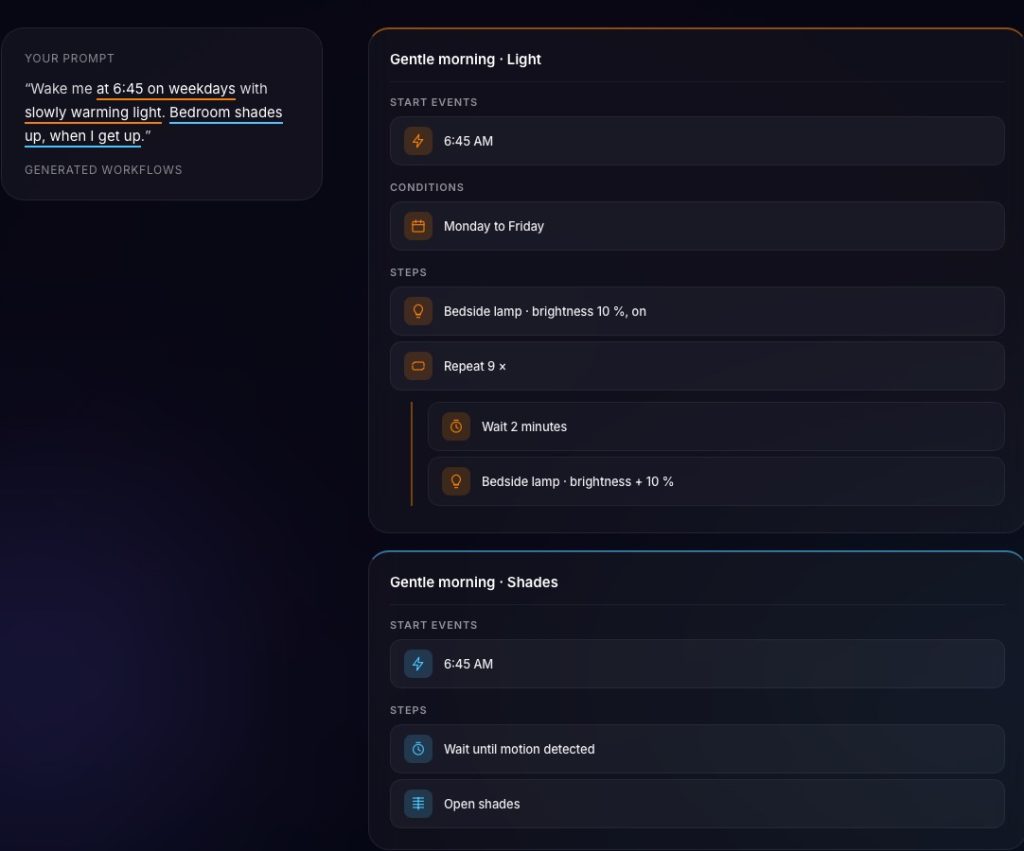
The first example highlights a complex morning routine: "Wake me at 6:45 on weekdays with slowly warming light, and raise the bedroom shades when I get up." This single sentence involves multiple layers of logic, including time-based triggers, day-of-the-week filters, gradual light transitions (often requiring a series of incremental steps in standard HomeKit setups), and a secondary trigger based on a sensor or a manual action to raise the shades.
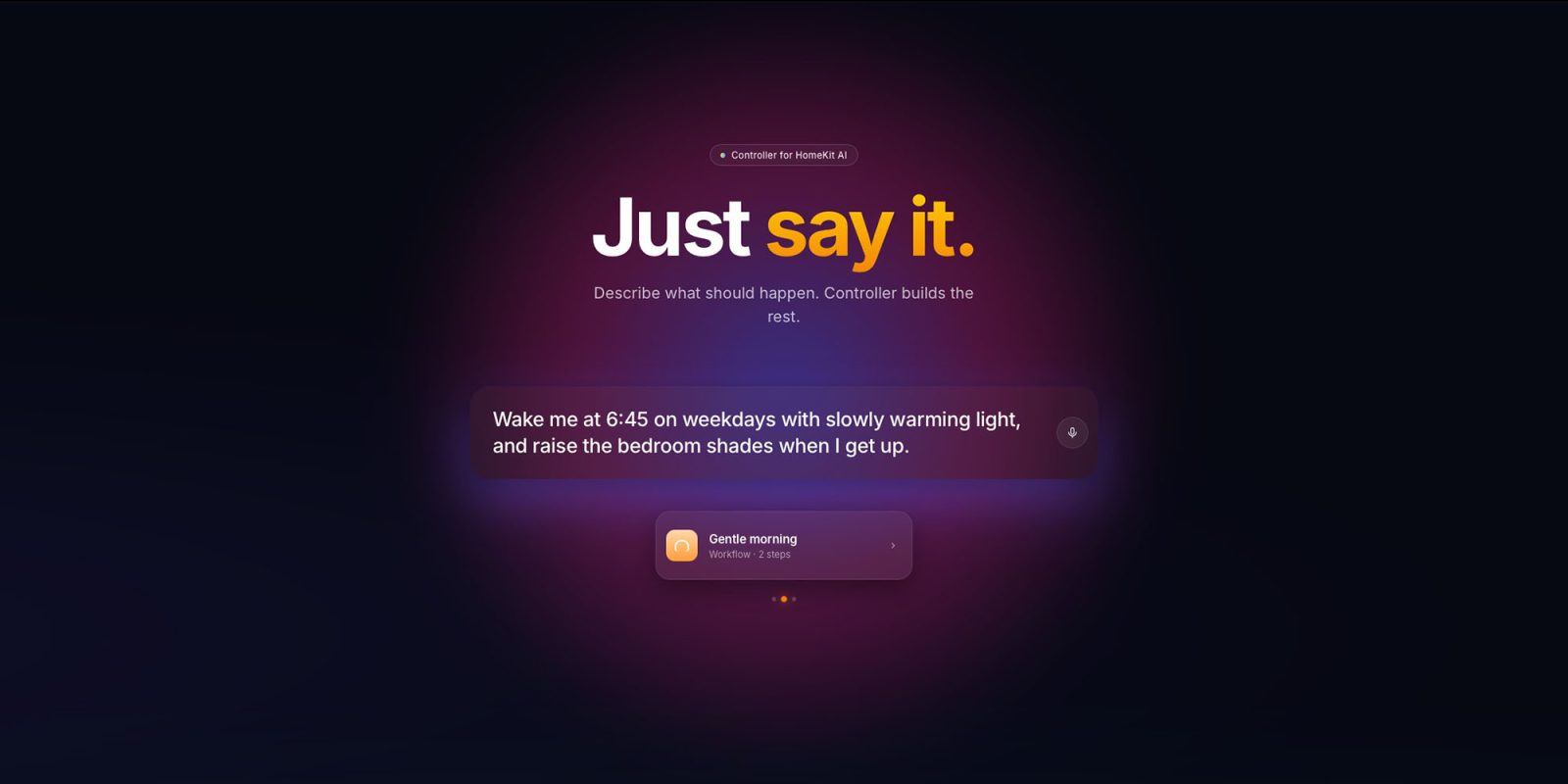
The second example focuses on environmental presets: "Movie night: dim the living room lights to 20% and close the curtains." This is a classic "scene" creation, but doing so through natural language removes the need to manually select every individual bulb and window covering from a list.
The third example demonstrates the power of conditional security and convenience: "If someone comes home after midnight, turn only the hallway light to 15%." This is perhaps the most impressive application, as it requires the AI to understand "after midnight" as a time-based condition and "someone comes home" as a geofencing or occupancy trigger, while also specifying a precise brightness level for a specific room.
The app provides visual feedback on how these prompts are translated into actual HomeKit commands. In the case of the "Wake me at 6:45" prompt, the interface breaks down the natural language into a structured workflow. It identifies the specific time trigger, the filter for Monday through Friday, and the sequential actions required to simulate a sunrise effect with compatible smart bulbs. This transparency is crucial for power users who want to verify the logic before it goes live in their homes.
The timing of this release coincides with a broader industry trend where generative AI is being integrated into productivity and utility software. In the context of the smart home, the goal is to move away from "smart" meaning "remotely controllable" and toward "smart" meaning "autonomously helpful." By bridging the gap between human intent and machine execution, Controller for HomeKit is positioning itself as a sophisticated intermediary that does more than just display device toggles.
Initial testing of the feature, even in limited environments, suggests that the AI is remarkably adept at interpreting intent. In one test case, a user with a minimal setup consisting of only two smart lights and one smart plug asked the app to switch on a bedroom fan (connected via the smart plug) whenever the living room lights were turned off. Despite the simplicity of the hardware involved, the AI correctly identified the "off" state of one device as the trigger for the "on" state of another and successfully generated the automation. This suggests that the feature’s utility is not restricted to those with massive, complex installations, but can also help beginners solve simple logic puzzles without needing to learn the underlying architecture of the HomeKit framework.
For many users, the primary draw of an app like Controller for HomeKit over the standard Apple Home app has always been its ability to handle "advanced" features. This includes things like backups of home configurations, detailed logging of device activity, and the creation of complex workflows that Apple’s own software sometimes obscures. With the addition of the "Just say it" feature, the app is attempting to make that advanced power accessible to those who might find manual automation building too time-consuming or confusing.
The evolution of HomeKit has seen Apple slowly add more functionality to its native app, but third-party developers continue to find space to innovate. The challenge for many has been the steep learning curve. Setting up an automation that says "if the temperature is above 75 degrees and it’s between 2 PM and 5 PM, and someone is home, turn on the AC" involves several steps in the Home app that can be prone to user error. If an AI can reliably translate that sentence into a working automation, it removes a significant point of friction in the user experience.
However, this level of sophisticated software development comes with a corresponding price point. Controller for HomeKit operates on a subscription model, reflecting the ongoing costs of maintaining an app that must constantly adapt to Apple’s frequent OS updates and the evolving Matter standard. The "Essentials" tier is priced at $40 per year, while the "Plus" tier, which likely includes the full suite of AI features and advanced backup tools, costs $80 per year. For users who are deeply invested in the Apple ecosystem and have dozens of devices ranging from sensors and cameras to lights and thermostats, the cost may be justified by the time saved in management and the increased functionality of their home.
To help users determine if the AI features and advanced management tools fit their needs, the developer offers a seven-day free trial. This allows homeowners to test the natural language processing against their specific hardware configurations and see how well the AI understands the nuances of their particular home layout and device naming conventions.
As the smart home market continues to mature, the focus is shifting from the hardware itself to the software that orchestrates it. The "Just say it" update is a clear indicator that the future of home automation lies in reducing the cognitive load on the user. Instead of being a system administrator for their own house, the user becomes a director, simply stating their preferences and letting the software handle the technical execution.

While the author of the initial report noted they were in the process of moving and had yet to fully configure their new home, the successful creation of a fan-light automation in a sparse environment is a promising sign. The true test of the "Just say it" feature will come when it is tasked with managing homes with hundreds of accessories, where naming conflicts and overlapping automations often create "smart home fatigue."
As more users experiment with the update, the feedback loop will likely help the developers refine the AI’s understanding of even more complex scenarios. For now, Controller for HomeKit has set a new benchmark for what third-party HomeKit apps can offer, moving beyond a mere interface for buttons and sliders into the realm of an intelligent home assistant that truly understands the language of its users.
The update is available now on the App Store, and as the smart home community begins to integrate these AI-driven workflows, it will be interesting to see how Apple responds in future iterations of iOS and the Home app. For the time being, those looking for the cutting edge of HomeKit automation have a powerful new tool at their disposal, provided they are willing to pay the premium for a more intuitive experience.
 Smart Home & IoT Solutions
Apple now sells Aqara Adaptive Temperature thermostat and seven more accessories
The inclusion of these products in the Apple Store is more than...
 Smart Home & IoT Solutions
Apple to Unveil ‘HomeView’ Smart Hub at ‘Welcome Home’ Event as Part of Major Smart Home Expansion
Apple is preparing to significantly escalate its presence in the domestic technology...
 Smart Home & IoT Solutions
Breaking the Tech Bubble: Why the Apple Home Collection Could Finally Bring the Smart Home to the Masses
For those who have spent the last decade—or in some cases, several...