
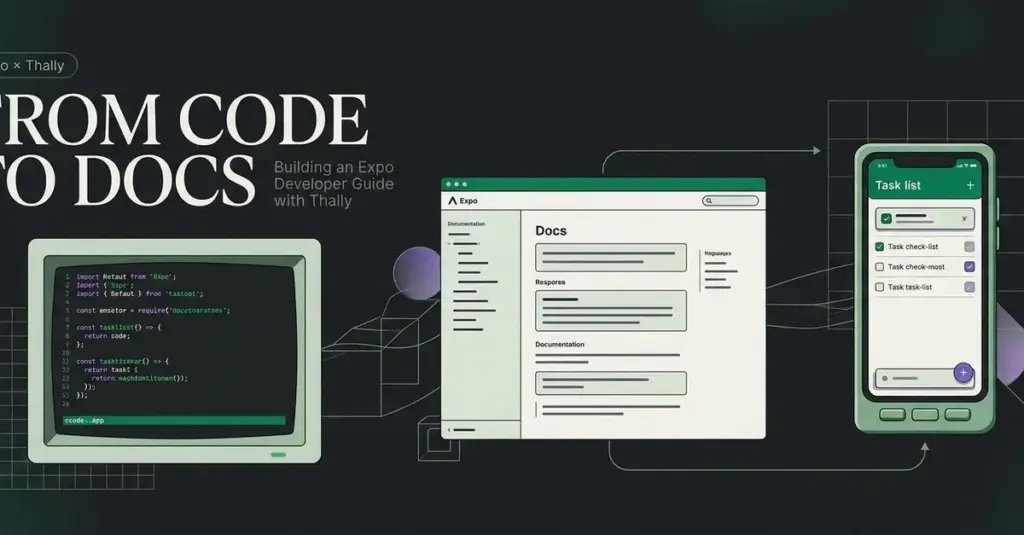
In the modern software development landscape, the distance between successfully launching an application and truly understanding its internal architecture can often feel vast. While many developers can follow a boilerplate to get a project running, the ability to comprehend the underlying state and logic well enough to implement new features remains a significant hurdle. Recognizing this challenge, a new technical initiative has emerged to provide a practical, hands-on learning experience for developers working with Expo, a popular framework for building universal React applications.
The project, centered on a task-list application, serves as a pedagogical bridge designed to help developers move beyond basic execution. By focusing on the practicalities of running an app, understanding state management, and testing new features, the project aims to demystify the development lifecycle. To bring this educational experience to life, the developer utilized Thally, a modern documentation platform, to transform a personal learning journey into a structured, public-facing developer guide. The resulting "Expo Developer Guide" is now available as both a live documentation site and an open-source repository on GitHub.
Establishing the Technical Foundation
The development of the guide began with a focus on local environment stability and version control. For any developer looking to replicate the project or explore the documentation locally, a standard suite of tools is required: Git for version control, Node.js for the runtime environment, and npm for package management. Specifically, the project was developed using Node.js version 22.16.0 and npm version 10.9.2, ensuring compatibility with the latest long-term support features and security patches.
When it comes to initializing a Thally project, developers are presented with two primary workflows. The most streamlined approach involves utilizing Thally Cloud’s quickstart feature, which automates the creation of a site and generates a corresponding GitHub repository. However, for this specific project, the developer opted for a more manual "existing-repository" route. This method is often preferred by engineers who wish to maintain tighter control over their initial repository structure or who have already established a project history on GitHub.
To facilitate local exploration, the project structure was designed for ease of access. By cloning the repository and utilizing the npm ci command—a practice that ensures a clean, consistent installation of dependencies based on the lockfile—developers can launch a local development server. The documentation is then served at a local host address, typically port 3040, providing a real-time preview of the MDX-based content. Notably, the Expo application itself is decoupled from the documentation, residing in a dedicated directory with its own specific dependencies and command-line interfaces, reflecting a clean separation of concerns between the teaching material and the code being taught.
Architecting Content Through MDX and Structured Lessons
The core of the documentation is built using MDX, a powerful format that allows developers to write JSX (React components) directly within Markdown files. These files are housed within the source content directory of the Thally project. Each page begins with "frontmatter"—a block of metadata that defines the title and description of the page. This metadata is not just for organizational purposes; Thally utilizes it to render page headers automatically, which eliminates the need for redundant H1 tags within the body of the document and ensures a consistent visual hierarchy across the site.
The Expo Developer Guide is structured into three primary lessons designed to take a learner from the basics to advanced feature implementation. The journey begins with an introduction and a quickstart guide, but the centerpiece of the curriculum is the "Task Filtering" tutorial.
In its initial iteration, the filtering tutorial required readers to make several complex changes before they could see any tangible result in the application. Recognizing that this could lead to cognitive overload and frustration, the developer reorganized the content into smaller, manageable checkpoints. This pedagogical shift emphasizes the importance of immediate feedback. In the revised guide, readers first make the filter controls responsive, then connect those controls to the task list, and finally handle edge cases such as empty results and automated testing. By providing specific, verifiable outcomes at each stage, the guide ensures that learners remain confident and aware of their progress.
Optimizing Navigation and User Experience
While the individual MDX files define the content, the overall flow of the documentation is governed by a configuration file known as docs.json. This file acts as the roadmap for the site, determining how users navigate between lessons and how the interface presents information.
In the Expo Developer Guide, the navigation was configured to use a dropdown display, with breadcrumbs disabled to maintain a cleaner aesthetic. The configuration organizes the content into a "Guide" tab, explicitly listing the order of pages: introduction, quickstart, and the task-filtering guide. This level of control allows the author to curate the learning path, ensuring that prerequisite knowledge is established before moving on to complex tasks.
During the development process, a significant emphasis was placed on user experience (UX) refinement. The developer observed that the project name was appearing redundantly across site branding, navigation groups, and headings. While each instance was technically correct, the cumulative effect was repetitive and distracting. To address this, the navigation was simplified to allow the content to take center stage. Furthermore, unused starter pages were removed entirely. The developer noted a critical technical detail: simply hiding a page from the navigation menu does not necessarily make its URL inaccessible. Therefore, a complete removal of unnecessary files was required to ensure a professional and secure production environment.
Rigorous Testing and Validation Strategies
A distinguishing feature of this project is the author’s commitment to "testing the documentation." In technical writing, there is a common pitfall where the instructions in a guide do not actually produce the intended result in the code. To prevent this, the developer implemented a multi-layered validation strategy.
First, the documentation project itself was subjected to standard automated checks, including type-checking and CI-specific build tests. However, the developer acknowledged that these checks only validate the site’s infrastructure, not the accuracy of the tutorials. To verify the tutorial content, the author created an isolated copy of the original Expo starter app and followed their own instructions step-by-step, mimicking the experience of a new user.
Each checkpoint in the tutorial was verified against TypeScript requirements, linting rules, and existing unit tests. The successful implementation of the filtering feature actually expanded the test suite from its original state to a total of eight passing tests. Beyond automated testing, the developer also generated Android and iOS bundles and verified the starter application on a physical iPhone using Expo Go.
Transparency remains a key component of this validation process. The developer explicitly noted that while the original starter was verified on physical hardware, the final filtering feature and certain accessibility behaviors were not individually tested on physical devices, and Android-specific testing remains unverified. This level of honesty in documentation helps set realistic expectations for other developers and highlights the rigorous standards required for production-grade educational material.
Deployment and the Publishing Workflow
The final stage of the project involved transitioning from a local development environment to a live, managed hosting solution via Thally Cloud. By connecting the GitHub repository to the Cloud platform, the developer established a continuous deployment pipeline. In this workflow, any changes pushed to the production branch (the main branch) trigger an automatic rebuild and deployment of the site.
The transition to the cloud was not without its technical hurdles. The developer reported an initial provisioning problem during the setup of the Cloud site. While the exact root cause and error logs were not preserved, the issue was resolved by recreating the site instance within the platform. This serves as a practical reminder for developers: while "recreating the site" can sometimes resolve transient provisioning errors, it is vital to inspect deployment status and error details to understand if a more systemic issue is at play.
Once live, the site was thoroughly audited to ensure that navigation, internal links, and search functionality were operating as expected. This final manual check ensures that the published version of the guide provides the same high-quality experience as the local development version.
Conclusion: The Value of Verified Instructions
The creation of the Expo Developer Guide highlights a fundamental truth in software engineering: good documentation is not just about explaining how code works; it is about providing a roadmap that developers can follow with confidence. By incorporating verifiable checkpoints, rigorous manual testing of instructions, and a clean user interface, the project demonstrates how to build an effective learning resource.
The project reinforces the idea that developer feedback loops—the ability to see a button change color or a test pass immediately after a code change—are essential for learning. For those interested in exploring the intersection of React Native development and modern documentation practices, the guide and its underlying source code offer a transparent look at how to bridge the gap between running an app and truly mastering it.
 Software Development & Scripting for IT
Supply Chain Hijack: How a Vulnerability in Optimizely Turned Trusted Scripts into Weapons for Financial Theft and iOS Exploitation
On November 16, a sophisticated supply chain attack exploited a critical vulnerability...
 Software Development & Scripting for IT
Chain of Recall: A New Architectural Blueprint for Long-Running AI Agent Memory
As artificial intelligence shifts from simple chat interfaces to "super-agents" capable of...
 Software Development & Scripting for IT
CogniRunner Unveils AI-Driven License Management and Workflow Validation for Atlassian Cloud Ecosystem
The landscape of enterprise software management is undergoing a significant shift as...







