
In the current technological landscape, generative artificial intelligence has become the primary focal point for nearly every major software developer. From Silicon Valley boardrooms to consumer marketing campaigns, the promise of "creative thought partners" and "on-demand image generation" dominates the conversation. However, for the average user, this relentless push toward generative AI often feels like a solution in search of a problem. Critics and early adopters alike have noted that while these systems are impressive in their ability to mimic human syntax, they are frequently marred by inconsistencies, factual errors, and a fundamental lack of contextual understanding.
Google’s Gemini, the successor to the long-standing Google Assistant, has not been immune to these growing pains. Like many large language models (LLMs), Gemini has faced scrutiny for its tendency to "hallucinate"—a polite industry term for fabricating information—and its struggle to serve as a reliable replacement for traditional search engines. When tasked with providing objective, verifiable facts, these systems often stumble, leading to a public perception that AI is more of a "steaming hot mess" than a revolutionary tool.
Yet, to dismiss Gemini entirely based on its creative or informational failures is to overlook its burgeoning strength as a functional utility. The true value of Gemini on the Android platform lies not in its ability to write poetry or generate surrealist art, but in its capacity to handle subjective, mundane tasks that require minimal "intelligence" and maximum integration. When framed not as a digital oracle but as a sophisticated interface for managing a smartphone, Gemini reveals a suite of practical applications that offer genuine efficiency.

For Android users willing to look past the industry ballyhoo, Gemini provides a range of tools that streamline daily life, provided one knows how to navigate its capabilities. By focusing on memory, organization, and system control, users can harness the power of AI without falling victim to its more unreliable tendencies.
Part I: Notes and Memory with Gemini on Android
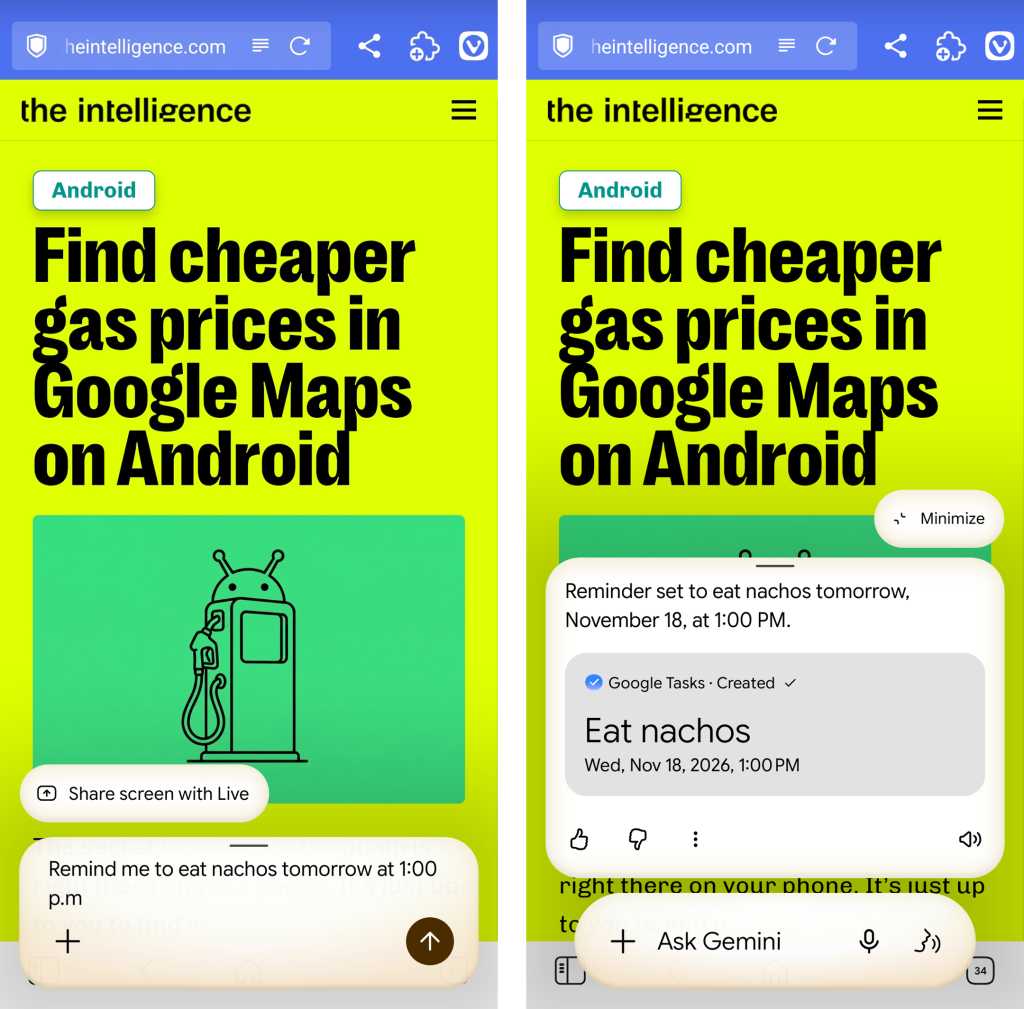
One of the most significant advantages of an integrated AI is its ability to act as a persistent memory layer for the user. While early iterations of voice assistants could handle basic tasks, Gemini’s integration with the Android ecosystem allows for a more natural approach to reminders and note-taking. The simplest features are often the most indispensable; the ability to set a reminder by simply stating a task and a time remains a cornerstone of mobile utility. Whether it is a nudge to "pick up the dry cleaning at 5:00 PM" or a recurring alert, Gemini executes these tasks with a level of reliability that circumvents the need for manual entry.
Beyond basic reminders, Gemini excels at "semantic memory"—the ability to store and recall specific, isolated nuggets of information that are easily forgotten but vital in the moment. In a practical setting, this might involve telling the assistant to remember a door code, a rental car license plate, or the name of a colleague’s spouse. By using the command "Remember that…" followed by the specific detail, the user creates a searchable database of personal trivia. When the information is needed later, a simple query such as "What was that door code?" prompts Gemini to retrieve the specific data point, effectively offloading the cognitive burden of minor details to the device.
Furthermore, Gemini serves as a bridge to Google Keep, the primary note-taking app for the Android environment. By instructing Gemini to "Create a note," users can dictate thoughts, grocery lists, or brainstormed ideas directly into their organized archives. This functionality ensures that spontaneous ideas are captured without the friction of unlocking the phone, navigating to an app, and typing on a virtual keyboard.
Part II: Places and Events with Gemini on Android
The integration of Gemini with Google’s geospatial and scheduling services represents another area of high practical value. For professionals and travelers, the ability to interact with location data through natural language is more than just a convenience; it is a tool for situational awareness. When a user finds themselves in an unfamiliar area or needs to pinpoint a specific location for future reference, Gemini can provide an immediate answer to the question, "Where am I?"
This location awareness extends into a more personalized form of mapping. Users can instruct Gemini to remember a specific location with a descriptive tag, such as "the best place to park near the office" or "the entrance to the hiking trail." This creates a personalized map of points of interest that are defined by the user’s own context rather than generic business listings. Later, asking Gemini for directions to that specific "place where I parked" allows for seamless navigation back to the saved coordinates.
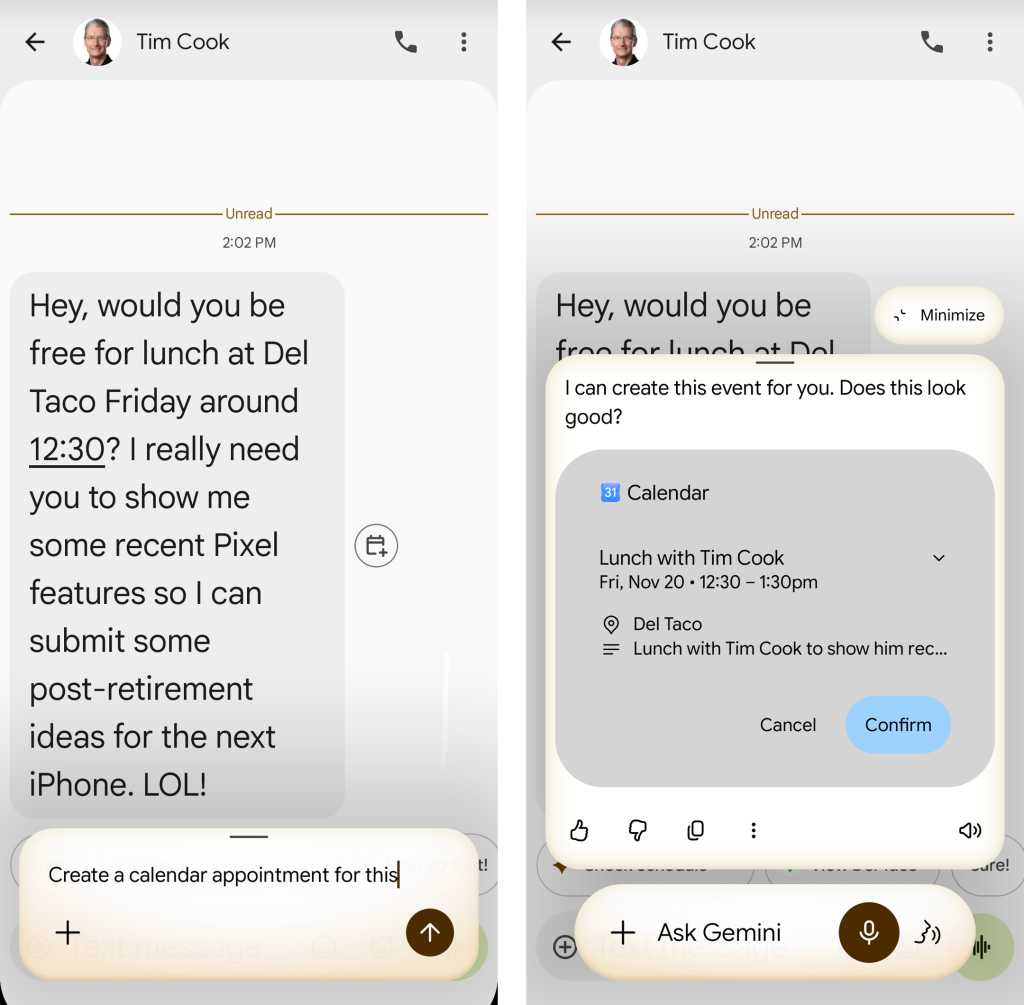
Scheduling and calendar management also benefit from Gemini’s ability to interpret on-screen information. While users can verbally request the creation of a new appointment, Gemini’s true strength lies in its "contextual awareness." If a user is viewing an email about a meeting or a text message regarding a dinner date, they can summon Gemini and say, "Create a calendar appointment for this." The AI analyzes the text visible on the screen, identifies the date, time, and subject, and populates a calendar entry automatically. This eliminates the need to toggle between apps and manually transcribe details, reducing the likelihood of scheduling errors.
Part III: Intelligent Interactions with Gemini on Android
While generative AI struggles with objective truth, it excels at synthesis and data extraction—tasks that fall under the umbrella of "intelligent interactions." One of the most useful applications of this technology is the digitization of physical information. For instance, the process of manually entering contact information from a business card is a tedious task that many users avoid. Gemini simplifies this by allowing users to snap a photo of a business card and then instructing the AI to "save this as a contact." The system parses the text, identifies phone numbers and email addresses, and creates a new entry in the user’s contact list.
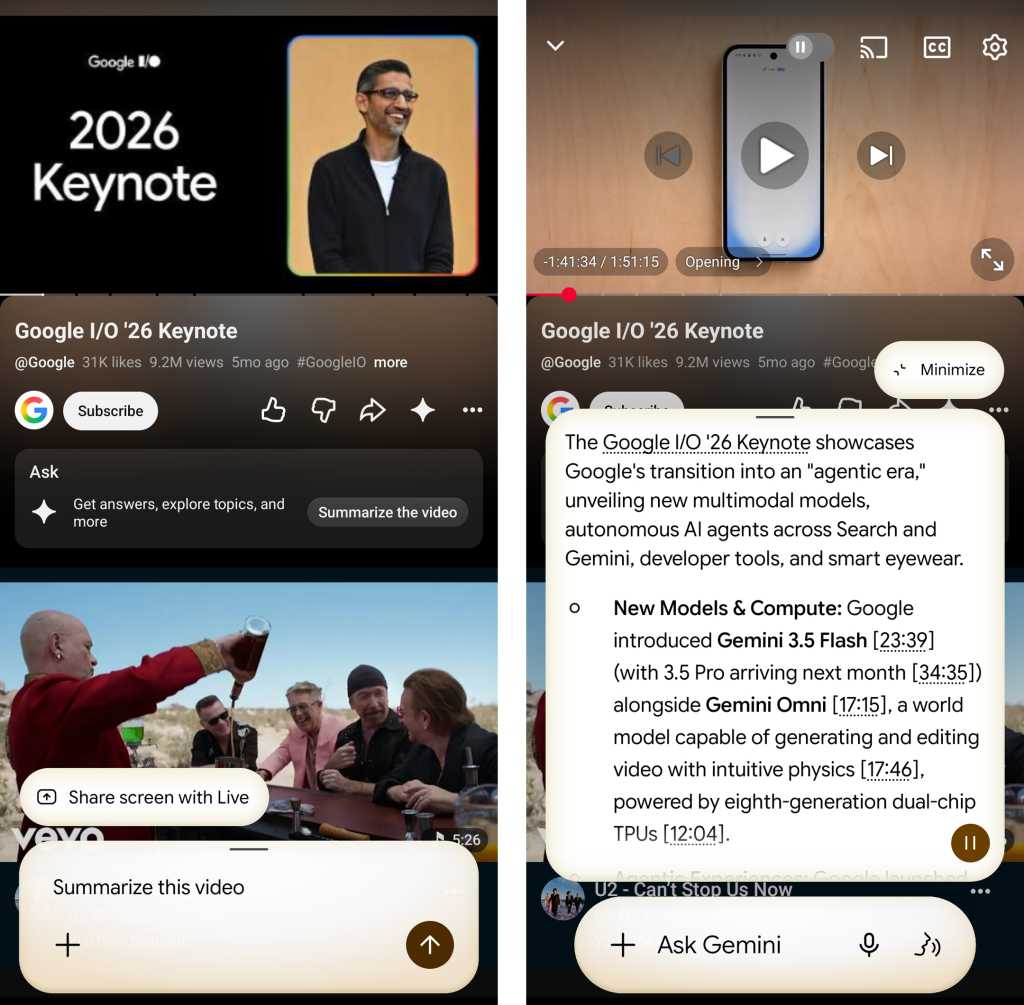
Summarization is another area where Gemini’s underlying large language model proves its worth. In an era of information overload, the ability to condense long-form content is a significant productivity booster. By using the "share" command to send a lengthy article or a complex PDF to Gemini, users can request a summary. This feature is not limited to text; it extends to video content as well. When a YouTube video is open, Gemini can provide a text-based summary of the key points, allowing the user to determine if the full video is worth their time.
Furthermore, Gemini’s integration with the Google Workspace extension allows it to act as a personal briefing tool. Users can ask Gemini to "Summarize my most recent incoming emails," providing a high-level overview of their inbox without requiring them to read through every individual thread. This is particularly useful for identifying urgent messages or getting a sense of the day’s priorities during a morning commute.
Finally, Gemini incorporates the visual intelligence of Google Lens. By summoning the assistant while an image or a real-world object is on the screen, users can ask for identification. Whether it is a landmark, a specific species of plant, or a famous figure, Gemini utilizes its vast visual database to provide an answer in real-time, effectively turning the smartphone camera into a sophisticated identification tool.
Part IV: Basic Device Functions with Gemini on Android
At its most fundamental level, Gemini serves as a voice-activated control panel for the Android operating system. While these features may seem less "intelligent" than writing a story, they are arguably the most frequently used functions in a mobile environment. For example, checking the device’s status, such as battery level, can be done with a simple voice query, saving the user from having to swipe down the notification shade.
System commands also extend to media and communication. Users can instruct Gemini to take a screenshot or display a gallery of previously captured screenshots, which is often faster than using physical button combinations or navigating through the Photos app. Communication remains a primary use case, with Gemini capable of sending text messages and placing phone calls through natural language commands. By saying "Send a text message to…" followed by the contact name and the message content, users can communicate hands-free, a vital feature for safety while driving or multitasking.
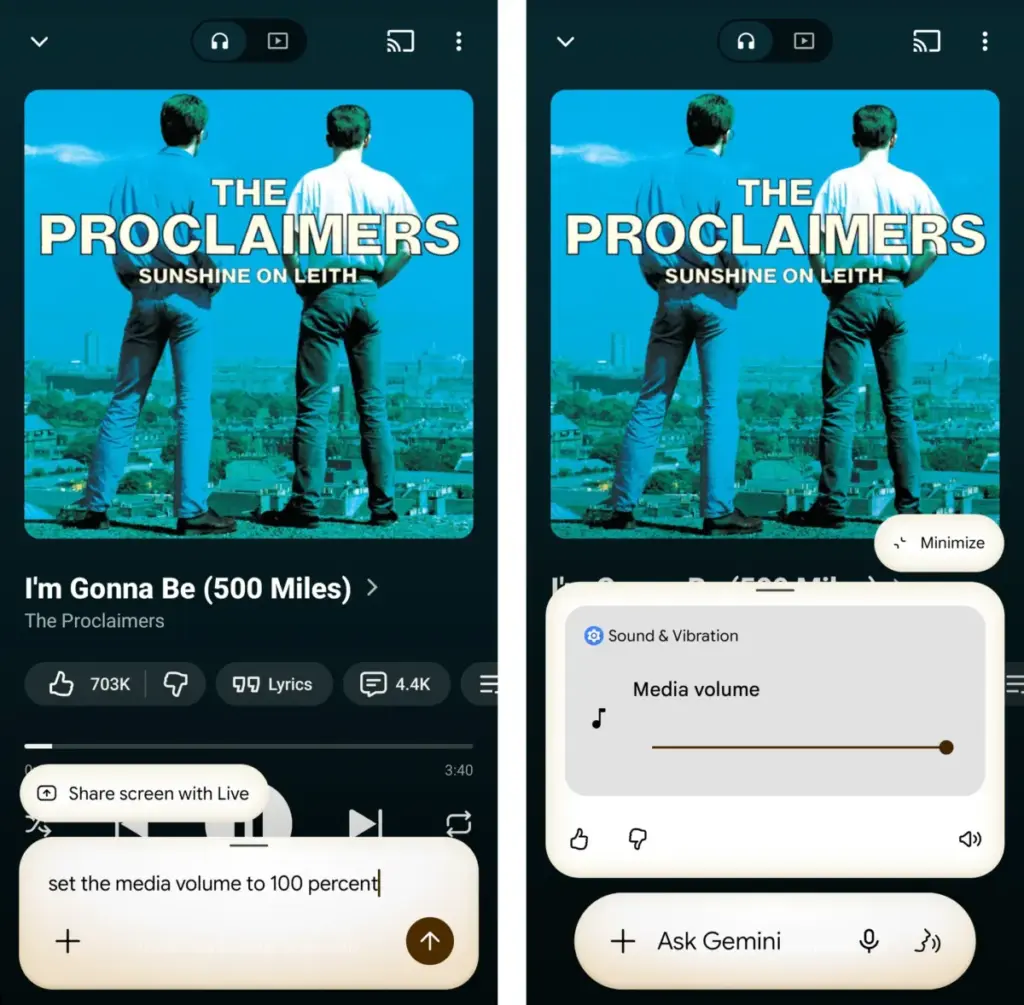
Volume and setting adjustments are similarly streamlined. Instead of fumbling with side buttons or digging through the settings menu, users can tell Gemini to "Set the media volume to 50 percent" or "Turn the flashlight on." This granular control applies to various system toggles, including Do Not Disturb mode, Bluetooth, and Airplane mode. For users who find the increasingly complex Android settings menu difficult to navigate, Gemini acts as a shortcut, allowing them to "Open Accessibility settings" or any other specific sub-menu with a single spoken phrase.
In conclusion, the practical value of Gemini on Android is found in its ability to simplify the relationship between the user and their device. While the tech industry continues to chase the elusive goal of a perfectly creative and factual AI, the current iteration of Gemini finds its footing as a reliable, context-aware assistant. By focusing on mundane but essential tasks—reminders, summarization, and system control—Gemini moves away from being a "hot mess" and toward being a genuinely useful tool for the modern smartphone user. Through these 21 practical applications, Gemini proves that AI is at its best when it isn’t trying to be human, but is instead trying to make being a smartphone user just a little bit easier.
 Small Business IT & Cloud Computing
Meta Partners with NEC and Sumitomo to Build Petal, the World’s Highest-Capacity Undersea Cable Connecting the US and France
In a significant move to bolster the backbone of the global internet,...
 Small Business IT & Cloud Computing
FTC Launches Sweeping Investigation Into AI Industry Over Potential Consumer Deception and Security Risks
The Federal Trade Commission (FTC) has issued a stern warning to the...
 Small Business IT & Cloud Computing
Microsoft Bolsters Teams Security with AI-Powered Contextual Phishing Detection to Combat Social Engineering
As the landscape of cyber threats continues to evolve from traditional email-based...







