
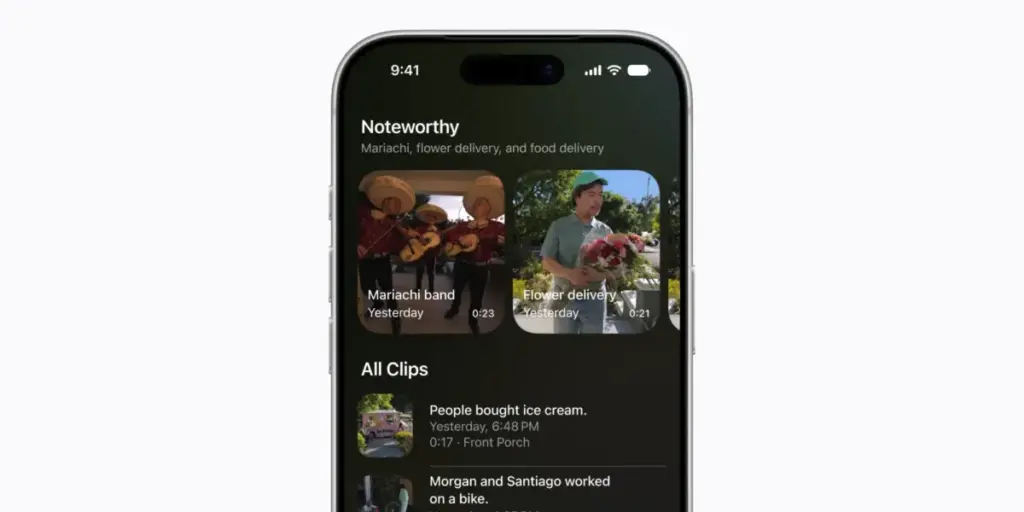
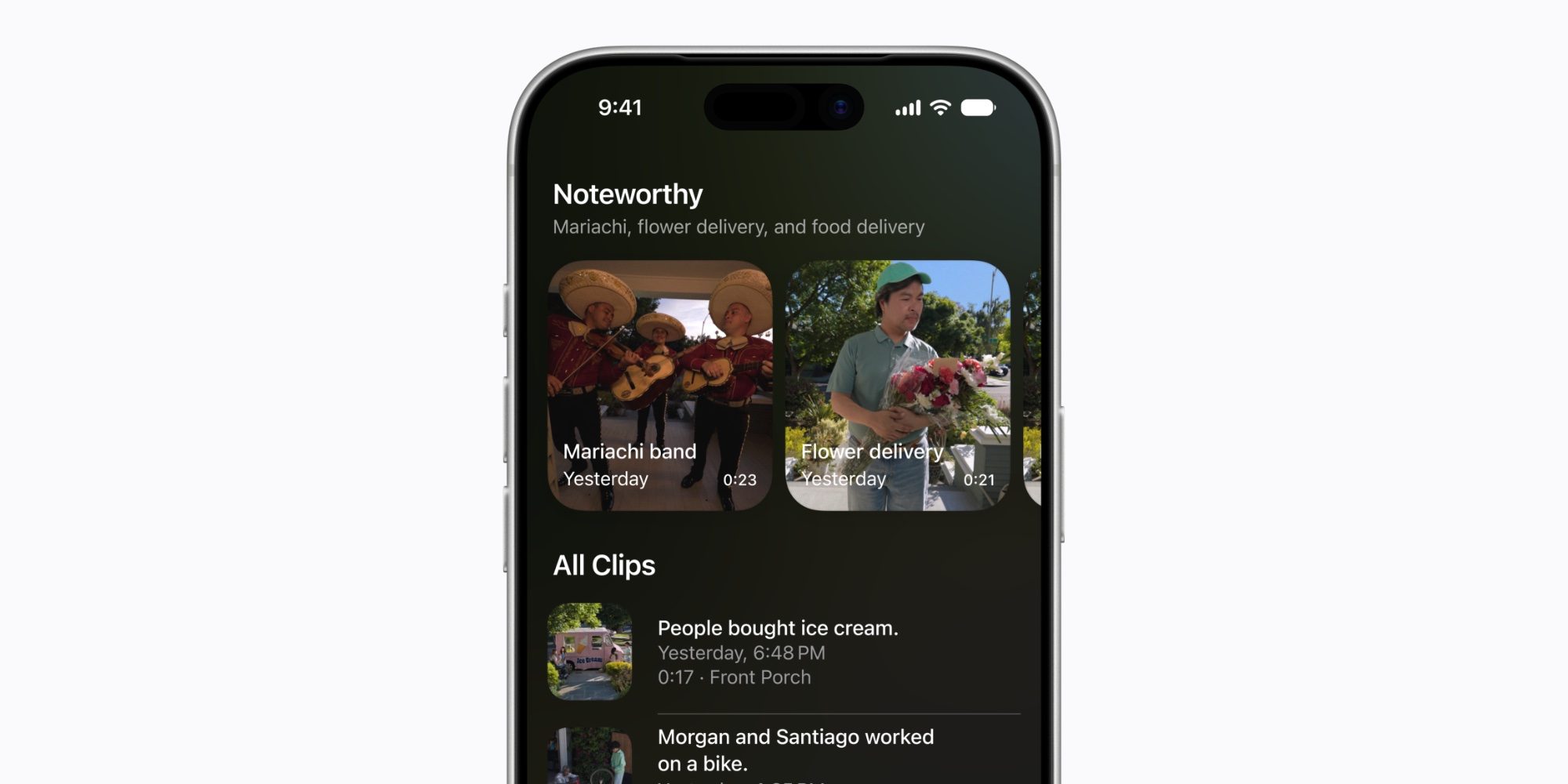
Additionally, Apple Intelligence enhances object detection and activity zone management. While HKSV has previously been able to distinguish between people, animals, and vehicles, the new system is designed to be more precise and context-aware. It can now recognize specific recurring activities and summarize them for the user. These AI-driven features are processed on-device whenever possible, maintaining Apple’s commitment to user privacy while delivering the kind of advanced analytics usually reserved for data-heavy cloud platforms.
For users looking to take advantage of these new features immediately, several third-party manufacturers already offer cameras that are compatible with the HomeKit Secure Video ecosystem. While the 4K support will depend on the specific hardware capabilities of the camera, the AI-driven search and notification features will be handled by the Home hub—such as an Apple TV or HomePod—running the latest software.
Home notifications update in real time, so you won’t see outdated alerts
While the video upgrades target security-conscious users, a second major pillar of the iOS 27 update focuses on the daily user experience of managing a smart home. One of the most common complaints regarding smart home ecosystems is "notification fatigue"—the phenomenon where a user is bombarded by a series of individual alerts for a single event. Apple is addressing this through a new AI-powered feature called "Reduce Notifications."
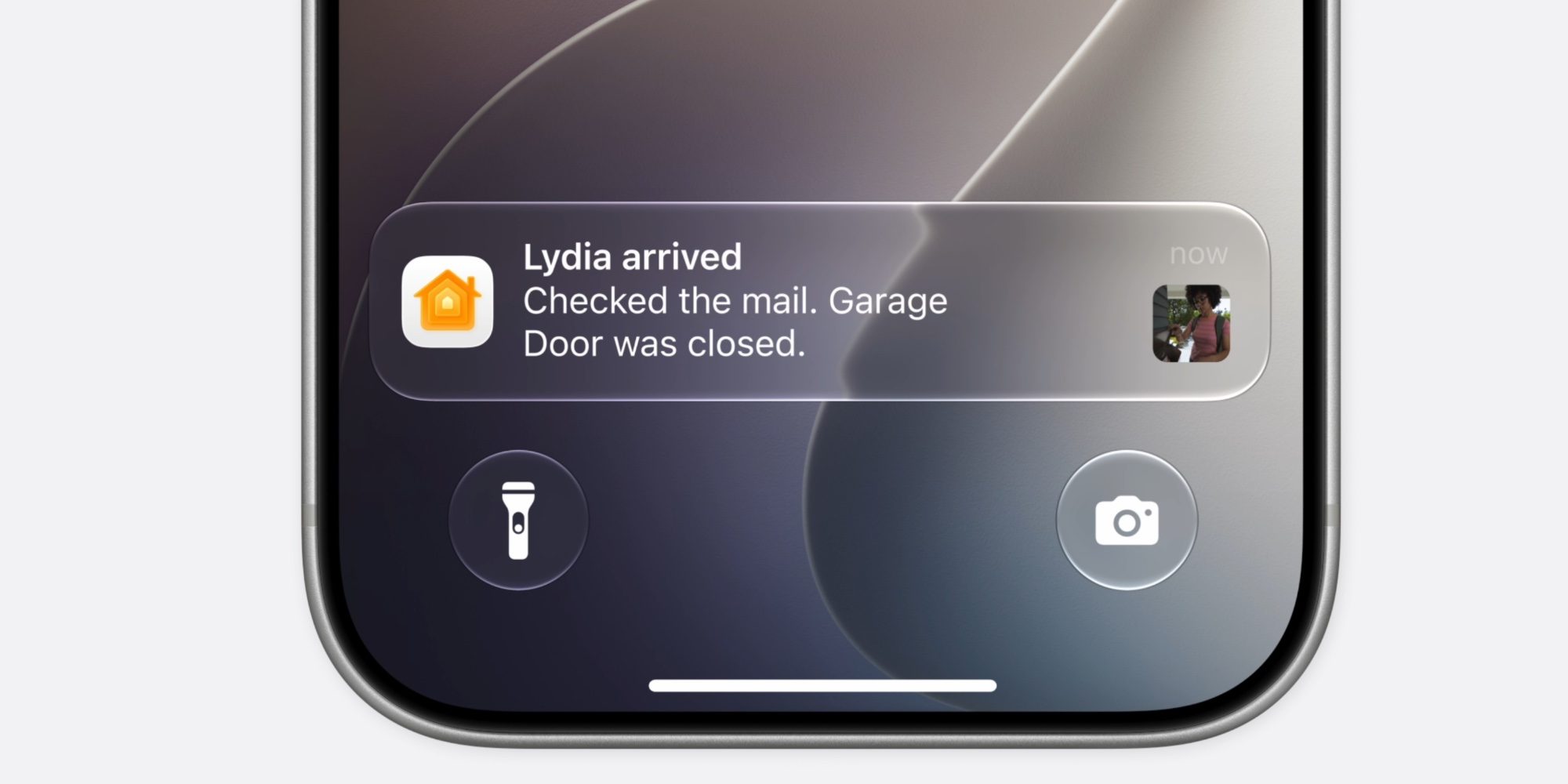
In previous versions of iOS, a single event, such as a family member returning home, could trigger a cascade of separate alerts: one for a motion sensor, one for the doorbell camera, one for the smart lock being engaged, and another for the garage door closing. This often resulted in a cluttered lock screen filled with redundant or outdated information. In iOS 27, the Home app utilizes Apple Intelligence to understand related notifications as a single activity.
Under a new Apple Intelligence section within the Home app’s settings, users can toggle the "Reduce Notifications" feature. When enabled, the system intelligently clusters related activities into a single, dynamic notification that updates in real time. For example, instead of receiving seven separate pings, a user might see one notification that evolves as the event progresses. The alert might initially say "Lydia arrived," then update to "Lydia arrived and unlocked the front door," and finally settle on a summary: "Lydia arrived. Checked the mail. Garage Door was closed."
 Smart Home & IoT Solutions
Report: Apple ‘HomeView’ smart home hub will ship in November, come in four colors, A18 chip
The HomeView is expected to be the centerpiece of a major hardware...
 Smart Home & IoT Solutions
Apple Poised for Major Smart Home Overhaul as Apple Intelligence Breaks Siri Development Bottleneck
For several years, Apple’s presence in the smart home market has felt...
 Smart Home & IoT Solutions
Apple and LG Collaborate on Major Smart Home Expansion to Reboot the HomeKit Ecosystem
In a significant strategic shift aimed at revitalizing its presence in the...







