
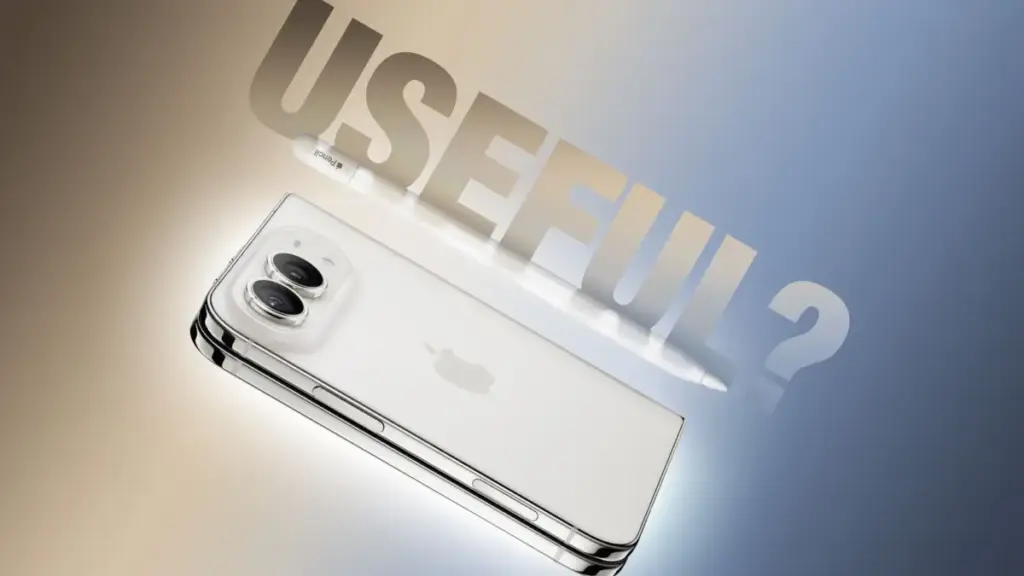
As Apple’s highly anticipated iPhone Duo officially reaches customers on its launch day of Friday, October 23, 2026, one of the most notable features under scrutiny is its newly introduced support for the Apple Pencil. The addition of stylus input marks a major milestone for Apple’s flagship hardware lineup, offering dual-display canvas capabilities that bridge the gap between traditional smartphone and tablet workflows. However, real-world evaluation reveals that while Apple Pencil functionality is indeed available on the new foldable hardware, it arrives with significant caveats regarding model compatibility, hardware features, and pairing procedures. Hands-on testing conducted by MacRumors videographer Dan Barbera illuminates precisely how the stylus operates across both displays of the iPhone Duo, providing clear guidance for prospective buyers considering whether to add the accessory to their mobile workflow.
For existing iPad users who already own an Apple stylus, the actual implementation on the iPhone Duo may come as a surprise. Apple’s latest device does not offer universal backward compatibility across its full accessory lineup. Customers holding an original first-generation Apple Pencil, a second-generation Apple Pencil, or the premium Apple Pencil Pro will find that none of these models function with the iPhone Duo. Instead, Apple has restricted device compatibility exclusively to a single model: the Apple Pencil with USB-C. Retailing directly from Apple for $79—and available through third-party retailers such as Amazon for $69—this entry-level stylus is currently the sole supported input tool for the new phone. This hardware restriction means that owners of top-tier Apple Pencils will still need to purchase the baseline USB-C model if they intend to write or draw on the iPhone Duo.
The mechanics of pairing and charging the stylus further highlight the distinction between the supported USB-C model and Apple’s higher-end styluses. While the Apple Pencil Pro pairs and charges wirelessly via magnetic induction when attached to the chassis of compatible iPad models, the iPhone Duo requires a physical USB-C cable connection to establish its initial pairing with the USB-C Apple Pencil. Once connected via cable, the phone recognizes the stylus and completes the initial setup process. In terms of physical storage, the iPhone Duo offers a convenient hardware integration: the USB-C Apple Pencil can snap magnetically onto the phone’s central hinge mechanism for carrying. However, this magnetic connection is strictly mechanical. Unlike the magnetic strip on supported iPads, the hinge on the iPhone Duo does not transfer power, meaning the stylus cannot charge wirelessly while attached to the spine of the phone and must still be plugged in directly using a USB-C cable when its battery depletes.
On the software side, Apple is introducing stylus support through the iOS 27.2 update, which is currently available to developers and public testers in beta form. Once updated to iOS 27.2 and paired with the USB-C stylus, the iPhone Duo offers an input experience that mirrors the core functionality found on the iPad platform. Users can write handwritten notes, create quick diagrams, and navigate the operating system across both the compact outer cover display and the larger unfolded inner display. Apple has integrated system-level settings specifically for stylus input, including a dedicated toggle for palm rejection to prevent accidental touch inputs when resting a hand against the display glass. This dual-display flexibility allows users to quickly jot down thoughts on the external screen or unfold the device for expanded drawing sessions on the primary display.
 macOS & Apple IT Support
New ‘Backglow’ App Brings Granular Control to the Revived Illuminated Apple Logo on MacBook Pro
Following Apple’s official release of its redesigned 14-inch and 16-inch MacBook Pro...
 macOS & Apple IT Support
Apple to Reopen Renovated Carlsbad Retail Store at The Forum Following Year-Long Transformation
Apple has announced that its retail store located at The Forum in...
 macOS & Apple IT Support
Apple Updates Free Invites App for iPhone With Full-Resolution Shared Albums, Photorealistic AI Backgrounds, and Simplified Email Verification
CUPERTINO, Calif. — Apple on Wednesday released a substantial software update for...







