

In the modern era of digital surveillance and data harvesting, internet users are increasingly seeking ways to reclaim their privacy. One of the most frequently recommended "quick fixes" in the tech community is changing the Domain Name System (DNS) server. By switching from a default Internet Service Provider (ISP) resolver to a third-party service like Cloudflare, Google Public DNS, or Quad9, users often believe they are making their browsing history invisible to prying eyes. However, the technical reality is far more nuanced. While changing a DNS provider is a valuable networking tweak for security and performance, it does not grant the total anonymity many users expect.
As technology writer and former DevOps engineer Umair Khurshid points out, the misconception that DNS changes hide browsing history remains prevalent. The fundamental architecture of the internet ensures that even with a private DNS resolver, ISPs, employers, and network administrators retain various methods to monitor connectivity. To understand why, one must look at the specific role DNS plays in the communication chain and where its protections begin and end.
DNS only tells your computer where to connect
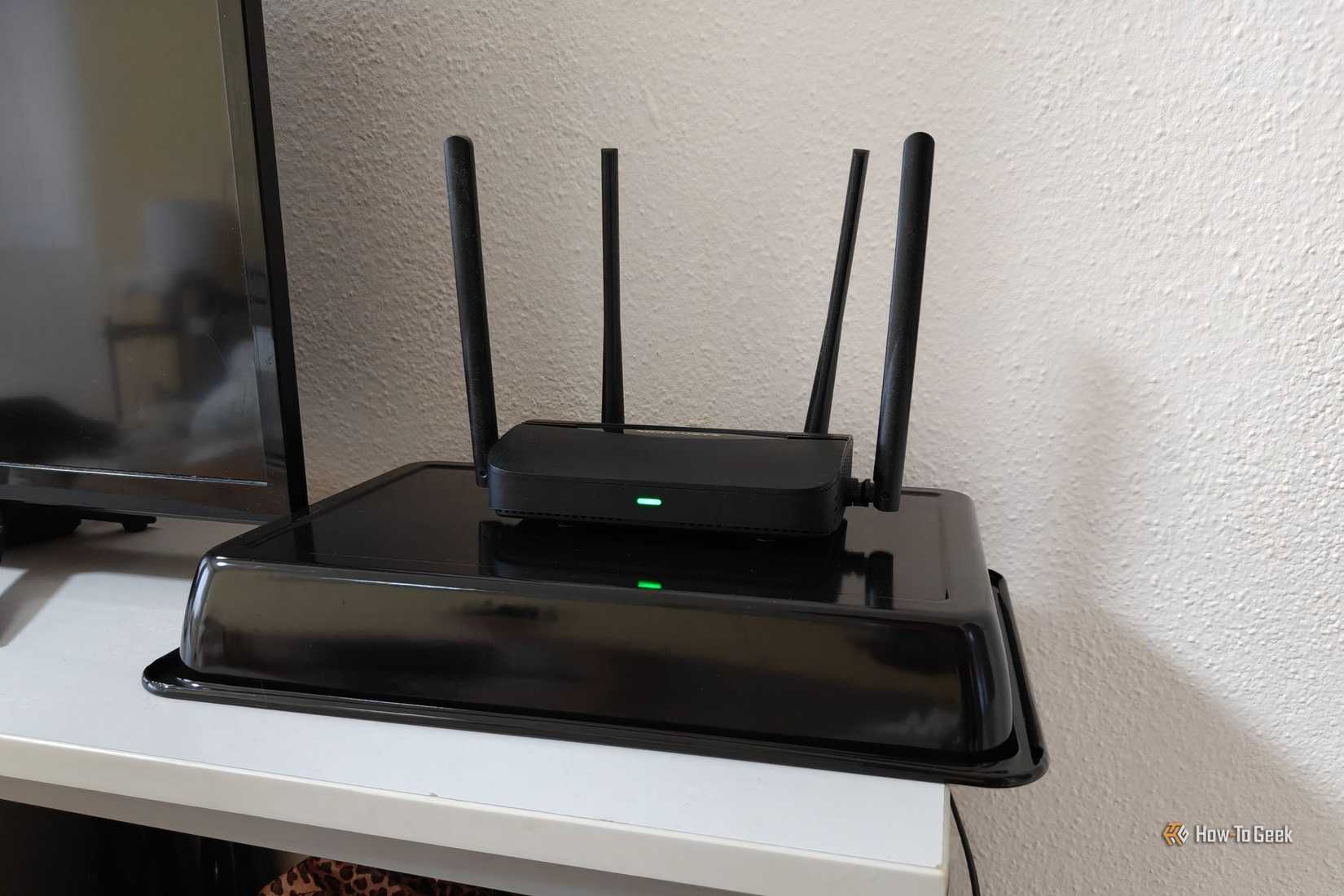
At its core, the Domain Name System functions as the phonebook of the internet. Computers do not communicate using human-readable names like example.com; they use numerical IP addresses. When a user types a URL into a browser, the device must first ask a DNS resolver to translate that name into an IP address. By default, this request goes to the ISP’s servers. By changing the DNS settings on a router or individual device, a user redirects these "lookups" to a different provider.
Changing DNS changes the resolver, not the connection itself
The primary privacy benefit of switching resolvers comes from the adoption of modern, encrypted protocols. Traditionally, DNS queries were sent in "plain text," meaning anyone sitting on the local network—or the ISP itself—could see exactly which websites were being requested simply by intercepting the DNS packets. The introduction of DNS over HTTPS (DoH) and DNS over TLS (DoT) has changed this dynamic by wrapping these requests in a layer of encryption.

When DoH or DoT is enabled, the query between the user’s device and the chosen resolver (such as Cloudflare’s 1.1.1.1) is shielded. This prevents a local attacker on a public Wi-Fi network or a basic ISP monitoring script from reading the domain requests. However, this encryption only covers the translation phase. Once the resolver provides the IP address, the DNS’s job is finished.
The subsequent connection to the website’s server is an entirely separate process. After resolving the domain, the computer must still initiate a connection to the resulting IP address. These packets, which contain the actual data of the web session, must still travel through the ISP’s infrastructure to reach their destination. Changing the DNS resolver does not encrypt the metadata of these packets, nor does it hide the destination IP address. In this sense, while the "phonebook" lookup might be private, the "phone call" itself is still routed through the same provider.
Your ISP can still see plenty
The persistent visibility of an ISP is one of the most significant hurdles to total online privacy. Because the ISP provides the physical or wireless gateway to the broader internet, it sits in a privileged position between the user’s home network and the rest of the world. Even if the ISP no longer handles the DNS queries, it remains the carrier for every bit of data that leaves the premises.
HTTPS protects content, not necessarily your destination
Most modern web traffic is protected by HTTPS, which uses Transport Layer Security (TLS) to encrypt the data exchanged between a browser and a server. This ensures that an ISP cannot see the specific contents of a webpage—for instance, they cannot read the text of an email being sent via a webmail provider or see the specific products being viewed on an e-commerce site.
However, HTTPS does not hide the IP address of the server being contacted. Every packet sent over the internet must have a destination address to be routed correctly. Because the ISP is responsible for that routing, it can see the IP addresses of every service a user accesses. While a single IP address might host thousands of small websites via a Content Delivery Network (CDN), many major services—such as Netflix, Facebook, or specific banking portals—use dedicated IP ranges that are easily identifiable. Through simple IP mapping, an ISP can build a remarkably accurate profile of a user’s habits without ever seeing a single DNS query.

Beyond IP addresses, the TLS protocol itself has historically had a "leakage" problem. During the initial "handshake" when a browser connects to a server, it often sends a piece of information called Server Name Indication (SNI). SNI tells the server which specific website the user wants to see, which is necessary when one server hosts multiple domains. For years, this SNI field was sent in plain text, allowing ISPs to see the exact hostname of the site being visited, even if the rest of the session was encrypted.
The industry has responded with Encrypted Client Hello (ECH), a development designed to encrypt the SNI and other sensitive parts of the TLS handshake. While ECH is a significant leap forward for privacy, it is not yet a universal standard. Its effectiveness is contingent upon support from the browser, the web server, and the underlying network infrastructure. Until ECH is ubiquitous, the "destination" remains a visible data point for those managing the network.
Furthermore, sophisticated traffic analysis can fill in the gaps. Even when the content and hostnames are hidden, the timing, size, and direction of data packets create a "fingerprint." An ISP’s analytical tools can often determine if a user is streaming high-definition video, participating in a VoIP call, or downloading large files, and can sometimes match these patterns to known services. Thus, while encrypted DNS solves a specific problem of visibility, it does not render the ISP blind.
Changing DNS means trusting someone else
A common oversight in the move to third-party DNS is the shifting of trust. When a user stops using an ISP’s resolver, they are not eliminating the collection of DNS data; they are simply choosing who collects it. If you configure your system to use Google Public DNS, Google becomes the entity that sees every domain you intend to visit. If you use Cloudflare, Cloudflare receives that information.
The new resolver can still see your queries
While DoH and DoT protect the queries during transit, the resolver itself must decrypt the request to provide an answer. This makes the provider’s internal policies a critical factor for privacy-conscious users. Every DNS provider operates under a specific jurisdiction and legal framework, which dictates how they handle data and how they must respond to government or law enforcement requests.
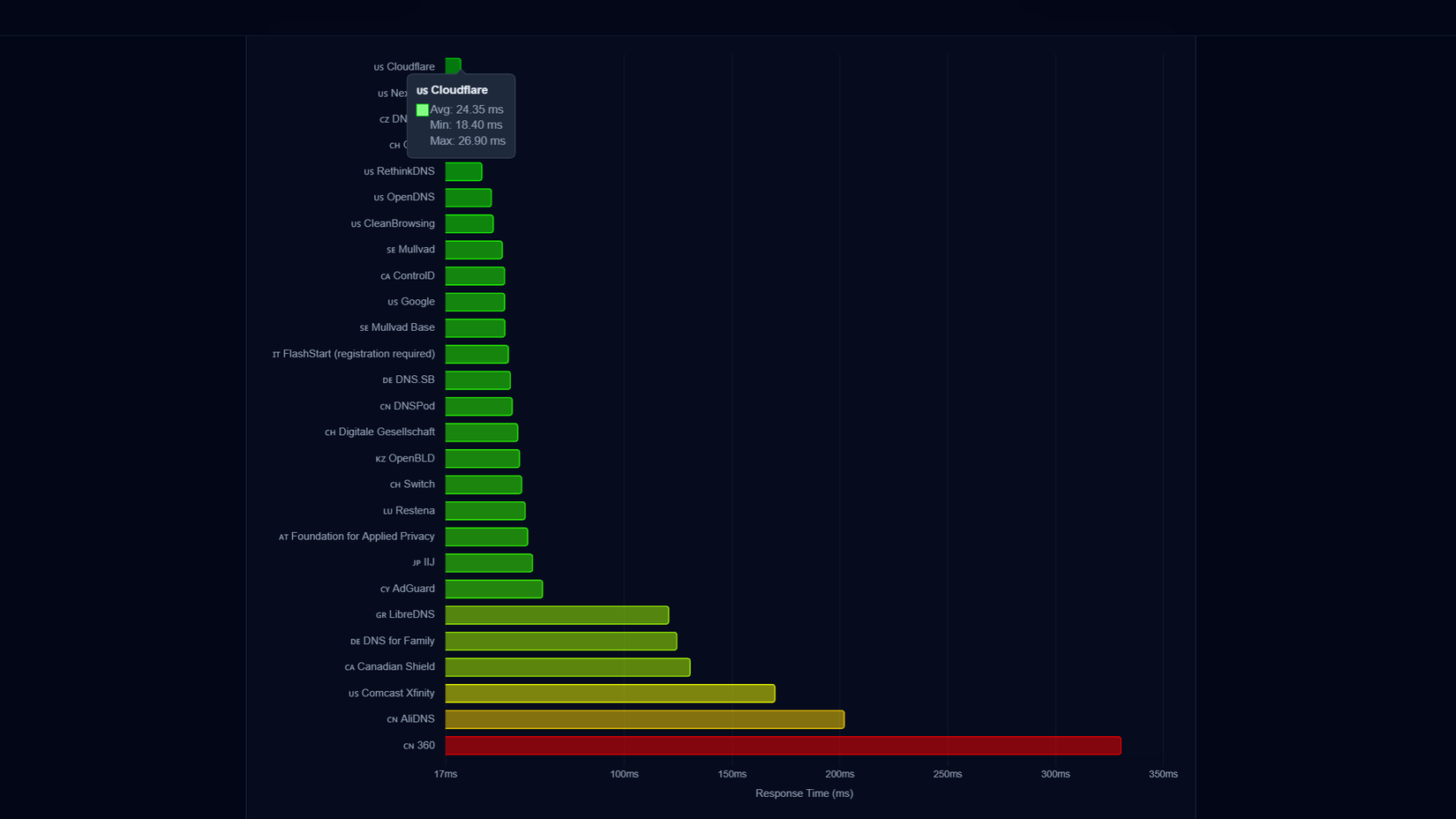
The privacy policies of these providers vary wildly. Some providers, like Quad9, emphasize their commitment to not logging IP addresses and being based in privacy-friendly jurisdictions like Switzerland. Others may have more permissive logging practices or may be subject to different data retention laws. While many public DNS providers are arguably more trustworthy than a local ISP—especially in regions where ISPs are known to sell browsing data to advertisers—the user is still placing their digital footprint in the hands of a third party.
So who can see what?
The effectiveness of any privacy measure, including changing DNS, depends entirely on the "threat model"—specifically, who the user is trying to hide their activity from.
Privacy depends on who you are trying to hide from
For a user on a public Wi-Fi network, such as in a coffee shop or airport, encrypted DNS combined with HTTPS provides a high level of protection against local eavesdropping. In this scenario, the network operator can see that a device is connected to the internet and communicating with certain IP addresses, but they generally cannot see the specific websites or the content of the sessions.
However, the ISP provides a much deeper level of scrutiny. As the entity carrying the traffic, the ISP can analyze connection timing, IP destinations, and, in many cases, SNI data. Changing DNS is a minor hurdle for an ISP that is determined to profile its users’ traffic patterns.
In a corporate or educational environment, the level of visibility increases further. Administrators who control the network infrastructure can implement "DNS hijacking" or "DNS redirection," forcing all traffic on port 53 (the standard DNS port) to their own internal servers, regardless of the settings on a user’s laptop. Furthermore, many organizations use managed-device software or "TLS inspection" (where the organization installs a root certificate on the device) to decrypt and inspect HTTPS traffic for security or compliance reasons. In such an environment, changing a DNS setting is often entirely ineffective, as the network is designed to override or bypass individual user configurations.
A Virtual Private Network (VPN) offers a more robust solution for those seeking to hide their activity from their ISP. A VPN creates an encrypted tunnel for all traffic, not just DNS queries. When a VPN is active, the ISP only sees an encrypted stream of data traveling to the VPN server; it cannot see the final destinations or the DNS requests inside the tunnel. However, this shifts the burden of trust entirely to the VPN provider. Furthermore, if a VPN is misconfigured, it can suffer from "DNS leaks," where DNS queries bypass the encrypted tunnel and go to the ISP anyway, defeating the purpose of the VPN.
DNS privacy has limits
Despite these limitations, changing your DNS resolver remains a recommended practice for reasons beyond simple privacy. Many third-party resolvers offer enhanced security features, such as the ability to block known malicious domains, phishing sites, and malware command-and-control servers. This provides a layer of "proactive" security that many default ISP resolvers lack.
Ultimately, users should view changing their DNS provider as a tool for security and performance rather than a comprehensive anonymity solution. It is a way to choose a more reliable and secure "phonebook" service, but it does not make the "phone call" itself invisible to the network carrier. For those whose goal is to truly obscure their online footprint from their ISP or network administrator, more comprehensive measures—such as the use of high-quality VPNs or the Tor browser—are necessary. DNS privacy is a piece of the puzzle, but it is not the whole picture.
 Tech Tutorials & How-To Guides
Netflix Expands October Streaming Lineup With High-Stakes Sports Dramas and Darkly Humorous Animation
As the autumn chill settles in and the evening air turns crisp,...
 Tech Tutorials & How-To Guides
Unlocking the Hidden Diagnostic Power of Amazon Fire TV: A Deep Dive into Developer Tools and System Transparency
The Amazon Fire TV ecosystem has evolved from a simple portal for...
 Tech Tutorials & How-To Guides
Beyond the Brand: Why Even Premium Power Drills Fail Due to Common Operational Habits
In the modern landscape of home improvement and professional construction, the cordless...







