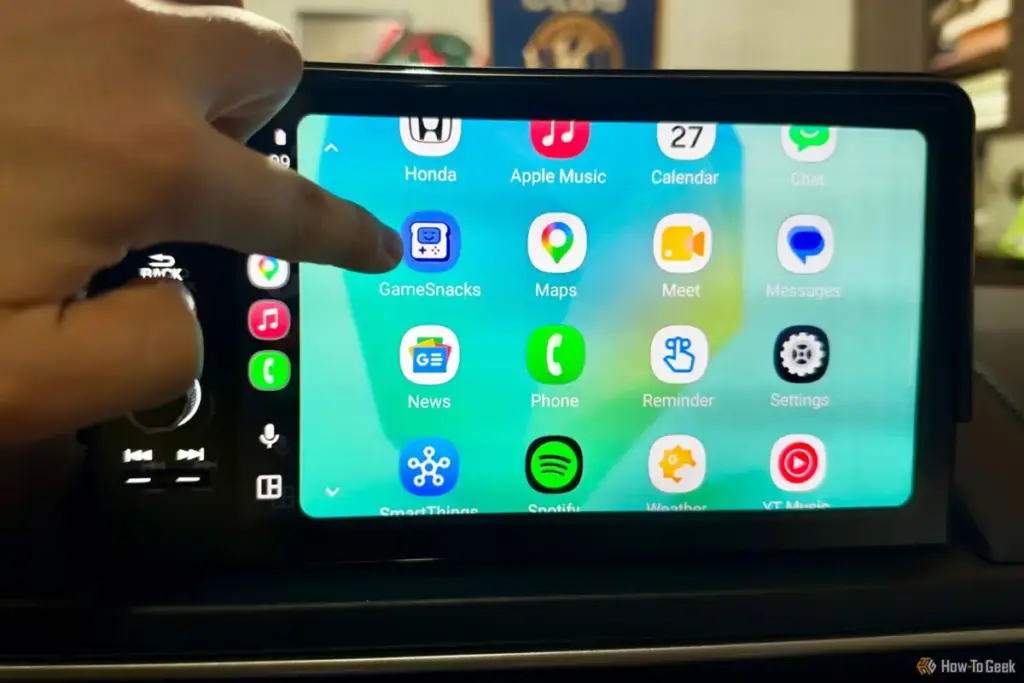
The current state of in-car entertainment is well-served by Spotify, Apple Music, and various dedicated podcast apps. However, the unique library of YouTube—which includes niche content, independent journalism, and community-driven discussions not found elsewhere—remains frustratingly difficult to access safely while behind the wheel.
The Limitations of the Current Workaround
As it stands, users who want to listen to YouTube content in their vehicles are forced to rely on clumsy and potentially unsafe workarounds. Technically, it is possible to "watch" YouTube in a car by leveraging the "Now Playing" screen on the CarPlay or Android Auto interface. If a user starts a video on their phone before they begin their journey, the audio will typically route through the car’s system, and the "Now Playing" widget will allow for basic play and pause functionality.
However, this is a far from elegant solution. This method requires the user to interact with their phone before they start driving, or worse, while they are stopped at a light. It also offers no way to browse content, switch between videos in a playlist, or access a "Watch Later" queue without picking up the physical device. This goes against the very philosophy of CarPlay and Android Auto, which is designed to keep the phone out of the driver’s hands.
The Safety Implications of Clumsy Interfaces
There is a legal and safety-oriented argument to be made here as well. Interacting with a smartphone while driving is illegal in many jurisdictions and dangerous in all of them. By failing to provide a dedicated, simplified "Audio-Only" interface for YouTube, the current ecosystem may inadvertently be encouraging users to pick up their phones to change a video or find a new podcast.

A dedicated CarPlay app wouldn’t need to show thumbnails or video previews. Instead, it could mirror the interface of the YouTube Music app or the Apple Podcasts app—large, legible text lists of "Watch Later" videos, subscribed channels, or specific driving-friendly playlists. By bringing these controls to the vehicle’s dashboard, Google could significantly reduce the temptation for drivers to reach for their phones to manipulate their media.
For those who pay for YouTube Premium, the experience is slightly better thanks to background playback. This feature allows the audio to continue even when the phone screen is off or another app is in the foreground. However, even for Premium subscribers, the lack of a dashboard-native browsing experience is a major hurdle. There is no way to independently verify the status of every Android Auto configuration, but the general experience remains the same: YouTube is treated as a second-class citizen in the car, despite being many users’ primary source of information and entertainment.
Integrating YouTube into the Premium Value Proposition
The solution to this problem could lie within the YouTube Premium subscription model. Many users initially subscribe to Premium to escape the barrage of repetitive and often intrusive advertisements. However, once they have access, they often find that background playback and offline downloads become the most indispensable features of the service.
 Tech Tutorials & How-To Guides
Classic Emotional Cinema: Four Heart-Wrenching Masterpieces Currently Streaming on Netflix
The power of cinema often lies in its ability to transcend the...
 Tech Tutorials & How-To Guides
Unfiltered Cinema: Why R-Rated Hits Are Finding a Second Life on Major Streaming Platforms
In the modern landscape of digital entertainment, the motion picture rating system...
 Tech Tutorials & How-To Guides
Paramount+ Thriller Spotlight: From Gritty Action Franchises to Luc Besson’s Reimagined Dracula
As the calendar turns deeper into October, the shift in atmosphere is...