
In the modern technological landscape, computer memory serves as the fundamental bedrock upon which all digital operations are built. Far from being a monolithic component, memory is an expansive umbrella term encompassing a diverse array of data storage technologies. These systems are integrated into or externally connected to computing devices and servers, each engineered to fulfill specific roles within a complex hierarchy. Some iterations are optimized for raw speed, ensuring the central processing unit can access data with minimal latency, while others are prioritized for economic efficiency, allowing for the massive, long-term preservation of information.
To understand the mechanics of modern computing, one must distinguish between the two primary categories of memory: primary and secondary. Each category is defined by its proximity to the processing core, its volatility, and its specific use case within the system’s architecture. As data demands continue to escalate globally, the nuances of these storage types have become increasingly critical for both individual users and enterprise-level infrastructure managers.
The Role and Function of Primary Memory Types
Primary memory represents the segment of storage that is directly accessible by the central processing unit. To maximize efficiency and minimize the time it takes for instructions to travel across the motherboard, primary memory is typically situated in close physical proximity to the CPU. This proximity is essential for rapid data processing and ensuring the system boots quickly and operates without significant bottlenecks. The two most prominent examples of primary memory are random access memory (RAM) and read-only memory (ROM).
While both RAM and ROM provide the CPU with direct access to data, they operate on fundamentally different principles. The most significant distinction lies in their volatility. RAM is a volatile medium, meaning it requires a constant flow of electricity to maintain the data it holds; once the system loses power, the information is purged. Conversely, ROM is non-volatile, retaining its programmed instructions even after a device is powered down. This fundamental difference dictates how each is utilized within the lifecycle of a computing task.
Understanding Random Access Memory
Random access memory, or RAM, derives its name from the non-linear way the CPU interacts with it. Unlike older sequential storage methods, the CPU can "jump" to any specific line of data within the RAM modules to retrieve information instantly. This design ensures that the access time for any given bit of data is consistent, regardless of its physical location on the chip.
RAM is characterized by its exceptional speed, trailing only slightly behind the internal registers of the CPU itself. Its primary function is to serve as a high-speed workspace, holding the active data and instructions the CPU requires while running applications. By storing this information in RAM, the system avoids the much slower process of reaching out to secondary storage every time a new instruction is needed. However, this performance comes at a high financial cost. RAM remains one of the most expensive components in a computer on a per-gigabyte basis, which is why systems utilize a tiered approach, combining a smaller amount of fast RAM with larger, slower secondary storage.
Within the ecosystem of RAM, there are two dominant varieties: Dynamic RAM (DRAM) and Static RAM (SRAM). DRAM is the most common form found in modern computers, utilizing a simple architecture of one transistor and one capacitor per cell. Because capacitors leak charge, DRAM must be refreshed thousands of times per second, which is where it gets the "dynamic" moniker. Modern iterations, such as DDR4 and DDR5, have significantly improved energy efficiency and data transfer rates, though they remain incompatible with older motherboard architectures.
SRAM, by contrast, is even faster and more expensive than DRAM. It uses a more complex six-transistor configuration that does not require constant refreshing. Due to its high cost and larger physical footprint, SRAM is used sparingly, primarily as cache memory. This cache acts as a high-speed bridge between the main RAM and the CPU, neutralizing the discrepancies in clock speeds and ensuring the processor is never left idling while waiting for data.
The Persistence of Read-Only Memory
Read-only memory, or ROM, is defined by its immutability. Under standard operating conditions, the data stored on a ROM chip cannot be modified or deleted. Like RAM, it is positioned near the CPU for high-speed access, but it serves the opposite purpose: providing the permanent instructions necessary to start the machine.
When a computer or electronic device is first powered on, the CPU is essentially a blank slate. It immediately looks to the ROM for "bootstrap code," which contains the essential instructions for hardware initialization and the loading of the operating system from secondary storage. ROM is found in nearly every electronic device, from sophisticated gaming consoles to the embedded systems in automotive navigation units.
The evolution of ROM has led to several specialized types. Programmable ROM (PROM) is manufactured as a blank chip that can be written to once by a specialized programmer. Erasable Programmable ROM (EPROM) offers more flexibility, as it can be erased by exposure to strong ultraviolet light and then reprogrammed. The most modern and common version is Electronically Erasable Programmable ROM (EEPROM), which can be reformatted through electrical signals without being removed from the device. This technology is what allows for "firmware updates" or BIOS flashes, enabling hardware to be updated with new instructions long after it has left the factory.
The Scope and Diversity of Secondary Memory Types
Secondary memory serves as the persistent, long-term storage solution for a computer. Unlike primary memory, the CPU does not interact with secondary storage directly; instead, data must be loaded from secondary memory into RAM before it can be processed. This category is characterized by its non-volatile nature and its ability to store vast quantities of data at a fraction of the cost of RAM.
Secondary memory encompasses a wide range of technologies, from the traditional mechanical drives to modern cloud-based solutions. It is where a user’s personal files, software applications, and the operating system itself reside when not in active use.
The Evolution of Hard Disk Drives and Solid State Drives
For decades, the hard disk drive (HDD) was the standard for secondary storage. These are electro-mechanical devices that utilize spinning magnetic platters and moving read/write heads. While HDDs offer the lowest cost per gigabyte and are excellent for high-capacity archiving, they are hindered by their mechanical nature. They are susceptible to physical damage from drops, consume more power, and generate noise. Furthermore, their speed is limited by how fast the disks can spin and how quickly the mechanical arm can move.
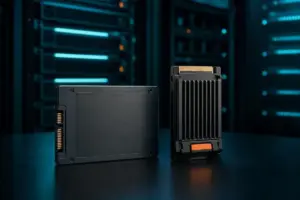
The industry has largely shifted toward solid-state drives (SSDs) for primary system storage. SSDs utilize NAND flash memory, a semiconductor-based technology with no moving parts. This lack of mechanical components allows SSDs to operate silently, resist physical shock, and provide data transfer speeds that dwarf those of HDDs. While SSDs are more expensive and historically had lower capacities than HDDs, they have become the gold standard for performance-oriented computing. However, they do have a finite number of write cycles, meaning that for extremely long-term, multi-decade archival, other technologies might be preferred.
Optical Media and the Longevity of Tape Drives
Optical storage, which includes CDs, DVDs, and Blu-ray discs, uses laser technology to read and write data. By scanning the surface of a spinning disc for microscopic grooves and protrusions, an optical drive can translate reflected light into binary data. While optical media has seen a decline in consumer use due to the rise of high-speed internet and USB storage, it remains a viable medium for certain types of data distribution and physical backups.
In the realm of enterprise-level archiving, tape drives remain surprisingly relevant. These devices use magnetic tape to store data and are prized for their incredible longevity, with some tapes rated to last up to 30 years. They are highly cost-efficient for storing massive volumes of "cold" data—information that does not need to be accessed frequently. The drawback is their linear access model; to find a specific file, the drive must physically wind the tape to the correct position, making it far slower than the near-instantaneous access provided by HDDs or SSDs.
Enterprise Solutions: Storage Arrays and Network Attached Storage
For organizations dealing with petabytes of information, individual drives are insufficient. Storage arrays, or disk arrays, combine numerous HDDs and SSDs into a single, centrally managed system. These arrays allow for advanced data management, redundancy, and high-speed access for multiple remote users. They are the backbone of modern data centers, providing the scalable infrastructure needed for big data analytics and large-scale web services.
Similarly, Network Attached Storage (NAS) provides file-based storage that is accessible across a network. NAS is particularly effective for collaborative environments, allowing multiple professionals to access and edit the same files simultaneously. By centralizing data, NAS ensures that all team members are working on the most current version of a project, streamlining workflows in both small businesses and large corporations.
The Rise of Cloud Storage
The most recent shift in the storage paradigm is the move toward cloud storage. In this model, data is stored on remote servers managed by third-party providers and accessed via the internet. Cloud storage removes the need for local hardware maintenance and allows users to access their files from any device, anywhere in the world. For businesses, the cloud offers a "pay-as-you-go" model that can scale instantly with their needs, representing the ultimate move toward storage as a service rather than a physical asset.
Distinguishing Between Volatile and Non-Volatile Memory
The choice between memory types often comes down to the fundamental distinction between volatile and non-volatile systems. Volatile memory is the engine of active processing. It is designed for speed and the constant flux of data that occurs when a computer is running. Its temporary nature is a design feature, allowing the system to clear its workspace and start fresh with every reboot.
Non-volatile memory is the library of the computer. It is built for endurance and reliability, ensuring that the user’s digital life remains intact even when the power is cut. While it lacks the extreme speed of volatile memory, its ability to hold data indefinitely makes it indispensable for the storage of the operating system, applications, and personal archives.
The Synergy of Memory Architecture
The effectiveness of any computing device depends on the seamless coordination between these various memory types. A computer with a powerful CPU but insufficient RAM will suffer from "bottlenecking," as the processor is forced to wait for data to be retrieved from slower secondary storage. Conversely, a system with ample storage but slow primary memory will feel sluggish during boot-up and application switching.
Understanding the strengths and limitations of each memory type—from the lightning-fast SRAM caches to the massive, slow-moving tape archives—is essential for optimizing performance. As technology continues to evolve, the lines between these categories may blur with the advent of new hybrid technologies, but the fundamental need for a balance between speed, cost, and persistence remains the guiding principle of computer architecture. Navigating this landscape allows users and enterprises alike to make informed decisions about how they store, manage, and protect their most valuable digital assets.
 Enterprise Tech & Infrastructure
Understanding the Architecture of Modern Storage: Distinguishing Flash Technology from Solid-State Drives
In the rapidly evolving landscape of data storage, the terms "flash" and...
 Enterprise Tech & Infrastructure
Decoding the Amazon S3 Bill: Why the Per-Gigabyte Rate Is Often the Smallest Part of Cloud Storage Costs
In the world of enterprise cloud infrastructure, the Amazon S3 storage bill...
 Enterprise Tech & Infrastructure
Navigating the Hidden Complexities of Amazon S3 Cost Management for the Modern Enterprise
The promise of cloud storage has always been centered on its elasticity...