For over a decade, Samsung has maintained its position at the forefront of the smartphone industry, not just through hardware innovation but through the iterative refinement of its software ecosystem. The transition from the early days of TouchWiz to the modern sophistication of One UI has been a journey of streamlining complexity. With the arrival of One UI 9, the company is signaling a significant shift in its philosophy: moving away from a traditional mobile interface toward an intelligent, proactive assistant. For long-time enthusiasts and professional users alike, the update offers a compelling look at how artificial intelligence can be woven into the fabric of everyday tasks.
The latest update is more than a simple visual refresh; it represents the deep integration of Galaxy AI into the core functions of the device. For users who have grown accustomed to the high performance of Samsung’s hardware, One UI 9 provides a suite of features designed to reclaim time and reduce the cognitive load of multitasking. From automated video tracking to contextual shortcuts that anticipate a user’s next move, the software seeks to solve the minor but persistent frictions of mobile use.
Intelligent Videography: Keeping the Action in Frame
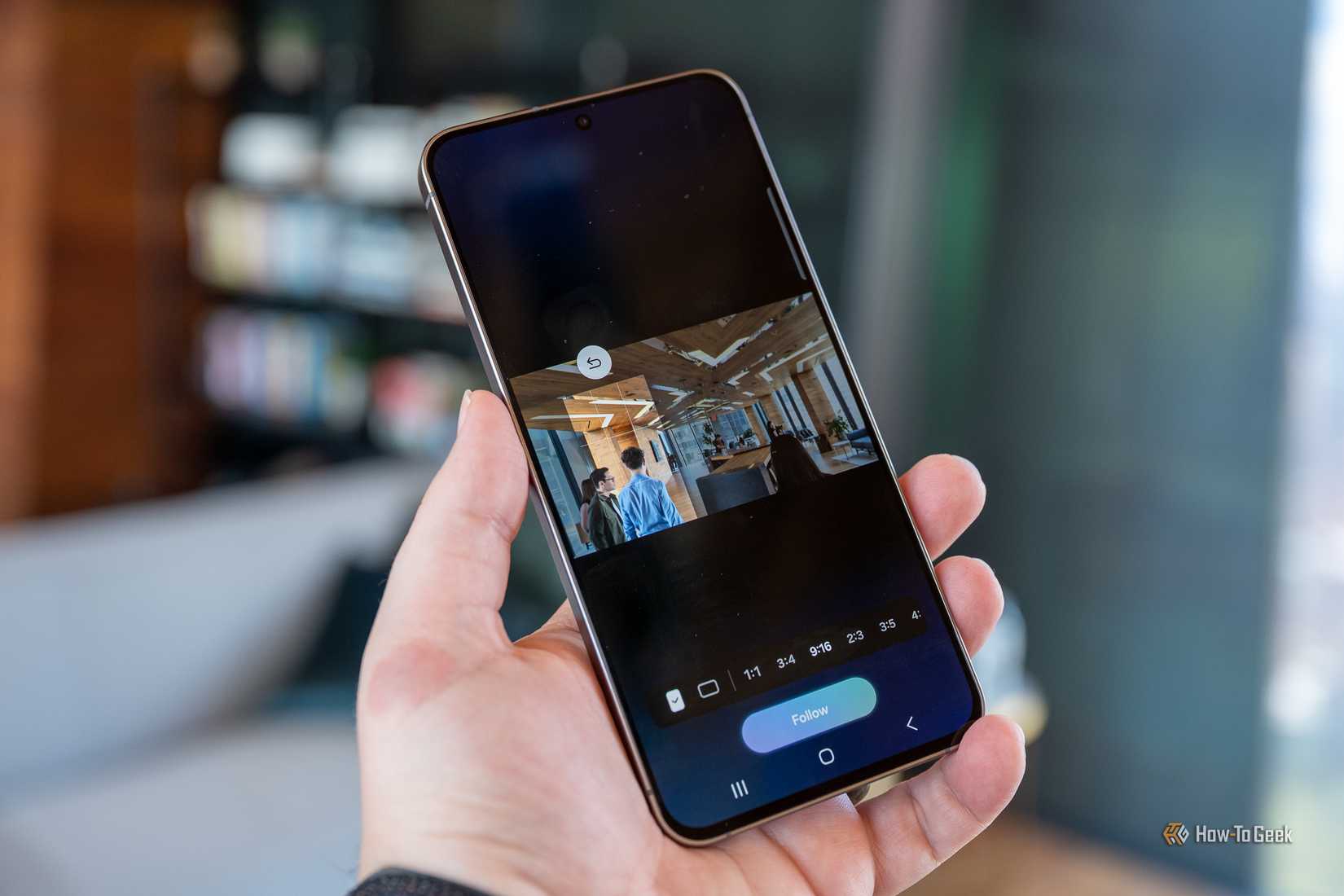
One of the most notable hurdles for mobile photographers and parents alike is the difficulty of capturing high-quality video during dynamic events. Whether it is a child’s school performance, a wedding dance floor, or a sporting event, the challenge of manual tracking often results in shaky footage or missed moments. Samsung’s response to this universal problem is "My FanCam," a feature that leverages Galaxy AI to transform the way users record live action.

Traditionally, capturing a specific person in a crowded or fast-moving environment required constant manual zooming and repositioning of the phone. This often meant the person filming was so focused on the screen that they missed the actual experience. My FanCam automates this process by allowing the user to select a specific subject within the frame. Once the subject is identified, the AI takes over, automatically adjusting the crop and framing to keep that individual centered and clear.
The utility of this feature extends beyond just parental pride at school functions. It democratizes high-quality videography for users who may not have a steady hand or the technical intuition for camera angles. By navigating to the Gallery, selecting a video, and engaging the Galaxy AI icon, users can apply this tracking after the fact or use similar logic during live recording. It effectively turns the smartphone into an intelligent camera operator, ensuring that the most important parts of a memory are never lost to poor framing.
Eliminating App Friction with Contextual Intelligence
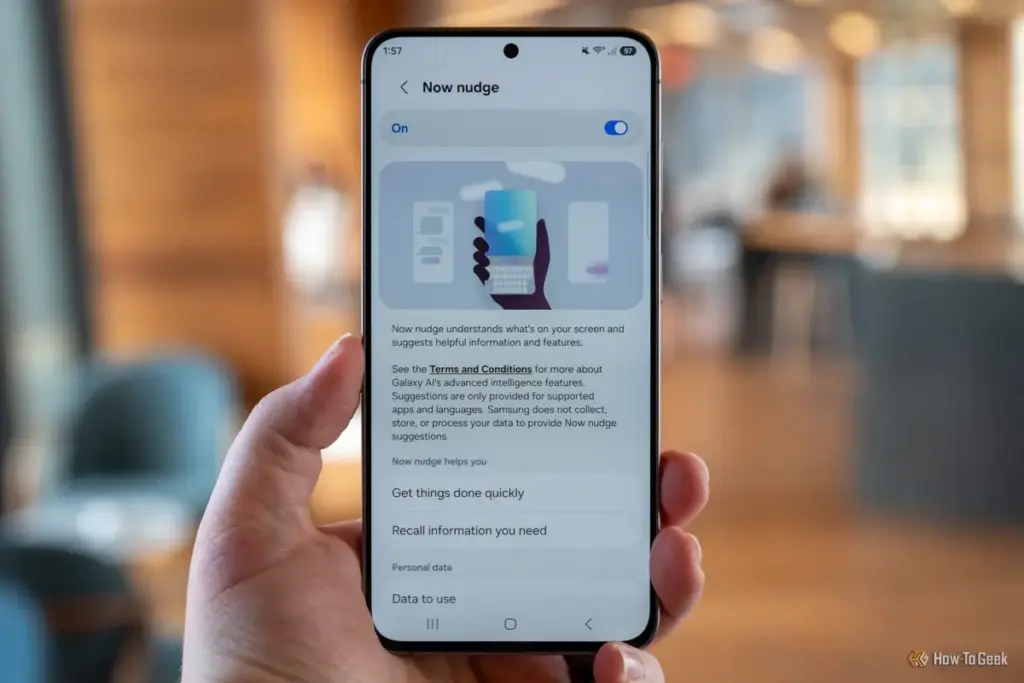
In the modern mobile landscape, "app fatigue" is a genuine concern. The constant switching between messaging platforms, calendars, and note-taking apps creates a fragmented user experience. Samsung addresses this in One UI 9 with "Now Nudge," a feature designed to bridge the gap between different applications through contextual awareness.
Consider the common scenario of coordinating a dinner plan. Typically, a user receives a message on an app like WhatsApp, exits the chat, opens their calendar to check availability, memorizes the free slot, returns to the chat, and types the reply. Now Nudge eliminates several of these steps by recognizing the intent of the conversation. If a friend mentions a date or time, the system can proactively suggest a Calendar shortcut or a relevant task reminder directly within the current view.

This level of integration suggests a future where the operating system understands the relationship between different types of data. By bringing relevant information to the user’s fingertips exactly when it is needed, Samsung is reducing the "digital overhead" of organization. For professionals and busy parents who are constantly juggling work and personal errands, these saved seconds accumulate, resulting in a more fluid and less stressful interaction with their technology.
Descriptive Editing: The Democratization of Photo Post-Processing
While smartphone cameras have become incredibly powerful, the art of photo editing remains a barrier for many. Most users return from vacations with hundreds of photos that require minor tweaks—removing a distracting tourist from the background, adjusting the lighting, or correcting the color balance. However, the complexity of professional editing tools often leads to these photos sitting untouched in a digital vault.
One UI 9 introduces "Photo Assist," a tool that moves away from traditional sliders and filters in favor of generative AI and natural language processing. Instead of manually hunting for the "healing brush" or "clone stamp" tool, users can now describe the changes they wish to see. By simply prompting the AI to "remove the strangers in the background" or "brighten the foreground while maintaining a natural sunset," the software handles the complex pixel manipulation on behalf of the user.
This shift is significant because it focuses on the desired outcome rather than the technical process. It allows users to achieve professional-grade results without needing a background in graphic design. For the traveler who would rather spend their time enjoying a local café than squinting at a screen to fix a photo, Photo Assist acts as a personal digital editor, streamlining the path from capture to a shareable masterpiece.
Streamlining the Morning Routine with Personalized Briefings
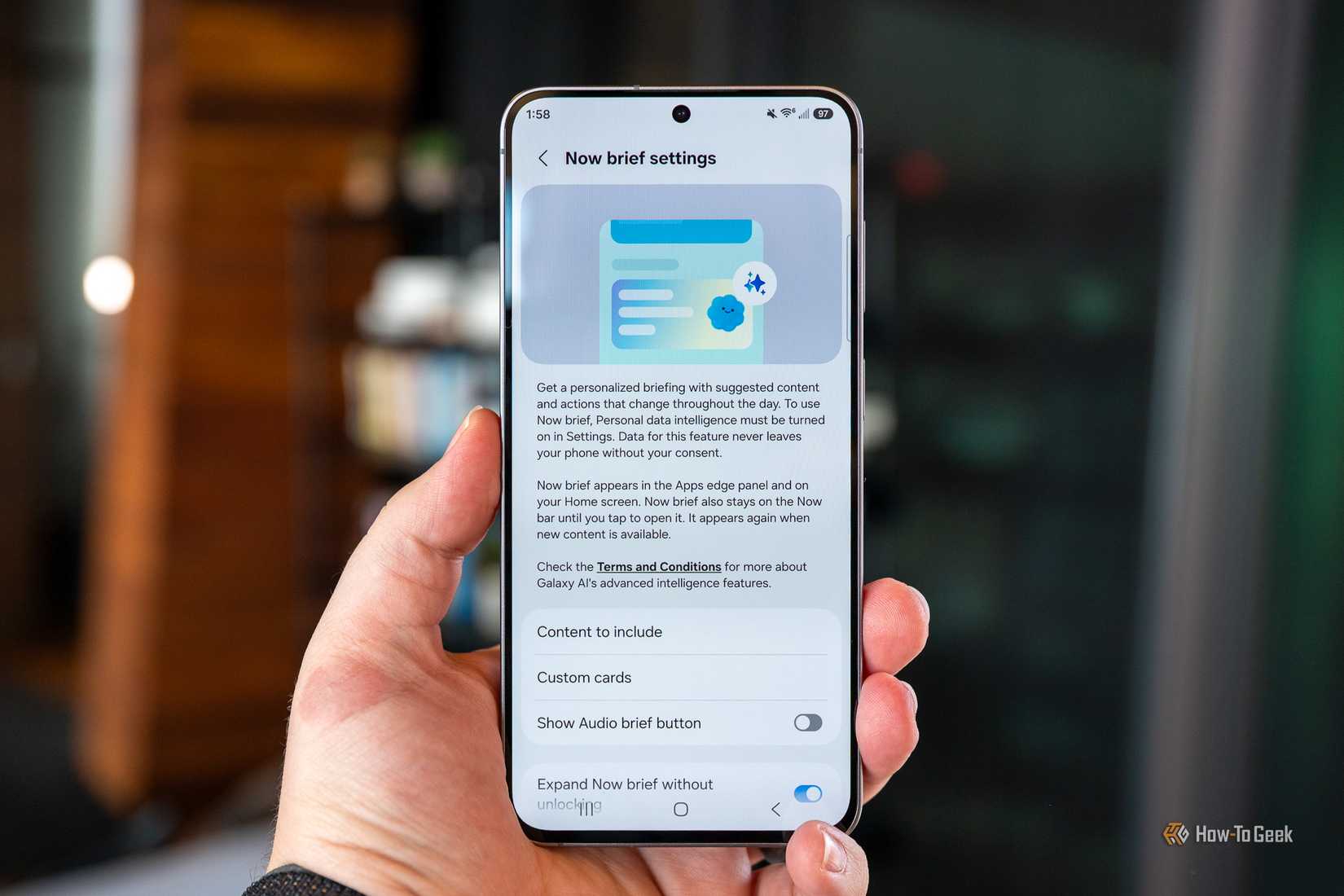
The first few minutes of the day are often the most digitally cluttered. Users typically wake up to a barrage of notifications, weather alerts, and calendar reminders spread across multiple apps. In an effort to provide a more organized start to the day, One UI 9 features "Now Brief," a centralized information hub that aggregates essential data into a single, glanceable update.
Now Brief is designed to be a purposeful destination. Depending on the connected devices and supported services, it can pull together weather forecasts, upcoming appointments, and critical reminders. Instead of a user bouncing between a weather app, a work calendar, and a to-see list, they are presented with a cohesive summary of their day.
This feature reflects a broader trend in software design: the move toward "intentional" tech usage. By providing a comprehensive overview in one place, Samsung helps users avoid the distraction of unrelated notifications that often occur when hunting through individual apps. It transforms the phone from a source of morning chaos into a tool for morning clarity, allowing users to plan their day with a clear understanding of their schedule and environment.
Granular Control and the Evolution of the Quick Panel
For power users, the ability to customize the interface is a hallmark of the Samsung experience. One UI 9 continues this tradition by enhancing the "Quick Panel," the primary interface for toggling system settings and accessing frequently used tools. The new update allows for even greater flexibility in how these controls are arranged and accessed.
The philosophy behind the redesigned Quick Panel is accessibility. By allowing users to keep features like "Modes and Routines," screen recording, and smart home controls within a single swipe, Samsung ensures that the most relevant tools are never more than a second away. This is particularly useful for users who utilize their phones in diverse environments—switching from a "Work Mode" that silences distractions to a "Home Mode" that controls lighting and media.
This level of customization ensures that the phone adapts to the user’s lifestyle rather than forcing the user to adapt to a rigid interface. For those who enjoy exploring their device’s settings to find the perfect configuration, the new Quick Panel offers a playground of efficiency, proving that even small changes in UI layout can have a significant impact on daily productivity.
A New Chapter for the Galaxy Ecosystem
As Samsung continues the global rollout of One UI 9, it is clear that the company is betting heavily on the synergy between hardware and artificial intelligence. The update moves the Galaxy series closer to the ideal of a true digital assistant—one that doesn’t just wait for commands but actively works to simplify the user’s life.
While some users may need time to adjust to the proactive nature of features like Now Nudge and My FanCam, the overall trajectory of the software is one of empowerment. By automating the mundane and simplifying the complex, One UI 9 allows users to focus more on their lives and less on their devices. As the rollout reaches more devices in the coming months, the Galaxy community will have the opportunity to see firsthand how these intelligent features redefine the standard for the modern smartphone experience.
 Tech Tutorials & How-To Guides
The Profanity Protocol: How One Engineer Used AI and Smart Home Tech to Break a Sedentary Habit
For many remote workers, the transition from a traditional office to a...
 Tech Tutorials & How-To Guides
The Power of Automation: Why Home Assistant Users Are Rediscovering These Underutilized Features
The landscape of the modern smart home has shifted dramatically over the...
 Tech Tutorials & How-To Guides
The One-Cable Desk: Why USB-C Monitors Are Replacing Traditional Docking Stations
For years, the dream of a truly minimalist desk setup was hampered...