Refined Performance and the Geist Aesthetic
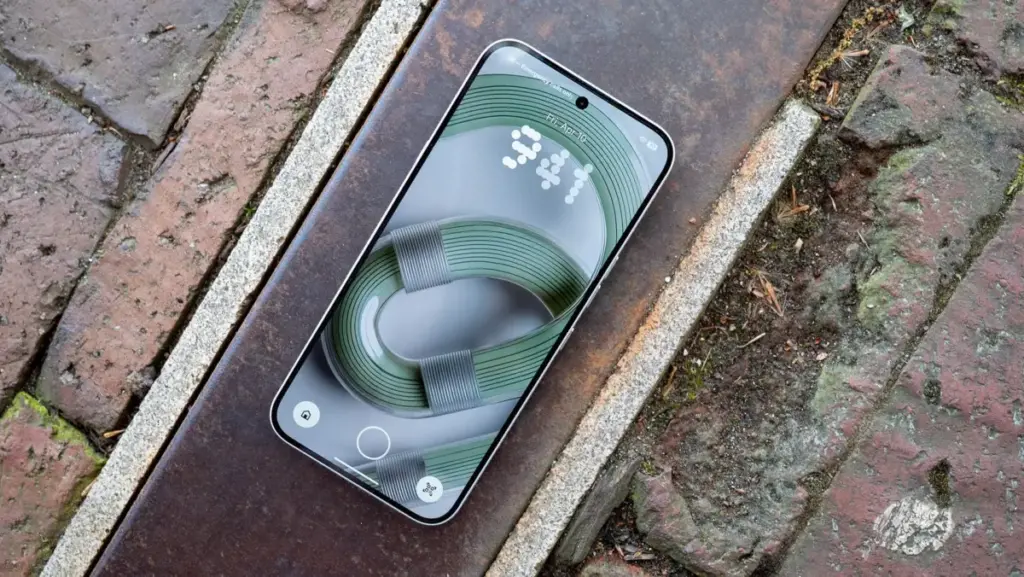
Beyond the lens, Nothing OS 5.0 is defined by its pursuit of "functional minimalism." A centerpiece of this philosophy is the introduction of the Geist typeface. Replacing the previous system fonts, Geist is described by Nothing’s design team as being "cleaner and easier to scan." The typeface is integrated throughout the entire operating system, from the lock screen clock to the deep settings menus, providing a cohesive visual language that aligns with the brand’s industrial design. The goal of Geist is to reduce cognitive load, allowing users to absorb information at a glance—a core tenet of Nothing’s mission to make tech "fun" again by reducing the time users spend staring intently at their screens.
The update also brings deeper customization options to the Glyph Interface, the signature array of LED lights on the back of Nothing phones. While the Phone 3a and 4a have different Glyph layouts compared to the flagship Phone 3, the OS 5.0 update provides more nuanced control over how these lights react to notifications and system events. A dedicated Glyph Interface app has been introduced to centralize these settings, making it easier for users to create custom light patterns for specific contacts or apps.
On the productivity front, Nothing’s "Essential AI" suite has received a significant boost. For the Phone 4a and 4a Pro, the Essential Voice feature—which handles real-time transcriptions—has been optimized for lower latency. This means that when a user is recording a lecture, a meeting, or a personal memo, the text appears on the screen almost instantaneously. This reduction in lag is not just a matter of convenience; it represents a more efficient use of the device’s NPU (Neural Processing Unit), which has been retuned under the Android 17 framework to handle AI workloads more effectively.
Smart Collections and the Android 17 Foundation
The intelligence of the OS extends to how it manages data. The "Smart Collections" feature, which originally debuted on the flagship Phone 3, is now being integrated into the 3a and 4a series. This feature uses on-device machine learning to analyze the user’s habits and the content of their files. It can automatically suggest ways to organize apps, photos, and documents, creating a more intuitive file structure without requiring manual input from the user. For example, if the system detects a high volume of travel-related photos and documents, it may suggest a dedicated collection that prioritizes those items during the duration of a trip.
 Mobile Device Management (MDM) & Mobile OS
Google Messages Overhauls Interface with New Gestures and Contextual Menus for Android Users
Google is currently in the process of rolling out a significant update...
 Mobile Device Management (MDM) & Mobile OS
Spotify Expands AI DJ Experience with Diverse New Voice Personas and Enhanced Commentary Controls
In the rapidly evolving landscape of digital music streaming, few features have...
 Mobile Device Management (MDM) & Mobile OS
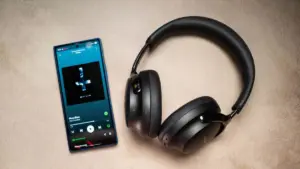
Samsung Reportedly Developing ‘Galaxy Studio’ Over-Ear Headphones to Challenge Apple and Sony
The landscape of the premium audio market has long been defined by...