Governance, Tagging, and Verification
Effective governance requires the activation of cost-allocation tags at the key level, ensuring that bucket-specific spending is visible in billing reports. It is important to note that after a tag is applied, it can take up to 24 hours to appear on the cost allocation page and another 24 hours to become active. While bucket tagging does not incur an extra charge beyond standard API rates, the delay in visibility requires proactive planning.
To verify that Lifecycle actions are actually occurring, AWS recommends using S3 Storage Lens dashboards over CloudWatch metrics, as the former provides a more detailed view of daily storage changes. This data should be cross-referenced with S3 Inventory and S3 Event Notifications to confirm that objects have landed in the intended tiers. Because Lifecycle transitions are asynchronous, there is often a lag between when an object becomes eligible for a move and when the action is executed.
For organizations using the AWS Service Catalog AppRegistry, the awsApplication tag is automatically applied and activated for cost reporting. While this is a convenient tool for tracking the total spend of a specific application, it should be viewed as a supplement to, rather than a replacement for, a deliberate and customized tagging taxonomy.
Final Considerations for Workload Matching
Choosing the right approach requires matching the strategy to the specific nature of the workload. If an organization has a well-defined aging curve and object sizes significantly larger than 128 KB, Lifecycle rules leading to Standard-IA and then Glacier are typically the most cost-effective route. If access is evolving or the workload is a new analytics pipeline with mixed object sizes, Intelligent-Tiering serves as an excellent insurance policy against manual mis-tiering, despite its monitoring fees. Finally, for high-transfer or heavily encrypted workloads, the non-storage-class checklist must be the priority, as these "hidden" lines are often the true source of fiscal inefficiency in the cloud.
Frequently Asked Questions
How current does my pricing model need to be, and where do I get the numbers?
You should pull current per-GB, per-request, and retrieval rates directly from AWS’s published pricing pages for your specific Region. Because rates vary by location and are subject to change, any cost comparison older than a few months should be re-verified before making a major architectural commitment.
Does tagging buckets or objects for cost tracking cost extra?
There is no additional charge for using tags on buckets beyond the standard S3 API request rates. However, the propagation delays—up to 24 hours for the tag to appear and another 24 for activation—mean that tags will not be reflected in your billing reports immediately.
Can I switch a bucket from Lifecycle-driven tiering to Intelligent-Tiering later?
Yes. Lifecycle configurations are flexible enough to transition objects from Standard or Standard-IA into Intelligent-Tiering. Objects can also be uploaded directly into the Intelligent-Tiering class via the PUT API. These mechanisms are designed to layer together rather than force an irreversible choice.
Are there limits on how many Intelligent-Tiering archive configurations I can run?
AWS supports up to 1,000 Intelligent-Tiering configurations per bucket. These can be scoped by prefix, object tag, or both. This limit is generally sufficient for even the most granular archive policies, but it is worth reviewing during the design of your prefix architecture.
What is the awsApplication tag and should I rely on it for cost reporting?
This tag is automatically added to resources associated with AWS Service Catalog AppRegistry applications. It is auto-activated for cost allocation, making it a useful convenience for tracking application-specific spend. However, if you deactivate it, it will not reactivate itself, so it should be used alongside a dedicated internal tagging strategy.
 Enterprise Tech & Infrastructure
IonQ Breakthrough Demonstrates Real-Time Quantum Error Correction Using Standard CPU Architecture
The global pursuit of fault-tolerant, scalable quantum computing has long been defined...
 Enterprise Tech & Infrastructure
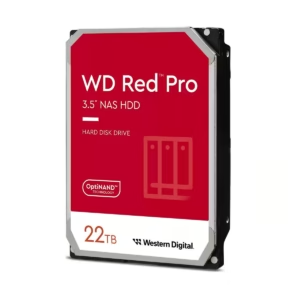
Seagate, Western Digital, and Toshiba Lead 2023 Rankings for Enterprise-Grade Storage Solutions
In the rapidly evolving landscape of corporate data infrastructure, the demand for...
 Enterprise Tech & Infrastructure
Cadence Systems Accelerates Chip Design Revolution with Maestro AI and Specialized Super Agents
The landscape of semiconductor engineering is undergoing a fundamental transformation as generative...