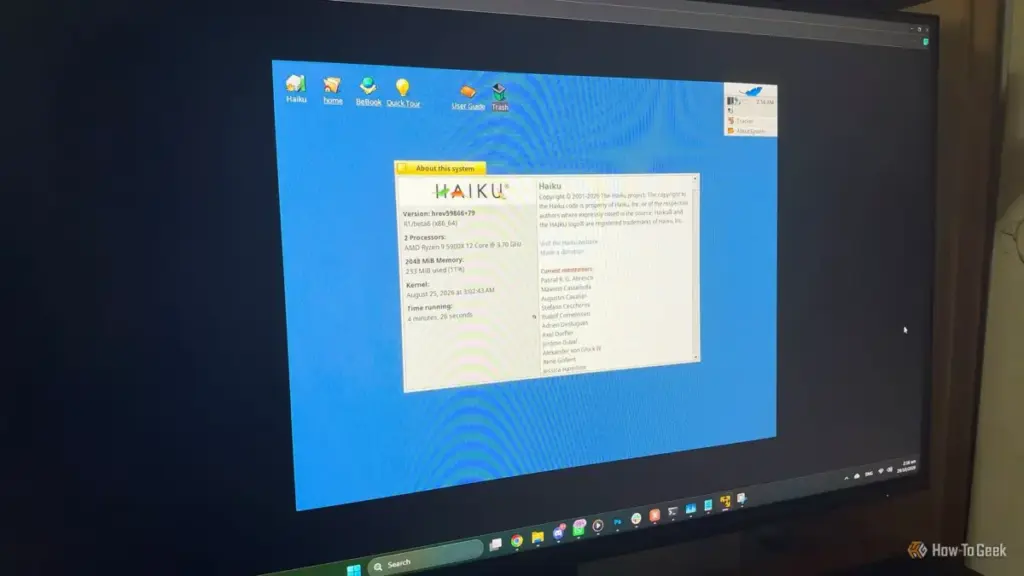
For years, the standard recommendation for any computer deemed too slow for Windows or macOS was to install a lightweight Linux distribution. This path provided a reliable escape from the planned obsolescence of mainstream operating systems, allowing hardware from a decade ago to remain functional for basic tasks. However, that window of opportunity is slowly closing. As modern Linux distributions grow in complexity and many abandon support for older 32-bit architectures, the "Linux-as-a-savior" narrative is facing its first real challenge.
Into this gap steps Haiku, an independent, open-source operating system that takes a fundamentally different approach to computing. With the recent release of its R1/beta6 version, Haiku is making a surprisingly strong case for itself, not merely as a curiosity for retro-computing enthusiasts, but as a viable way to revive ancient machines that even the leanest Linux distros might struggle to support.
What Is Haiku OS, Exactly?
To understand Haiku, one must first understand its predecessor, BeOS. Developed by Be Inc. in the 1990s, BeOS was designed from the ground up as a modern, media-centric alternative to the aging architectures of the Mac OS and Windows 95. At a time when multi-threading and preemptive multitasking were still novel concepts for consumer desktops, BeOS delivered a level of responsiveness and speed that felt years ahead of its time. Despite its technical superiority and a loyal cult following, Be Inc. failed to find a sustainable market position. The company’s assets were eventually sold to Palm in 2001, and the operating system was officially discontinued.
Haiku began that same year under the name OpenBeOS. It was a project born of passion, with a goal to recreate the BeOS experience as an open-source platform. Unlike many other hobbyist operating systems, Haiku was built as a clean-room implementation, meaning the developers wrote the code from scratch to avoid legal entanglements while maintaining binary compatibility with the original BeOS applications.
The most critical distinction to make is that Haiku is not Linux. It is not a Unix derivative, nor does it share a kernel with any other mainstream operating system. It is a unique, cohesive system where the kernel, the drivers, the graphical user interface, and the core applications are all developed by the same project. In the Linux world, a "distribution" is a collection of disparate parts—the Linux kernel, a display server like Wayland or X11, a desktop environment like GNOME or KDE, and various system utilities—often developed by different organizations with different philosophies. Haiku avoids this fragmentation, resulting in a system that feels remarkably unified and exceptionally fast.
This architectural unity allows Haiku to maintain a level of responsiveness that is difficult to replicate on other platforms. Even when the system is under heavy load, the user interface rarely stutters. Furthermore, Haiku retains the distinctive features of BeOS, such as the Be File System (BFS). BFS is more than just a place to store data; it supports rich extended attributes and fast queries, essentially allowing the file system to function like a database. Users can tag files with custom metadata and search through thousands of items nearly instantaneously, a feature that remains impressive even by modern standards.
Why Haiku OS Is a Strong Choice for Older Machines
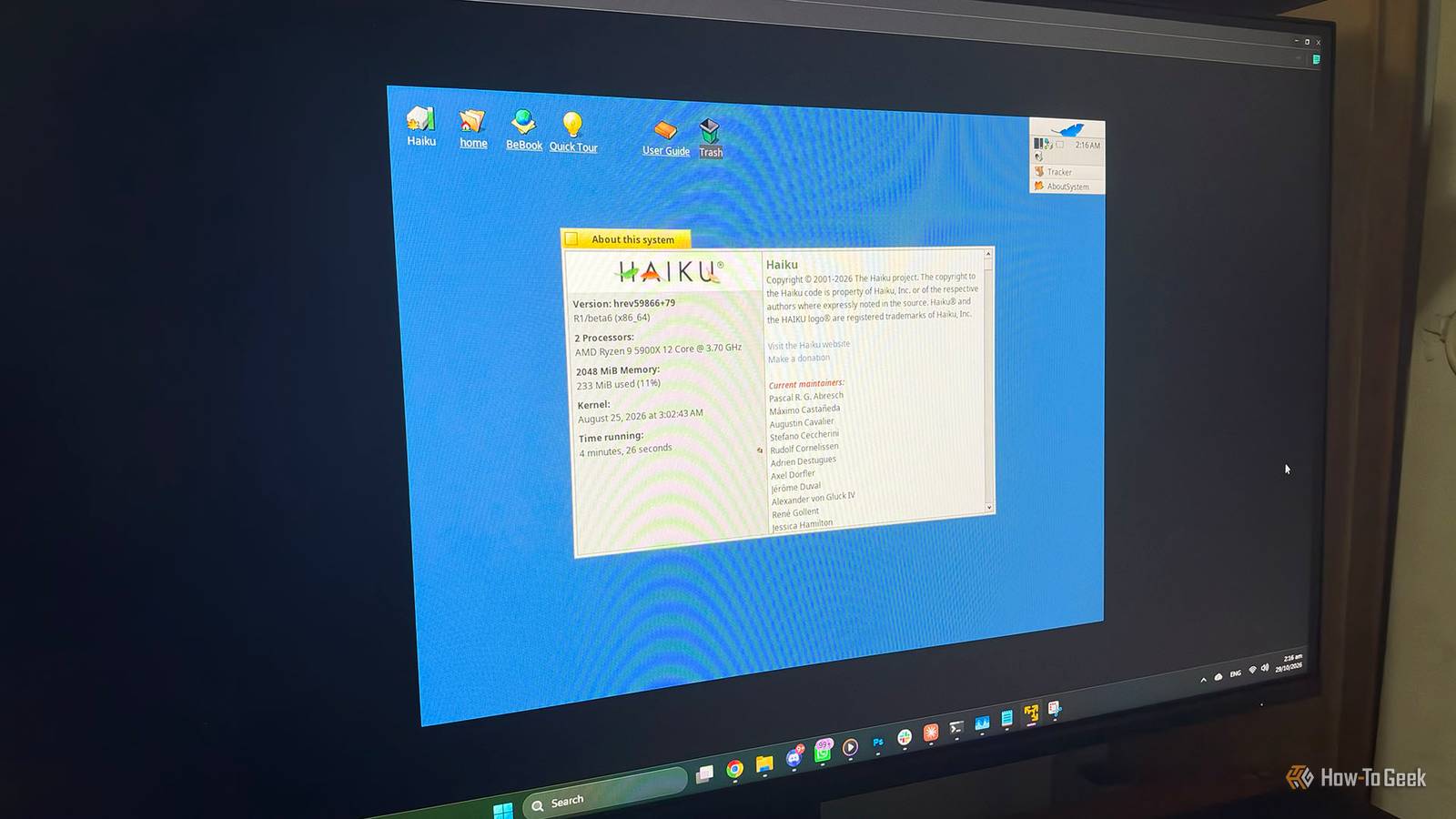
The release of Haiku R1/beta6 arrives at a significant moment, landing just one week before the project’s 25th anniversary. While the "beta" tag might suggest a work in progress, the system has reached a level of maturity and stability that makes it highly usable for specific workflows.
The most compelling argument for Haiku on legacy hardware is its incredibly small footprint. In an era where a "light" web browser can easily consume a gigabyte of RAM, Haiku’s system requirements feel like a throwback to a different age. The operating system officially supports machines starting with a Pentium II processor and 256 MB of RAM. However, the R1/beta6 release has pushed these limits even further. Thanks to optimizations in the virtual memory system and a new memory allocator (malloc) derived from OpenBSD code, the system can now boot into a full graphical environment with as little as 128 MB of RAM.
While lightweight Linux distributions like Tiny Core or Puppy Linux can run on similar hardware, they often do so by sacrificing the user experience. They frequently rely on minimal window managers that require significant configuration or offer limited functionality. Haiku, by contrast, provides a full, consistent desktop experience out of the box. Because the system is built as a single unit, there are fewer layers of abstraction competing for limited CPU cycles and memory.
Another factor working in Haiku’s favor is the industry-wide retreat from 32-bit hardware. Major Linux players have been phasing out support for the i386 architecture for years. Ubuntu has long since stopped providing 32-bit installation media, and Debian 13 has moved to relegate 32-bit support to a secondary status. This leaves owners of Pentium 4-era towers or first-generation netbooks with fewer and fewer options. Haiku remains committed to the 32-bit platform, partly because the 32-bit version is required for compatibility with original BeOS software. For those looking to keep 20-year-old hardware out of the landfill, this continued support is invaluable.
The software ecosystem within Haiku has also seen significant growth. The R1/beta6 release includes a version of the WebPositive browser based on a newer WebKit, but more importantly, it offers a functional port of GNOME Web and supports Firefox through community-maintained builds. The inclusion of HaikuDepot, a built-in package manager and app store, simplifies the process of finding and installing software. Users can find productivity suites like LibreOffice, media players like VLC, and a variety of development tools. For power users, the addition of QEMU hardware virtualization through NetBSD’s Virtual Machine Monitor (NVMM) allows for running other operating systems within Haiku, provided the hardware is capable.
Practical Considerations: Should You Install It?
Despite the impressive strides made in R1/beta6, Haiku is not yet a universal replacement for Windows or Linux. It remains a beta project, and the developers are transparent about the risks. The project does not currently promise absolute protection against data loss, and while the system is stable for many, regressions can occur on specific hardware configurations.
Hardware compatibility remains the primary hurdle. One of the most significant limitations is the lack of hardware-accelerated 3D graphics. Haiku currently renders its entire interface using the CPU (software rendering). While this is perfectly adequate for traditional desktop tasks, office work, and web browsing, it makes the system unsuitable for modern gaming or any application that relies heavily on GPU acceleration.

Networking is another area where users may encounter challenges. While wired Ethernet support is generally excellent, Wi-Fi support relies on drivers ported from the FreeBSD project. While many common chipsets work seamlessly, others may require specific configuration or may not work at all. For those planning to use Haiku on a laptop, verifying Wi-Fi compatibility via the system’s "live mode" is a crucial first step. Similarly, while Bluetooth support is present, it is not as mature as the implementations found in Linux or Windows.
It is also important to manage expectations regarding modern web browsing. While Haiku can boot on 128 MB of RAM, the modern web cannot. Attempting to load a script-heavy website like YouTube or a complex web application on a machine with less than 1 GB of RAM will be a frustrating experience regardless of the operating system. For a smooth experience that includes modern web tasks, a machine with at least 1 GB or 2 GB of RAM is recommended.
For users with hardware that supports 64-bit processing, the 64-bit version of Haiku is the clear choice, offering better performance and access to a wider range of modern software ports. The 32-bit version should be reserved specifically for older CPUs that lack 64-bit instructions or for those who have a specific need to run legacy BeOS binaries.
A Distinctive Second Life for Forgotten PCs
Haiku R1/beta6 represents a significant milestone in the project’s long history. It provides a unique alternative for those who find modern operating systems too bloated or those who feel alienated by the direction of contemporary Linux distributions. It is an operating system that prioritizes the user’s time and the machine’s resources, offering a level of "snappiness" that is increasingly rare in the modern computing landscape.
While it may not be ready to serve as a primary workstation for everyone, Haiku is an excellent choice for revival projects. It can turn a dusty old laptop into a distraction-free writing environment, a dedicated terminal for retro-coding, or a lightweight machine for basic productivity. By focusing on a cohesive design and maintaining support for aging architectures, Haiku ensures that "old" hardware doesn’t have to mean "useless" hardware. As the project moves closer to its eventual R1 gold release, Beta 6 stands as the most polished and compelling version of the system to date, offering a glimpse into a faster, more focused way of computing.
 Tech Tutorials & How-To Guides
Amazon Unveils Comprehensive 2026 Kindle Overhaul Featuring First Color Scribe and Thinner Designs
Amazon has officially announced a sweeping transformation of its entire Kindle ecosystem,...
 Tech Tutorials & How-To Guides
From Satire to Slapstick: A Curated Selection of Netflix Comedies to Cure the Workday Blues
In the modern professional landscape, the transition from a high-stress office environment...
 Tech Tutorials & How-To Guides
Beyond the Cloud: Why a Shift to Offline Password Management Is Becoming a Necessity for the Security-Conscious
In the modern digital landscape, the password manager has transitioned from a...