
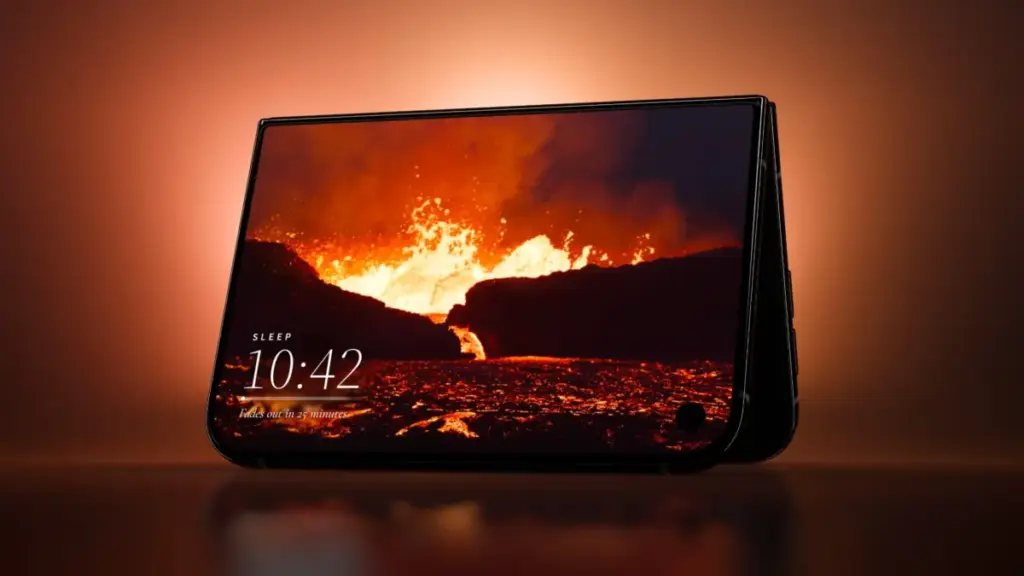
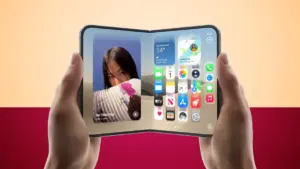
The official arrival of the iPhone Duo marks a significant hardware transition for Apple, introducing a dual-screen foldable form factor that offers multiple orientation options and physical interaction modes. As the device reaches consumers, application developers are actively experimenting with its unique physical architecture. Rather than simply extending standard iOS user interfaces across a larger canvas, a growing contingent of third-party creators is leveraging skeuomorphic visual designs and hinge-based physical mechanics to turn the foldable display into interactive retro hardware, tactile art surfaces, musical instruments, and dual-screen gaming consoles.
The release coincides with a high-profile launch period characterized by intense customer interest and tight supply chain availability. Retail reports indicate that Apple Store staff have been instructed to warn walk-in shoppers against visiting stores without existing pre-orders due to severe launch-day inventory constraints. Despite the underlying supply friction surrounding the launch, the developer ecosystem has moved quickly to establish a software foundation tailored specifically to the Duo’s distinct physical states, including seated orientation, tent mode, book folds, and outer display interactions.
Tiny Computers ($3.99)
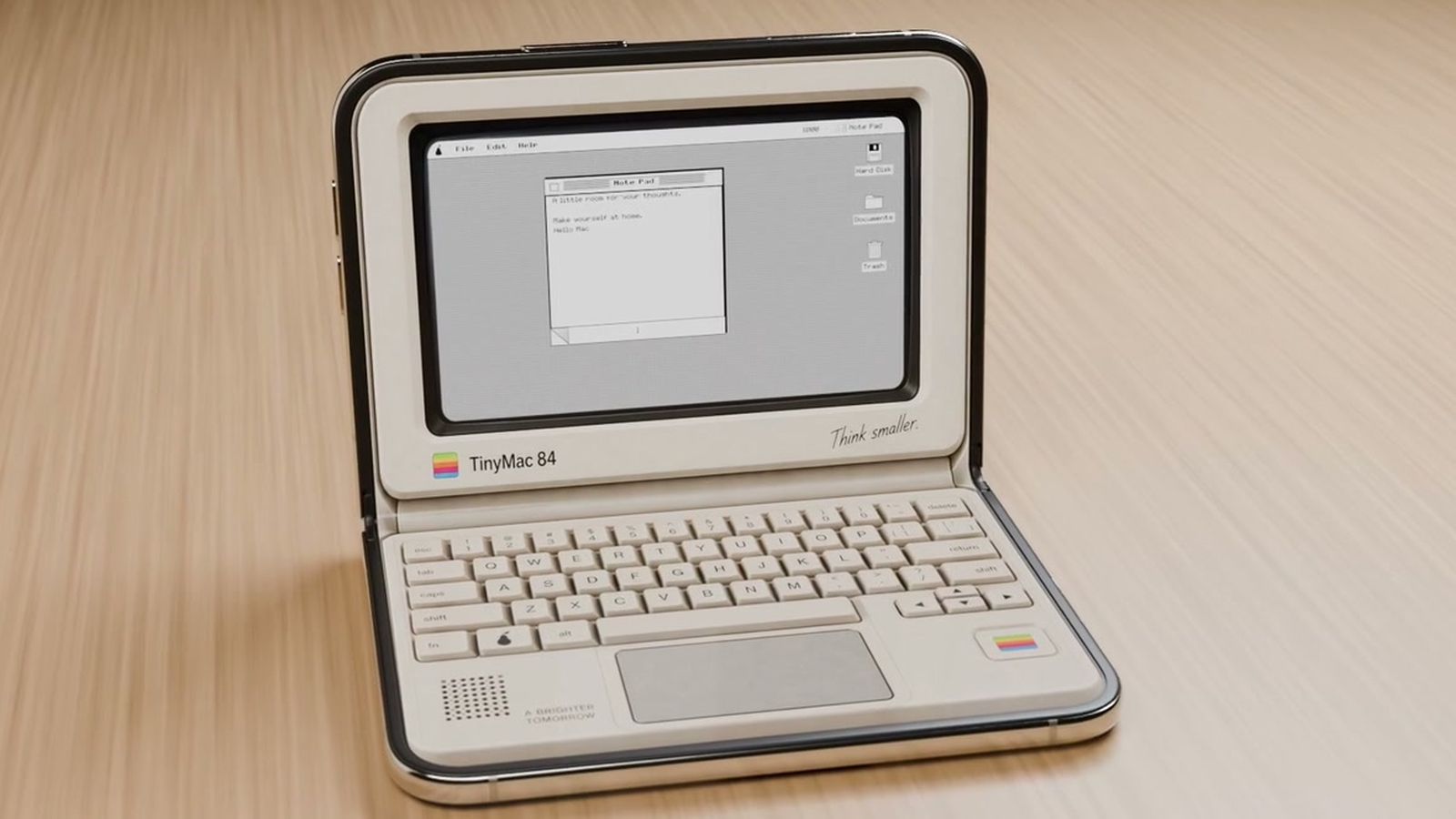
Among the most direct implementations of desktop skeuomorphism on the new hardware is Tiny Computers, an application created specifically to capitalize on the iPhone Duo’s seated orientation. When the device is rested on a flat surface with its hinge angled upward—resembling a miniature laptop—Tiny Computers transforms the hardware into a fully functional retro workstation.
The application includes software skins modeled after iconic historical personal computers, including the original Macintosh, the Commodore 64, the Amiga 500, the iMac G3, and the iBook G3. The dual-screen layout divides functions logically across the hinge: the upper display operates as a vintage CRT or LCD monitor, while the lower panel presents an interactive, clickable virtual keyboard styled after the corresponding era’s plastic keycaps.
Beyond visual aesthetics, Tiny Computers includes interactive desktop environments equipped with period-appropriate paint programs, functional retro mini-games, clickable desktop icons, and hidden file directories containing Easter eggs for vintage computing enthusiasts to discover.
Fold & Squish (Free)
Developed by the same creator behind Tiny Computers, Fold & Squish takes a tactile approach to art creation by incorporating the physical action of closing the device directly into its core mechanics. The app brings the classic concept of Rorschach inkblot paintings into a digital medium.
To create artwork, users open the iPhone Duo flat and apply virtual paint to one side of the internal display. Once a design is drawn, the app prompts the user to physically fold the device shut. While closed, the user rubs a finger across the outer display panel, simulating the motion of pressing and smearing wet paint between two folded sheets of paper. Opening the iPhone Duo reveals a symmetrical, mirrored paint composition.
The base version of Fold & Squish is available as a free download with standard digital paint tools. An optional add-on "Sparkle Pack" expands the app’s toolset by introducing specialized glitter paints, multi-tone rainbow pigments, and structured overlay guides to assist users in crafting specific geometric shapes such as butterflies.
Portal ($2.99/month)
Focusing on ambient utility and relaxation, Portal updates its established library of natural environmental captures to take advantage of the Duo’s spatial flexibility. The application provides access to more than 100 high-definition natural environments recorded worldwide, ranging from Icelandic lava flows to the cloud forests of Costa Rica.
Portal utilizes the device’s physical configurations depending on how it is positioned. When unfolded flat, the ambient video environments stretch across both displays to create an expansive panoramic view. However, the app is particularly suited for tent mode, where the Duo is propped up like an A-frame tent on a desk or nightstand. In this orientation, one side of the screen serves as an ambient display showing real-time atmospheric visuals, spatial audio, and integrated focus or sleep timers, while leaving the opposite side obscured or angled away.
The application operates on a freemium model. Users can access three rotating environmental portals each month for free, while unlimited access to the entire library, guided breathing exercises, and specialized focus utilities requires a Premium subscription priced at $2.99 per month or $29.99 per year.
Lake (Free)
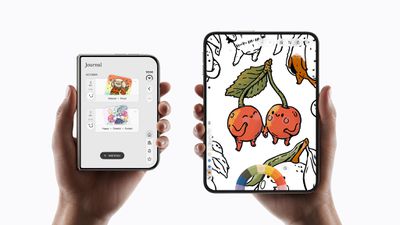
Lake, a long-standing digital coloring application featuring curated artwork from independent global artists, has received a substantial layout update tailored to the iPhone Duo’s portrait dimensions.
When held open like a traditional paper book in portrait orientation, Lake provides a broad canvas that mimics the physical layout of an open sketchbook or adult coloring journal. The dual-screen area allows artists to view tool palettes, color wheels, and artist background information on one side of the display while maintaining an unobstructed view of the main coloring page on the other.
The developers behind Lake have confirmed that the updated application is actively being enhanced to support Apple Pencil input. The app remains free to download with access to basic daily illustrations and standard drawing instruments. Full access to the catalog of independent artist collections and advanced brush engines requires a premium subscription costing $9.99 per month.
Toastie ($2.99)
Showcasing the humor and novelty that often accompanies the arrival of new consumer hardware, indie developer Tom Szykulski introduced Toastie, a game that humorously advertises the iPhone Duo as "the world’s most expensive toaster."
The gameplay loop turns the physical folding mechanism into a culinary cooking simulation. Players assemble a virtual grilled cheese sandwich on the internal display, selecting ingredients, bread types, and toppings under time-constrained round conditions. Once the sandwich is prepared, the player must physically snap the iPhone Duo closed to engage the cooking process.
The internal gyroscopes and sensors monitor the duration the device remains closed. Players must time the reopening of the device precisely: opening the Duo too early results in unmelted cheese and un-toasted bread, while leaving the device closed for too long burns the sandwich. The game relies entirely on muscle memory and spatial timing, offering a lighthearted example of how physical folding can serve as a primary input trigger.
Delta Game Emulator (Free)
The popular multi-system emulation frontend Delta has released an update targeted directly at the iPhone Duo, offering a natural hardware fit for dual-screen handheld gaming systems.
Most notably, Delta’s updated skin framework allows the Duo to act as a near-1:1 physical recreation of a Nintendo DS. When held vertically, the top display renders the primary game view, while the bottom display displays secondary touch menus, maps, and virtual handheld hardware controls modeled after classic gaming hardware aesthetics.
The app also links physical device state changes to software functionality. When a user folds the iPhone Duo completely closed during active gameplay, the emulator automatically pauses the emulation loop and places the software into low-power sleep mode—mirroring the exact hardware behavior of physical dual-screen clamshell consoles from the mid-2000s.
TypeDraw ($4.99)
TypeDraw, developed by Phil Traut, re-imagines digital note-taking by rendering realistic bound notebooks on the iPhone Duo display. The application emphasizes visual skeuomorphism, displaying a realistic leather or hardcover journal exterior when viewed on the outer screen, which transitions into textured paper pages upon opening the device.
TypeDraw allows users to configure specific software actions tied to the physical motion of unhinging the display. Users can personalize their digital notebooks with custom cover colors, vintage typography, and custom handwriting rendering engines. The application fully supports Apple Pencil precision for freehand sketching, margin annotation, and cursive writing.
While optimized specifically to evoke the sensation of opening a real paper journal on the iPhone Duo, TypeDraw maintains cross-compatibility with standard single-screen iPhones, automatically adapting its interface layout for non-folding displays.
Fold Accordion ($2.99)
Exploiting the mechanical properties of the device’s flexible hinge, Fold Accordion converts the iPhone Duo into a working musical squeeze-box.
In this application, the continuous angle data measured by the central hinge acts as the virtual bellows of an accordion. To generate sound and sustain notes, players must rhythmically open and close the device to simulate pumping air through the instrument. Keyboards and chord buttons are mapped to the touch surfaces on either side of the display, allowing musicians to play melodies with their fingers while controlling volume and timbre through the physical motion of folding and unfolding the device.
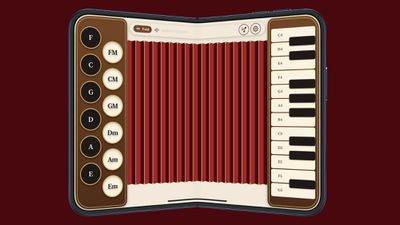
For beginners, Fold Accordion includes an interactive learning mode that highlights correct key sequences across the screen while guiding the player on when to expand or compress the device’s hinge.
Living Earth ($5.99)
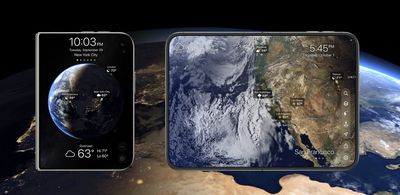
Living Earth brings its established atmospheric clock and weather dashboard to the Duo, targeting desktop use cases through tent mode functionality.
The application renders a 3D simulation of planet Earth featuring real-time global cloud coverage, live satellite weather tracking, tropical storm pathways, and day/night light terminators. When the iPhone Duo is unfolded flat, the interactive globe spans both screens, allowing users to spin, zoom, and inspect global weather fronts across a large display area.
When placed into tent mode on a nightstand or office desk, Living Earth converts into a split-screen dashboard. One panel displays live time, local temperature, and multi-day forecasts, while the opposite panel maintains a rotating visual view of the earth rendered from live meteorological satellite feeds.
Duometry ($2.99)
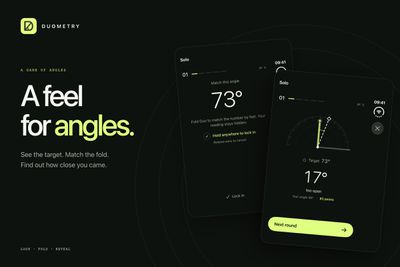
Designed as a spatial puzzle game, Duometry turns the physical calibration of the iPhone Duo’s hinge into a core gameplay challenge.
The game presents players with a target geometric angle on screen—such as 45 degrees, 120 degrees, or 88 degrees. The player must rely purely on spatial awareness and hand judgment to physically bend the Duo’s hinge to match the requested target angle without the assistance of on-screen protractors. Once the player believes they have hit the exact angle, they tap the screen to lock in their answer.
The game reads the device’s internal angle sensors to evaluate the guess, scoring the user based on angular precision down to fractions of a degree. As players progress through levels, target angles must be matched faster, under varying visual lighting conditions, or through multi-step folding sequences.
Deck-Man ($4.99)
Deck-Man approaches audio playback through pure analog nostalgia, transforming the dual-screen foldable into an interactive cassette deck player inspired by classic portable media devices of the 1980s.
When the application is active, opening the iPhone Duo unlatches a virtual cassette door mechanism on screen, allowing users to browse their music library formatted as customizable cassette tape shells. Once a tape track is selected and inserted into the virtual deck, the user snaps the physical iPhone Duo closed.
Snapping the device closed engages the simulated playback head, commencing audio output while displaying animated spinning tape reels through the window of the outer display interface. External volume buttons and tap-based transport controls allow users to play, pause, rewind, and fast-forward tracks with realistic mechanical audio sound effects accompanying every physical action.
Orisuji ($4.99)
Orisuji is a specialized spatial puzzle game centered around virtual paper folding and maze navigation. The game challenges players to guide a character or marker through intricate labyrinths that wrap around both the internal and external surfaces of the device.
Gameplay begins on the large main internal display, where players trace paths through complex geometric lines. However, as mazes encounter physical edges, paths dead-end unless the user physically folds or flips the iPhone Duo to transfer the puzzle continuum onto the outer display panel.
By constantly transitioning between unfolded, semi-folded, and completely closed states, players manipulate the geometry of the maze itself to bridge gaps, uncover hidden paths, and solve three-dimensional spatial puzzles that would be impossible to render on a static, single-display smartphone.
A Changing Software Ecosystem
The immediate emergence of these specialized applications underscores a distinct wave of developer interest surrounding Apple’s newest hardware architecture. Rather than treating foldability as a simple screen-extension feature, independent creators are actively treating the hinge, outer panels, and physical folding gestures as essential software inputs.
This early wave of third-party software releases provides a glimpse into how software design may evolve on dual-screen devices, balancing utilitarian productivity updates with tactile, retro-inspired skeuomorphism that redefines how users physically interact with their daily technology.
 macOS & Apple IT Support
Developers Expand iPhone Duo App Ecosystem Two Weeks After Dual-Screen Smartphone Debut
Two weeks after Apple officially launched its dual-screen iPhone Duo, software developers...
 macOS & Apple IT Support
Apple Mandates Developer Disclosures for Location Sharing and Dating Features to Update App Store Age Ratings
Apple has announced a new set of developer requirements designed to refine...
 macOS & Apple IT Support
Supposed M6 Pro Geekbench Result Flawed and Likely Fake, Founder Confirms
A benchmark score claiming to reveal the performance capabilities of an unreleased...







