

The KDE community has officially released KDE Plasma 6.8, marking a historic milestone as the open-source desktop environment celebrates the 30th anniversary of its founding. Over the three decades since its inception, KDE has evolved from an ambitious effort to create a consistent, user-friendly graphical environment for Unix-like systems into one of the pillars of the modern free software ecosystem. The arrival of Plasma 6.8 represents both a celebration of that longevity and a decisive step forward in the project’s technical modernization, combining expanded system tooling, refined visual consistency, performance optimizations, and a definitive pivot toward modern display architectures.
The new release touches almost every layer of the Plasma desktop stack. Rather than focusing solely on incremental bug fixes or minor aesthetic adjustments, Plasma 6.8 delivers meaningful additions to system maintenance, multimedia capture, visual integration for third-party software, accessibility, and low-level resource management.
Expanding Desktop Tooling: Kup and Spectacle
Among the most visible additions in KDE Plasma 6.8 is the integration of Kup, a dedicated backup tool designed to simplify automated data protection. While Linux users have traditionally relied on a disparate collection of command-line scripts, manual file transfers, or standalone third-party software, Kup is now provided as part of the Plasma environment to streamline routine backups directly to external storage media. By integrating backup functionality cleanly into the desktop workflow, the system allows users to configure automated schedules and safeguard personal files without navigating complex administrative setups.
Plasma’s default screenshot and screen capture utility, Spectacle, has also received significant functional upgrades. In recent iterations, Spectacle transitioned from a straightforward static image capture utility into a modern screen-recording interface. In Plasma 6.8, its recording capabilities expand further: the tool can now capture system audio alongside microphone input simultaneously with video recording. This enhancement turns Spectacle into a comprehensive, out-of-the-box solution for creating instructional walkthroughs, technical troubleshooting captures, video demonstrations, and collaborative presentations without requiring users to install advanced external broadcasting suites.
Visual Integration and Broader Accessibility
Visual consistency across diverse application ecosystems has long presented challenges for Linux desktop environments, particularly when handling third-party software built on custom graphical toolkits. In Plasma 6.8, the desktop client for Valve’s Steam platform receives improved window decorations, rendering native drop shadows and rounded corners. This adjustment allows the Steam interface to blend seamlessly alongside native KDE and standard Wayland client windows, reducing visual friction and maintaining the aesthetic cohesion of the overall desktop workspace.
Usability improvements in Plasma 6.8 also focus heavily on inclusive design. The update introduces a dedicated "click dwell" accessibility feature, which allows users to trigger a mouse click simply by hovering the pointer over a user interface element for a designated period. This feature is particularly valuable for individuals with motor disabilities, repetitive strain injuries, or those using alternative pointing hardware, such as head trackers or eye-gaze systems, enabling full desktop navigation without requiring physical button presses.
 Linux & Open Source Solutions
Canonical Hardens Ubuntu 26.10 Boot Security by Stripping Advanced Filesystem Parsers from Signed GRUB
Canonical has implemented a significant architectural shift in how Ubuntu 26.10 boots...
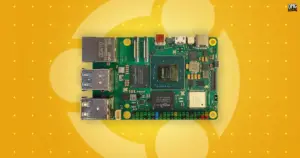 Linux & Open Source Solutions
Canonical Publishes Official Ubuntu Desktop Images for RISC-V Hardware Ahead of Ubuntu 26.10
Installing an official Ubuntu desktop operating system on 64-bit RISC-V hardware is...
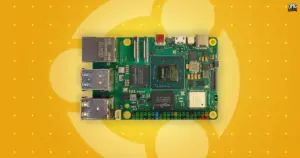 Linux & Open Source Solutions
Canonical Unveils Official Ubuntu Desktop Images for RISC-V Ahead of Ubuntu 26.10
Installing a complete graphical Ubuntu desktop on 64-bit RISC-V hardware is poised...







