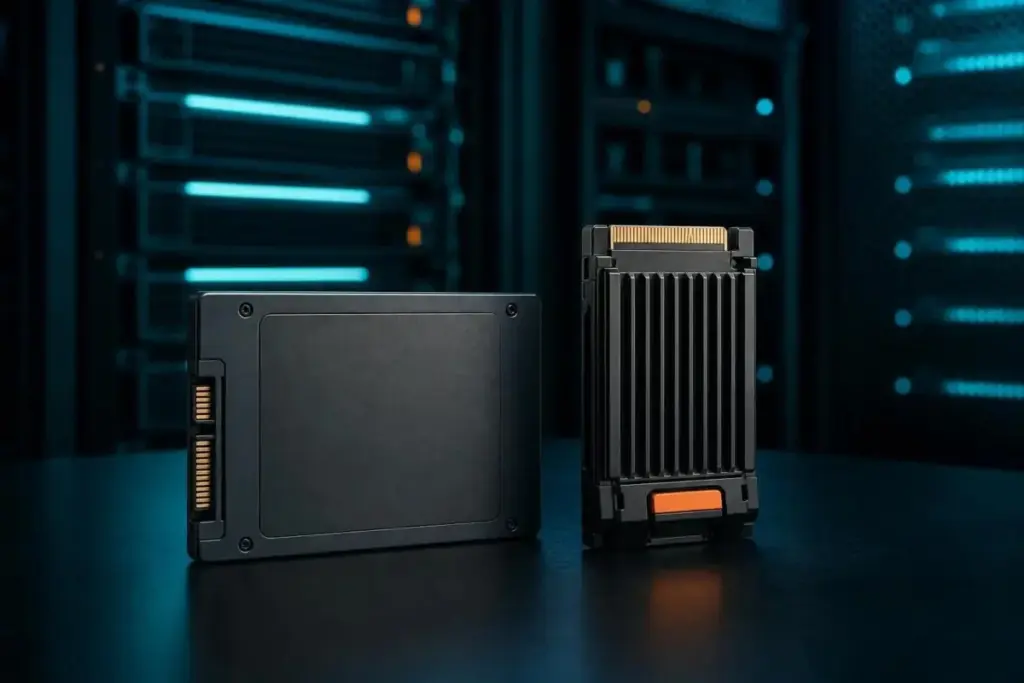
There is also frequent confusion regarding the M.2 form factor. M.2 refers to the physical shape of the drive—a small, gum-stick-sized card—rather than the speed. An M.2 drive can be either SATA or NVMe, depending on the internal architecture. Therefore, buyers must verify the interface compatibility of their motherboard or server before assuming an M.2 drive will provide NVMe-level speeds.
Endurance and the Importance of Datasheets
For professional and enterprise users, the most critical metric is often endurance, usually measured in Total Bytes Written (TBW). This figure represents the amount of data that can be written to the drive before the NAND cells are expected to fail. However, TBW is not a static number; it is highly dependent on the type of data being written.
A Micron datasheet for the 6550 ION SSD series illustrates this variability clearly. The drive is rated for up to 112,000TB of endurance when subjected to 128KB random-write testing. However, when the test is changed to a 4KB random-write pattern, that endurance figure plummets to 28,000TB. This discrepancy is why SK Hynix and other vendors urge buyers to scrutinize the workload assumptions behind a manufacturer’s claims. A drive that looks like a bargain on paper may wear out prematurely if used for a high-intensity workload that doesn’t match its design parameters.
The Persistence of the Hard Drive
Despite the dominance of SSDs in performance-sensitive roles, the Hard Disk Drive (HDD) has not yet been rendered obsolete. The primary trade-off remains a balance of cost versus capacity. Pure Storage notes that while SSDs can be up to 14 times faster than HDDs in certain scenarios, they still carry a higher price tag per gigabyte.
For bulk storage, long-term archiving, and capacity-heavy workloads that are not sensitive to latency, HDDs remain the more economical choice. Many enterprise environments continue to use hybrid storage strategies, utilizing high-speed SSDs for active data and "spinning rust" HDDs for infrequently accessed files.
Conclusion: A Strategic Approach to Procurement
Ultimately, the question for modern buyers is never "Flash vs. SSD," but rather which specific SSD configuration is right for the task at hand. The decision should be guided by a clear understanding of NAND types (SLC, TLC, or QLC), the interface (SATA vs. NVMe), and the physical form factor required by the hardware.
Before committing to a purchase, it is vital to review the manufacturer’s datasheet for TBW figures and to understand the conditions under which speed ratings were measured. Factors such as block size, queue depth, and whether the performance is "burst" or "sustained" can all change how a drive performs in a real-world environment. For critical applications, the only true way to gauge a drive’s suitability is to test it against the specific read/write mix of the intended workload before deployment.
 Enterprise Tech & Infrastructure
The Performance Frontier: Assessing the Persistent Role of HDDs in an SSD-Dominated Enterprise Landscape
In the rapidly evolving world of enterprise data storage, the conversation has...
 Enterprise Tech & Infrastructure
Bridging the Gap: The Role of Fibre Channel over Ethernet (FCoE) in Modern Data Center Storage
In the complex landscape of enterprise data management, the quest for a...
 Enterprise Tech & Infrastructure
Huang shrugs off protestors to kick off GTC Berlin with DSX Pods, Robots
The DSX Pod represents a significant evolution in how high-performance computing is...